By adsturbo.ai | Published 2026-09-27 | Updated 2026-09-27
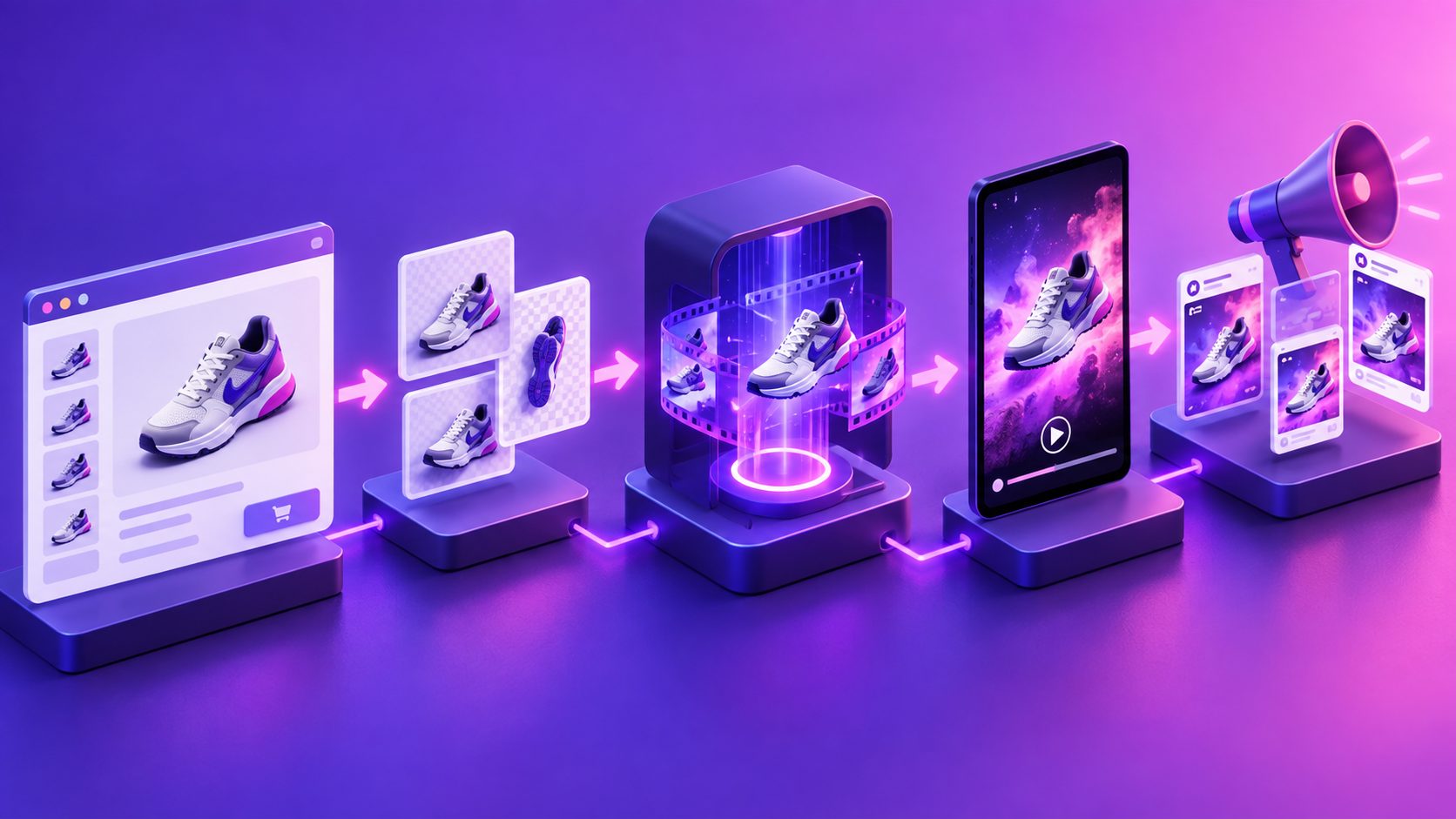
Turn Amazon product images into video ads by converting static listing assets into a short sequence that demonstrates the product, communicates one selling point, and ends with a clear next step. You do not need to film a new commercial first: your main image, secondary images, A+ visuals, product claims, and existing brand assets can provide the raw material for a focused 15-second creative.
The important distinction is that a video ad is not a slideshow. It needs motion, hierarchy, readable text, and a reason for the shopper to continue watching.
What does it mean to turn Amazon product images into video ads?
Turning Amazon product images into video ads means restructuring still images into a timed visual story rather than displaying every listing image in sequence. The strongest version usually combines a product reveal, a use-case visual, one proof point, and a final product-focused frame.
For Amazon Sponsored Brands video, Amazon currently specifies a duration between 6 and 45 seconds, while recommending 20 seconds or less. Supported dimensions include 1280×720, 1920×1080, and 3840×2160, with a 16:9 aspect ratio. Videos should also work without sound because playback begins muted. (advertising.amazon.com)
Amazon’s own Video Generator also supports transforming still product images into motion-based video creative, confirming that image-to-video production is now a practical workflow for sellers rather than a purely experimental format. (advertising.amazon.com)
Which Amazon images should you use?
Start with images that answer different buyer questions. Do not simply upload the nine most attractive files.
A practical asset hierarchy is:
| Asset type | Job in the video | Best use |
|---|---|---|
| Main product image | Establish recognition | Opening or hero shot |
| Lifestyle image | Show context | Product-in-use scene |
| Feature infographic | Explain one benefit | Short overlay or cutaway |
| Detail image | Prove quality or construction | Texture, size, mechanism |
| Comparison image | Clarify differentiation | Before-and-after or alternative |
| A+ brand image | Reinforce identity | End card or brand moment |
Original framework: the 1–2–1–1–1 method. For a 15-second ad, select one recognition image, two benefit images, one proof image, and one conversion frame. This prevents a common failure: spending the entire video rotating through product photos without showing why the product matters.
If your listing images contain dense text, do not animate every word. Extract the strongest claim and rewrite it into a short, mobile-readable line. Amazon requires creative text and imagery to remain legible and relevant to the advertised product. (advertising.amazon.com)
How do you build a 15-second Amazon product video?
Use the following five-shot structure:
-
0–2 seconds: Product recognition
Show the product immediately. Use a clean zoom, parallax movement, or controlled camera push rather than an abstract intro. -
2–5 seconds: Problem or use case
Move from the isolated product to a lifestyle image or simulated scene. The viewer should understand where the product fits into daily life. -
5–9 seconds: Primary benefit
Show one feature, not a list of seven. Use a close-up, animated highlight, or before-and-after transition to make the benefit visually obvious. -
9–12 seconds: Proof or differentiation
Use a detail image, comparison frame, material close-up, or demonstration sequence. This is where the video earns credibility. -
12–15 seconds: Product and next step
Return to the product, brand identity, and a concise call to action. Keep the end card clean so it does not compete with Amazon’s interface.
This structure is deliberately shorter than a full product presentation. Amazon describes Sponsored Brands video as a way to create interest and move shoppers toward a product detail page or Brand Store, not as a replacement for the complete listing. (advertising.amazon.com)
How should you adapt the video for Amazon compliance?
A technically attractive video can still fail review if it ignores the placement. Design for Amazon’s format before adding effects.
Use this checklist:
- Export in 16:9 for Sponsored Brands video.
- Keep the final file in MP4 or MOV format.
- Use a resolution of at least 1280×720.
- Avoid black, blurred, or colored bars around the video.
- Keep important text away from the lower-right area, where interface controls may appear.
- Match the language of the marketplace.
- Make the product clearly visible and relevant to the destination page.
- Design the message to work with the sound off.
- Avoid unsupported claims, exaggerated results, or visual details that do not match the listing.
Amazon notes that Sponsored Brands video can appear in search results and on product detail pages, and the primary product image and product information may also appear around the video unit. That means the video should complement the listing rather than repeat every piece of information already visible beside it. (advertising.amazon.com)
For a deeper compliance review, compare the finished asset against Amazon’s Sponsored Brands video specifications and creative guidelines.
What is the fastest AI workflow for image-to-video production?
A repeatable workflow is more useful than generating one attractive video.
1. Prepare the source images
Use clear JPG or PNG files. Product images on a plain background are especially useful when you want to create controlled motion, background replacement, or new product-focused compositions.
2. Define one audience and one promise
For example:
- “For small kitchens with limited counter space”
- “For commuters who need fast charging”
- “For first-time pet owners who want simpler feeding”
One video should normally test one dominant angle. Multiple angles belong in separate variants.
3. Create the motion plan
Assign each image a movement: zoom, pan, rotation, crop, object highlight, or scene transition. Motion should explain the product, not merely decorate the frame.
4. Add concise text and captions
Use short overlays that can be read quickly. If the video includes voiceover, generate synchronized subtitles as a separate export or as an embedded version. AdsTurbo Video Subtitle supports automatic transcription, timed captions, multilingual subtitle generation, and downloads for either embedded-caption videos or standalone subtitle files.
5. Generate multiple controlled variants
Change one variable at a time:
- Hook image
- Benefit statement
- Product angle
- Lifestyle context
- End-card CTA
- Voice or language
AdsTurbo can support this production model through product image generation, background replacement, video subtitles, AI upscaling, and product video workflows. Its asynchronous generation model also allows completed tasks to be received through status polling or Webhook callbacks, which is useful when processing many SKU variations.
For teams working across many products, the TikTok Shop bulk video generator workflow offers a useful way to think about SKU-level creative testing, even when the final destination is Amazon.
How can one image set produce more than one ad?
Treat your Amazon listing as a content system, not a fixed gallery. One product image set can produce several creative families:
- Feature-led ad: product image plus one functional benefit.
- Lifestyle-led ad: product placed in a relevant daily setting.
- Problem-solution ad: visual friction first, product solution second.
- Comparison ad: highlight a material, size, workflow, or usage distinction.
- Trust-led ad: show construction details, packaging, setup, or product handling.
- Seasonal ad: reuse the product visuals with an appropriate event or promotion theme.
This approach creates a testing matrix without changing the product itself. If the product is shown accurately in every variant, you can learn whether performance is driven by the hook, the benefit, the visual context, or the CTA.
For lower-resolution source files, preview the result before publishing. AdsTurbo Video Upscaling provides before-and-after enhancement previews and supports exporting upgraded video files, which can help when older listing assets are too soft for motion design.
Common mistakes when creating Amazon video ads from images
Is a photo slideshow enough?
Usually not. A slideshow changes frames, but a product ad needs visual progression. Add a clear sequence: identify, demonstrate, prove, and direct.
Should every product feature appear?
No. Too many claims reduce comprehension. Build separate variants around separate benefits instead of placing every bullet point into one 15-second video.
Can you use AI-generated backgrounds?
You can use generated or replaced backgrounds as a production technique, but the product must remain accurate and recognizable. Avoid scenes that imply a use, size, result, or capability the product does not actually have.
Should the video include sound?
Sound can help, but the creative must remain understandable when muted. Amazon states that video ads begin without audio, so captions, product visibility, and on-screen hierarchy should carry the core message. (advertising.amazon.com)
What if the source images are blurry?
Improve the source before adding complex motion. A low-quality still often becomes more distracting when enlarged, cropped, or animated.
Final checklist before publishing
Before uploading, confirm that:
- The product appears in the first two seconds.
- The video communicates one primary benefit.
- Every visual matches the Amazon listing.
- Text is readable on a mobile screen.
- The creative works without audio.
- The format meets Amazon’s duration, resolution, and aspect-ratio requirements.
- The destination page supports the promise made in the video.
- At least two or three variants are ready for testing.
The best reason to turn Amazon product images into video ads is not simply to add motion. It is to convert existing listing information into a faster, more testable creative system—one that can support Sponsored Brands, product detail page campaigns, and broader ecommerce distribution without rebuilding every asset from scratch.
For adjacent workflows, see this guide to Amazon product video rejection reasons and compliance checks and the framework for video ad creative fatigue and variant testing.