vintage clothing flaw callout video tool for Depop and Poshmark

Summarize with
Summary
Create vintage clothing flaw callout videos with timed labels for stains, holes, wear, and repairs. Build clearer Depop and Poshmark listings with AdsTurbo.
By adsturbo.ai | Published 2026-10-18 | Updated 2026-10-18
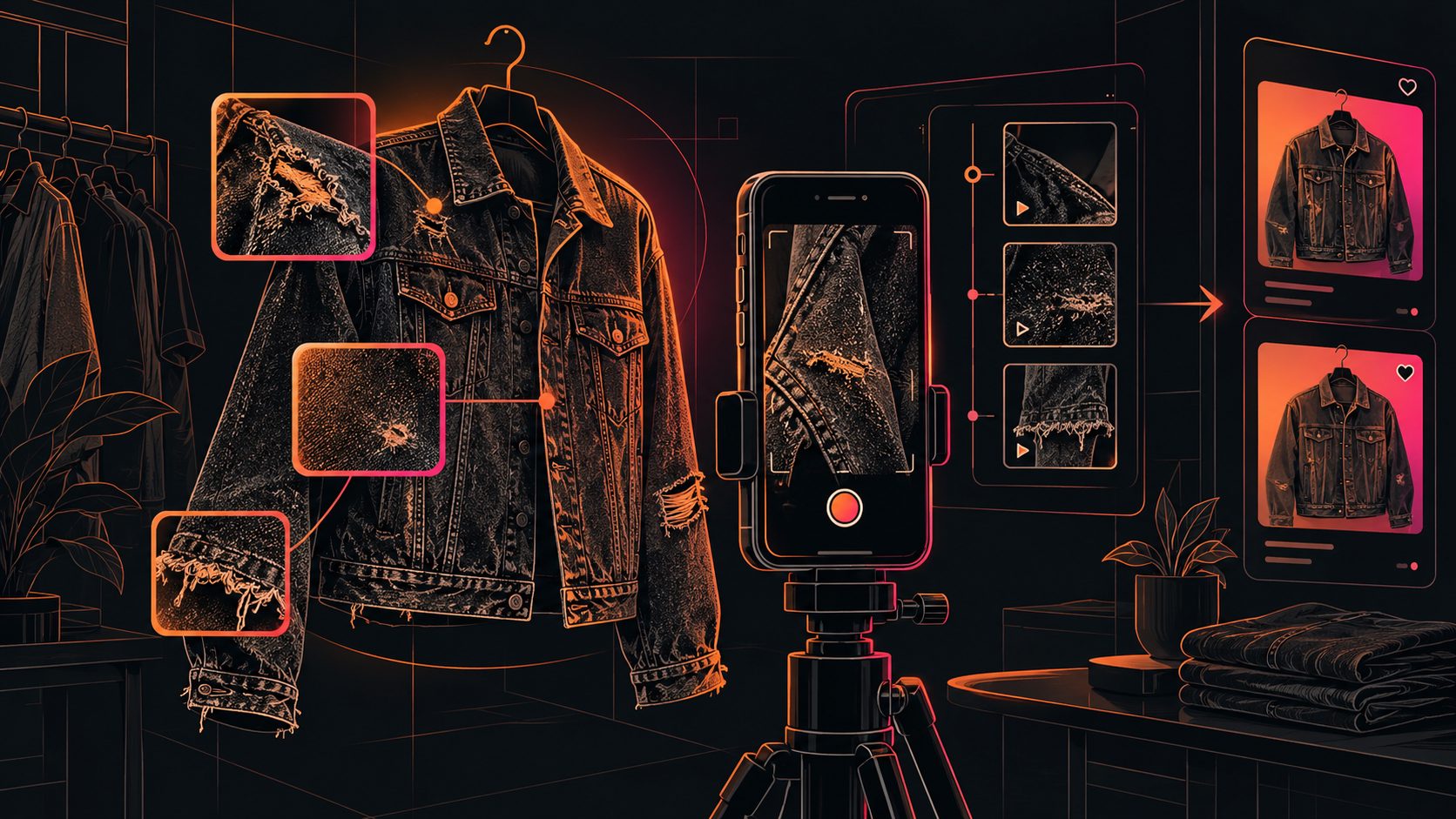
A vintage clothing flaw callout video tool helps resellers turn condition checks into short, visual listing videos. Instead of writing “minor wear” and leaving buyers to guess, you can show the garment, pause on the issue, and add a timed label such as “faint mark,” “loose stitching,” or “repair near cuff.”
For Depop and Poshmark sellers, this format is especially useful because vintage clothing often has one-of-a-kind wear patterns, altered sizing, faded labels, or small defects that are difficult to explain with a single photo.
What is a vintage clothing flaw callout video tool?
A vintage clothing flaw callout video tool creates a short clip that combines garment movement with on-screen condition annotations. The best version shows the full item first, then uses close-ups, arrows, circles, or captions to identify every material issue that could affect a buyer’s decision.
The purpose is not to make a vintage item look flawless. It is to make the item understandable before purchase.
Depop’s seller guidance recommends showing the item from different views, including tags and flaws. Its listing advice also emphasizes accurate condition descriptions, measurements, fit notes, and detailed photos. (sellers.depop.com) Poshmark similarly recommends multiple angles, close-ups of rips or stains, tags, texture, and listing video to help shoppers understand what they are buying. (blog.poshmark.com)
That makes a flaw callout video more than a creative extra. It is a compact condition report.
Why dynamic flaw labels work better than “good condition”
The phrase “good condition” is subjective. A buyer may interpret it as light wear, while a seller may use it for a garment with a visible stain, missing button, or repaired seam.
A dynamic label adds three details that generic condition language lacks:
| Detail | Weak description | Strong video callout |
|---|---|---|
| Location | “Some wear” | “Wear at right elbow” |
| Type | “Minor flaw” | “Small surface mark” |
| Visibility | No context | “Visible in close-up; subtle at normal distance” |
This is the original L-V-I framework: Location, Visibility, Impact. Apply it to every flaw:
- Location: Where is it on the garment?
- Visibility: Can it be seen at normal viewing distance?
- Impact: Does it affect wearability, structure, fit, or appearance?
For example: “Tiny pinhole, lower front hem, visible in close-up, does not affect structure.” This is more useful than “has imperfections.”
The framework also helps prevent over-disclosure. You can separate cosmetic wear from functional damage instead of treating every mark as equally serious.
A practical 15-second structure for vintage listings
A useful vintage listing video does not need cinematic editing. It needs a predictable sequence that answers the buyer’s main questions quickly.
1. Show the complete garment
Open with a front view on a hanger, flat lay, or model. Include the full silhouette, length, sleeves, closures, and major design details.
2. Show the reverse and key construction points
Move to the back, side, collar, cuffs, hem, pockets, zipper, buttons, or lining. These areas often reveal alterations and wear that are not obvious in the cover image.
3. Display the label and measurements
Show the brand or maker label when present. Vintage sizing can differ significantly from modern sizing, so pair the label with measurements in the written listing.
4. Call out flaws in priority order
Show structural or buyer-relevant issues first:
- Holes, tears, and open seams
- Stains, discoloration, or fading
- Missing buttons or damaged closures
- Loose stitching and fraying
- Repairs, alterations, or replaced parts
- Odor, if relevant and known
5. End with a condition summary
Use a final card such as: “Overall: wearable vintage condition; see callouts for two small marks and one repaired seam.”
How to make flaw callouts clear without hiding the garment
The most common mistake is placing large text over the exact defect. The label becomes readable, but the flaw disappears underneath it.
Use this editing rule:
- Keep the garment visible for most of the clip.
- Use a thin outline or arrow rather than a solid block.
- Place text beside the flaw when possible.
- Hold the close-up long enough to inspect.
- Use plain language instead of emotional wording.
- Never use filters that reduce the visibility of discoloration or texture.
A good callout should identify the issue without making a claim about its cause. Say “dark mark near left pocket,” not “old food stain,” unless you know the cause.
For cross-platform listings, create a vertical master version first, then prepare square or landscape variations when needed. AdsTurbo’s video tools include clip-by-clip editing, subtitles, video translation, background replacement, AI upscaling, and character or face editing capabilities. For a condition video, the most relevant workflow is simple: preserve the real garment, add readable annotations, and export a clean version for the intended marketplace.
How AdsTurbo fits a reseller workflow
AdsTurbo can support the content workflow around a vintage listing without requiring every asset to be filmed from scratch.
A practical workflow is:
- Upload the product image or source video.
- Create a short product presentation that keeps the garment as the visual focus.
- Add condition notes as timed captions or visual callouts.
- Use Video Subtitle for social-ready captions when spoken inspection notes need to become readable text.
- Use AI upscaling for clearer low-resolution footage when a close-up needs better visibility.
- Export a version for the listing and a shorter version for social promotion.
AdsTurbo Product Video supports JPG or PNG product images and can generate product review, introduction, and demonstration-style videos. The Product Image workflow can also analyze product shape, color, and category, with outputs available in multiple aspect ratios for channels such as Shopify, TikTok Shop, Instagram, and Amazon.
For sellers managing many one-off items, the value is consistency. Each garment can follow the same inspection pattern even when the inventory has different brands, fabrics, and defect types.
Flaw callout checklist before publishing
Before uploading, check the video against this short audit:
- Is the entire garment visible?
- Are front and back views included?
- Is the label shown when relevant?
- Are flaws shown at close range?
- Does each callout identify location and type?
- Are measurements written in the listing?
- Is the lighting neutral enough to show color accurately?
- Does the caption match the visible condition?
- Are repairs and alterations disclosed?
- Does the final frame summarize overall condition?
This checklist complements, rather than replaces, the written description. Depop advises sellers to include relevant item details, condition information, measurements, and supporting photos. (depophelp.zendesk.com) Poshmark also recommends disclosing wear and using detail images to represent the item from multiple angles. (blog.poshmark.com)
Common questions
Should every vintage item have a flaw video?
No. A flaw video is most useful when the item has visible wear, complex construction, uncertain condition, or a higher price that justifies closer inspection. For nearly new basics, a standard detail video may be enough.
Should sellers mention tiny imperfections?
Yes, when the imperfection could change a buyer’s decision. The clearest approach is to show it, describe its location, and explain whether it affects wearability or function.
Can AI-generated video replace real condition photos?
No. AI can help organize, edit, subtitle, or present source material, but the actual condition must remain faithful to the item being sold. Do not generate a cleaner-looking garment that hides stains, holes, fading, or repairs.
What is the best callout wording?
Use neutral, observable language: “small mark,” “fraying at cuff,” “repaired seam,” “missing top button,” or “fading across shoulder.” Avoid guesses about age, cause, or whether a flaw will disappear after cleaning.
How can sellers create more listing variations?
Keep one accurate inspection master, then adapt the opening hook, caption language, aspect ratio, or spoken explanation for different channels. AdsTurbo also supports product videos, subtitles, translations, and reusable API-based workflows for teams and larger catalogs. For a broader production system, see the solo ecommerce daily video ads workflow.
Final takeaway
A vintage clothing flaw callout video tool is most valuable when it turns vague condition language into visible evidence. Show the whole garment, isolate each meaningful flaw, label it with location and impact, and keep the written listing consistent with the video.
For Depop and Poshmark sellers, this approach can make one-of-a-kind inventory easier to evaluate while giving buyers a clearer basis for purchase decisions. To build the surrounding product-video workflow, explore AdsTurbo.ai.