3D Pen Tutorial Video Ad Script for Fewer Clogs and Returns

Summarize with
Summary
Use this 3D pen tutorial video ad script to show loading, extrusion, and jam prevention clearly. Build a trust-first product video with AdsTurbo.
By adsturbo.ai | Published 2026-10-26 | Updated 2026-10-26
A strong 3D pen tutorial video ad script should do more than show colorful plastic coming out of a pen. It should answer the buyer’s first practical questions: Which filament goes in? When is the pen ready? What should happen if extrusion stops? A clear demonstration can reduce confusion after delivery and make the product feel easier to use.
What should a 3D pen tutorial ad demonstrate?
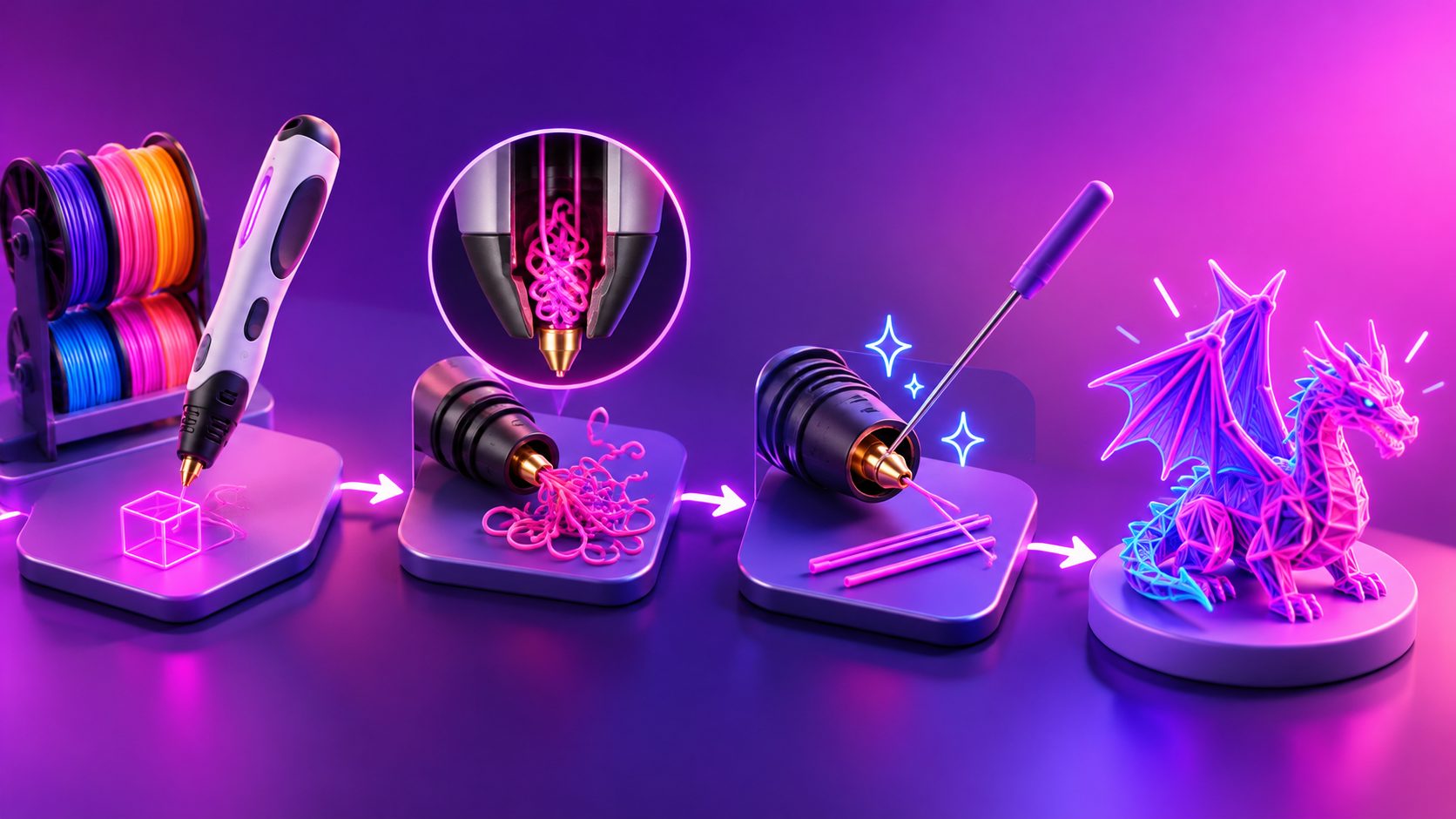
A 3D pen tutorial ad should show the complete first-use journey: preparing the pen, matching the material setting, loading a straight filament tip, drawing a simple line, and safely ending the session. The best videos also include a short troubleshooting moment instead of hiding common problems.
Many beginner tutorials cover tools, preheating, speed control, loading, drawing, color changes, and simple projects. (youtube.com) Manufacturer guidance also emphasizes compatible filament, gentle feeding, and model-specific jam-clearing steps. (learn.the3doodler.com)
For an ecommerce ad, organize the demonstration around risk reduction:
- Show the correct filament and a clean cut.
- Show the heat-up or ready indicator.
- Show the first extrusion on a flat surface.
- Show a simple 2D shape before a 3D object.
- Show what to do when material stops feeding.
- End with a finished result and a clear call to action.
This sequence works because it mirrors the customer’s real experience after opening the package.
The “Jam-Proof First Use” framework
The most useful information gain is not another generic “make a cute object” video. It is a Jam-Proof First Use structure: prevent the problem, demonstrate the symptom, then show the safe recovery path.
1. Prevent the jam before loading
Film a close-up of the filament tip. It should be straight, clean, and free from a melted bulb. Tell viewers to confirm that the filament type and diameter match their specific pen. Different models use different materials and operating procedures, so the product manual should take priority.
A concise voiceover could say:
“Before loading, trim the filament cleanly and confirm it matches your pen’s material setting. Never force a strand that does not feed smoothly.”
This is more useful than a broad claim such as “works with all filament.” It also prevents customers from treating a compatibility issue as a defective product.
2. Demonstrate controlled extrusion
Start on a flat, removable surface or template. Use a slow speed and show the first few centimeters of extrusion. The viewer should see a consistent line, not just a finished craft.
The first scene should answer three visual questions:
- Is the pen heated?
- Is the filament moving through the feed path?
- Is plastic exiting evenly from the nozzle?
Beginner guides commonly recommend testing on a flat surface before attempting vertical structures, while stability, direction, and cooling affect the quality of early projects. (youtube.com)
3. Show the recovery moment
Do not stage a dramatic failure. Instead, include a short controlled insert:
“If the filament stops, pause. Check the material setting, use the unload function if your model has one, and follow the manufacturer’s clearing procedure. Do not force the filament.”
This wording matters. Some pens use a reverse function or an unblocking tool, but the exact method differs by model. 3Doodler’s guidance, for example, describes heating the pen, reversing the filament, and using an appropriate unblocking tool rather than forcing material through the mechanism. (learn.the3doodler.com)
A 30-second 3D pen tutorial video ad script
| Time | Visual | Voiceover or on-screen text |
|---|---|---|
| 0–3 sec | Finished mini object beside the pen | “Your first 3D pen project should not start with a jam.” |
| 3–7 sec | Show compatible filament and cleanly trimmed tip | “Use the recommended filament, then cut the tip straight before loading.” |
| 7–11 sec | Pen heating or ready indicator | “Select the correct material setting and wait until the pen is ready.” |
| 11–16 sec | Filament entering the feed port | “Insert gently until the gears grip the strand. Never force it.” |
| 16–21 sec | Slow line drawn on a flat template | “Start flat, move slowly, and let each line cool before building upward.” |
| 21–25 sec | Brief stopped-extrusion troubleshooting insert | “If flow stops, pause and follow the model’s unload or clearing steps.” |
| 25–28 sec | Completed shape held in hand | “From first line to finished design, make every step visible.” |
| 28–30 sec | Product, packaging, and CTA | “Create your next project with confidence.” |
The opening line is deliberately problem-led. It addresses the fear behind many post-purchase questions without implying that every pen will clog.
How to adapt the script for different buyer segments
A single product can need several versions of the same tutorial.
Parents and first-time users
Use slower cuts, larger captions, and a simple project such as a name tag or flat animal outline. Emphasize preparation, patience, and safe handling around the heated nozzle.
Hobbyists and makers
Show speed control, color changes, templates, and the transition from flat pieces to assembled forms. A short split-screen can compare a stable base with a rushed vertical line.
Gift buyers
Focus on the unboxing-to-first-success journey. Show what is included, how quickly the first line appears after setup, and the finished object within the same video.
International ecommerce buyers
Create localized versions with translated voiceover and subtitles. Keep the visuals consistent while changing the language, measurement references, and support instructions. AdsTurbo Video Subtitle can generate synchronized captions and export either a captioned video or a separate subtitle file.
For broader localization, AdsTurbo supports video translation, lip sync, character replacement, and video upscaling. A seller can also use AI German dubbing for ecommerce video ads when testing a German-speaking market.
Production checklist for a high-converting product demo
Before publishing, check whether the video makes these details visible:
- The exact filament format shown matches the product listing.
- The filament tip is clean before insertion.
- The material setting is shown rather than mentioned only in voiceover.
- The first extrusion happens on a flat, stable surface.
- The camera captures the feed port and nozzle clearly.
- The script warns against forcing a jammed strand.
- The finished object appears before the final CTA.
- Captions remain readable in vertical 9:16 format.
- The product name and key benefit appear without covering the demonstration.
A useful creative test is to produce three openings while keeping the tutorial body unchanged:
- Problem hook: “Filament stuck? Start here.”
- Outcome hook: “Make your first 3D pen project in three simple steps.”
- Confidence hook: “Load it correctly before you start drawing.”
This creates a practical A/B test without changing the core explanation. AdsTurbo Ad Clone can help reconstruct a reference ad’s opening rhythm, shot logic, and CTA structure into new creative variants. For platform-specific versions, see this guide to creating product videos from a single product photo.
How AdsTurbo can turn the script into ad variations
AdsTurbo supports product video generation from a JPG or PNG product image, with optional selling points and promotional information. That makes it possible to begin with a product-led concept before adding demonstrations, captions, or localized versions.
For a more controlled workflow, combine:
- Product Video for a UGC-style product demonstration.
- Video Subtitle for synchronized captions.
- Video Translation for regional versions.
- AI Upscaling when the source footage needs more clarity.
- Ad Clone for testing alternative hooks and CTA structures.
- Clip by Clip editing for changing individual shots without rebuilding the entire video.
AdsTurbo’s asynchronous generation workflow supports status polling or Webhook completion events. Advanced plans also support team workflows, API access, and custom workflows, which can help sellers organize multiple language and audience variants.
For a related proof-first approach, camping product video ad testing shows how demonstrations become more persuasive when the important product behavior is visible instead of merely claimed.
Frequently asked questions
What is the ideal length for a 3D pen tutorial ad?
For paid social, 20–30 seconds is a practical starting point. Show one complete use case rather than several unfinished projects. Longer tutorials can be linked from the product page or support center.
Should the ad show a real filament jam?
Not necessarily. A brief, clearly labeled troubleshooting insert is safer and cleaner than creating a severe blockage. Demonstrate the symptom and the correct next step without encouraging users to force the mechanism.
What should the first project be?
Choose a flat outline, name tag, simple icon, or small geometric shape. These projects let viewers see speed, stability, cooling, and line control before they attempt a free-standing object.
How can sellers reduce confusion across markets?
Keep the visual sequence consistent, then localize the voiceover, captions, and on-screen instructions. Translate the troubleshooting language carefully because safety and model-specific procedures should not be oversimplified.
Can one script support several ad versions?
Yes. Keep the demonstration sequence intact and change the hook, presenter style, language, or CTA. This produces meaningful creative variation while preserving the product education that prevents avoidable setup mistakes.