Author: adsturbo.ai|Published: 2026-09-03|Updated: 2026-09-03
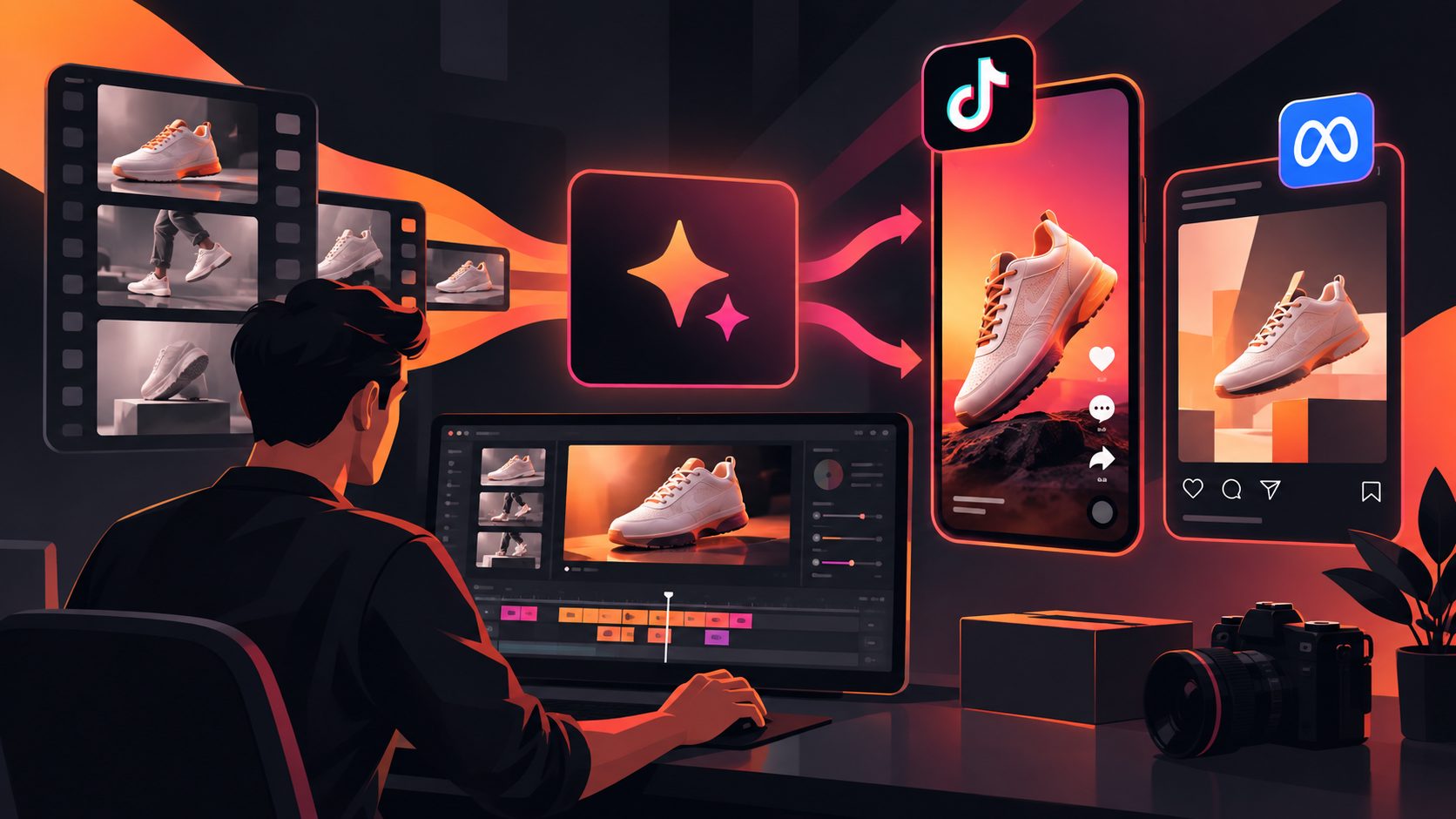
An AI video ad generator helps ecommerce sellers turn product images, hooks, scripts, actors, voiceovers, captions, and formats into ready-to-test paid social videos. The best workflow is not “type a prompt and hope.” It is a repeatable system: prepare clean product inputs, define the buyer objection, build modular scripts, generate multiple creative angles, and export each winner for TikTok, Meta, Reels, and Shorts.
What is an AI video ad generator?
An AI video ad generator is software that uses generative AI to create or adapt video ads from inputs such as product photos, URLs, scripts, reference videos, actors, voice, and brand assets. For ecommerce, its main value is faster creative testing, not replacing strategy.
For a seller, the practical output is usually a short-form product ad: a UGC-style testimonial, product demo, unboxing, offer announcement, comparison, or localized version of an existing creative.
A complete toolchain should handle more than visual generation. Ecommerce teams also need script extraction, product image preparation, subtitles, localization, ad cloning, background replacement, and aspect-ratio exports. AdsTurbo supports workflows such as Ad Clone, Product Video, Lip Sync, Character Swap, Video Translation, AI Upscaling, Background Replace, Video Subtitle, Product Image, and API access for teams that need production at scale.
The ecommerce ad workflow: from product image to export
The fastest reliable workflow has six steps: product input, angle selection, hook writing, script modularization, variant generation, and platform-specific export. Skipping the early planning steps usually creates polished videos that still fail to communicate why the product matters.
- Upload product assets. Start with a clear JPG or PNG product photo. In AdsTurbo Product Video, sellers can upload a JPG or PNG product image up to 10MB; clean product photos on plain backgrounds usually produce better results.
- Choose one buyer problem. Do not make the first ad explain everything.
- Write three hooks. Use pain, proof, and curiosity as separate angles.
- Build a 15–25 second script. Keep each shot tied to one message.
- Generate variants. Change hooks, actors, voice, text overlays, and CTA.
- Export for placements. Prioritize 9:16 for short-form feeds, then adapt to 1:1 and 16:9 where needed.
For sellers who want a deeper short-form structure, the AdsTurbo guide to a short-form video ad generator for ecommerce creative testing expands on how to turn one concept into multiple paid social tests.
Use the “4 x 3 x 3” variant matrix before generating videos
The biggest missed opportunity in AI ad creation is variant design. Instead of generating random clips, use this original 4 x 3 x 3 matrix: 4 buyer angles, 3 hooks per angle, and 3 visual treatments per hook. That creates 36 planned variants from one product.
| Layer | Options | Why it matters |
|---|---|---|
| Buyer angle | Problem, proof, offer, identity | Tests the reason someone stops scrolling |
| Hook type | Direct pain, surprising claim, visual demo | Tests the first 3 seconds |
| Visual treatment | Product demo, UGC actor, before/after | Tests believability and clarity |
This framework keeps output volume useful. A seller with one skincare device, for example, can test “takes too long,” “visible before/after,” “limited bundle,” and “routine upgrade” as four distinct angles. Each angle then gets three hooks and three video styles.
AdsTurbo’s Ad Clone workflow can also help when a seller has a reference ad: it can preserve the strong opening, pacing, shot logic, and CTA structure while rebuilding the creative for a different product or language. For more on that approach, see how ecommerce teams clone video ads into multilingual variants.
How should ecommerce sellers write hooks for AI video ads?
A good hook states the product’s relevance before the viewer decides to scroll. For AI-generated ecommerce ads, the hook should be short enough to appear as on-screen text, voiceover, or actor dialogue in the first shot.
Use these hook formulas:
- Pain hook: “Still dealing with [problem] after buying [category]?”
- Proof hook: “Here’s what changed after switching to [product type].”
- Demo hook: “Watch what happens when [product] touches [use case].”
- Comparison hook: “This replaces three tools in my [routine/workflow].”
- Offer hook: “If you were waiting to try [category], this is the bundle.”
The key is to avoid generic claims. “Best bottle for travel” is weak. “This bottle does not leak in a gym bag, even upside down” gives the AI clearer direction and gives the buyer a concrete reason to care.
What product assets work best?
Clean, specific inputs generate better ecommerce videos. Start with a high-resolution product image, a concise selling point, a target customer, and any claims that are safe to use in ads. Avoid blurry images, crowded lifestyle shots, or unsupported performance promises.
AdsTurbo Product Image supports JPG and PNG uploads and can analyze a product’s shape, color, and category. It can generate ecommerce image types such as main banners, lifestyle scenes, close-ups, material detail images, how-to images, and brand visuals. It also supports 9 aspect ratios for platforms including Amazon, Shopify, TikTok Shop, and Instagram.
If the product photo is not ready, prepare a clean version first. This guide on creating an image on a white background for ecommerce photos explains why isolated product images are useful before turning them into ads.
How should scripts be structured for short-form paid social?
A strong AI video ad script should be modular: hook, problem, product proof, use case, offer, CTA. Modular scripts are easier to remix into variants because each line maps to a shot, caption, or actor moment.
A practical 20-second structure:
- 0–3 seconds: Hook
Show the product or problem immediately. - 3–7 seconds: Tension
Name the frustration or desired outcome. - 7–13 seconds: Demonstration
Show the product in use, not just floating in space. - 13–17 seconds: Reason to believe
Add a feature, use case, review-style statement, or comparison. - 17–20 seconds: CTA
Tell the viewer what to do next.
This structure works whether the output is a UGC-style actor video, a product demo, or a localized ad. AdsTurbo supports over 300 AI actors and more than 100 product ad templates, which helps sellers test different presenters and formats without reshooting.
Which formats should you export for TikTok, Meta, Reels, and Shorts?
Export format should follow placement behavior. For short-form social ads, 9:16 is usually the first version to make; 1:1 and 16:9 are useful when a campaign also needs feed, display, or YouTube-style inventory.
| Placement goal | Recommended export | Notes |
|---|---|---|
| TikTok-style short video | 9:16 | TikTok’s ad specs list vertical 9:16 as a standard format in its official ad guidance. |
| Instagram/Facebook Reels | 9:16 | Meta’s Reels ad materials emphasize vertical 9:16 creative and safe-zone-aware layouts. |
| YouTube Shorts | 9:16 | Google says vertical 9:16 assets are best suited for Shorts ads in Google Ads Help. |
| Feed backup | 1:1 or 4:5 | Useful when repurposing the same message outside full-screen placements. |
| YouTube or landing-page embed | 16:9 | Useful for product pages, explainers, and retargeting assets. |
AdsTurbo Ad Clone can export a single reference ad into 9:16, 1:1, and 16:9 versions for TikTok, Meta, and Shorts-style distribution. AdsTurbo Event Poster and Product Image also support 9 aspect ratios, which helps keep campaign visuals aligned across video, static ads, email, and social media.
How do captions and localization improve AI product videos?
Captions make short-form ads easier to understand without sound, while localization changes the ad’s language, voice, and on-screen text for each market. For cross-border sellers, these are production requirements, not finishing touches.
AdsTurbo Video Subtitle can automatically transcribe speech and generate time-synced subtitles. It supports subtitle layouts and styles suited to TikTok, Instagram Reels, and YouTube Shorts. Users can download a video with embedded subtitles or export a standalone subtitle file.
For multilingual campaigns, AdsTurbo supports video translation and localized product images with text overlays in languages including English, Chinese, Japanese, and Korean. Event Poster can generate campaign poster copy in 7 languages and allows sellers to add discount percentages, coupon codes, campaign dates, and promotional terms directly into the creative.
When should sellers use ad cloning instead of starting from scratch?
Use ad cloning when there is a proven reference structure: a strong first three seconds, clear pacing, persuasive shot order, and a CTA that already fits the product category. Start from scratch when the product needs a new positioning angle or the reference ad is legally or creatively unsuitable.
Ad cloning should not mean copying another brand’s identity. The safer ecommerce approach is to extract the structure: hook type, rhythm, scene logic, proof moment, and CTA pattern. AdsTurbo Ad Clone supports uploading a reference video or pasting a link, then analyzing the video structure and rewriting on-screen text to generate variants for A/B testing.
For sellers comparing video-first workflows, the AdsTurbo article on an AdCreative.ai alternative for ecommerce sellers explains why static ad generation and video ad generation often require different production systems.
What does a practical first campaign look like?
A practical first campaign should launch with 12–18 videos, not one hero ad. The goal is to learn which hook, visual treatment, and CTA deserves more spend before producing a larger batch.
A lean setup:
- 1 product
- 3 buyer angles
- 2 hooks per angle
- 2 visual treatments per hook
- 1 primary CTA
- 9:16 export first
- Captions on every version
That produces 12 videos. If one hook wins, create follow-up variants by changing the actor, opening shot, offer framing, caption style, and localization. AdsTurbo’s advanced plans support team workflows and custom workflow support (API access itself is available on every plan) for teams that need to scale this process. Its API uses standard REST architecture with Bearer API Key authentication, and generation tasks run asynchronously with status polling or Webhook callbacks.
Common mistakes to avoid
The most common mistake is treating AI generation as the whole strategy. Ecommerce ads still need a clear customer, a believable claim, and a reason to act now.
Avoid these errors:
- Starting with a vague prompt. “Make a viral ad” gives the system no buyer insight.
- Using weak product photos. Blurry or cluttered inputs reduce output quality.
- Testing too many variables at once. Change the hook, actor, or CTA deliberately.
- Ignoring safe zones. Captions and product details can be hidden by platform UI.
- Exporting only one ratio. A 9:16 ad may not work cleanly everywhere.
- Skipping subtitles. Many viewers evaluate ads before turning sound on.
- Copying competitors too closely. Rebuild structure, not brand assets or claims.
Frequently asked questions
Can an AI video ad generator make ads from one product image?
Yes. A single clear product image can be enough for an AI product video workflow, especially when paired with selling points, target audience details, and a script. AdsTurbo Product Video supports JPG or PNG product images up to 10MB and can generate product review, introduction, and demo videos.
How many video ad variants should an ecommerce seller create first?
Start with 12–18 variants. That is enough to test multiple hooks and visual styles without creating an unmanageable campaign. Once one angle shows promise, expand it into additional actor, caption, offer, and localization versions.
Are AI UGC ads suitable for paid social?
AI UGC ads can be suitable for paid social when they are clear, compliant, and product-specific. The goal is not to fake authenticity; it is to present the product in a familiar short-form format with a strong hook, demonstration, captioning, and CTA.
What inputs should be prepared before generating a video ad?
Prepare a clean product image, product name, buyer persona, top three selling points, main objection, offer details, preferred tone, target platform, and required aspect ratio. If using a presenter, prepare the desired actor style and voice direction.
Does AdsTurbo support developer or team workflows?
Yes. AdsTurbo’s higher-tier plans support team workflows and custom workflow support (API access itself is available on every plan). AdsTurbo API includes composable modules for image generation, Persona, AI actors, ad cloning, video generation, and task processing.