Batch Product Video Ads Without Camera Crew: A Practical Ecommerce Workflow


Summarize with
Summary
Learn how to create batch product video ads without camera crew using product photos, reusable hooks, AI editing, and a simple QA system. Start building scalable creatives.
By adsturbo.ai | Published 2026-11-16 | Updated 2026-11-16
Batch product video ads without camera crew are short-form ecommerce creatives produced from existing product images, selling points, scripts, and reusable visual structures instead of a studio shoot. The most reliable workflow is not “generate one video and hope it works.” It is a repeatable system: prepare clean product assets, define several selling angles, generate controlled variations, and review every output for product accuracy.
For solo sellers and small ecommerce teams, this approach turns one product listing into a structured creative test set for TikTok, Instagram Reels, YouTube Shorts, Meta ads, and marketplace pages.
Why batch production is different from making one product video
A single product video can explain what an item does. A batch gives you a way to test which hook, visual order, voice, offer, and audience angle earns attention.
Many AI video tools now focus on product-photo-to-video generation, catalog automation, no-filming workflows, or bulk uploads. The common promise is speed: sellers can create ads from existing assets without hiring actors, editors, or a production crew. (quelta.ai)
The missing operational detail is usually the testing structure. If every video changes the hook, product framing, voice, and offer at the same time, performance data becomes difficult to interpret. A better batch follows a controlled variation plan.
A practical variation matrix
| Variable | Example options | Testing purpose |
|---|---|---|
| Hook | “Still struggling with…?” / “Three reasons buyers choose…” | Find the strongest opening |
| Product angle | Feature / use case / comparison / demonstration | Identify the main purchase motivation |
| Presenter style | Faceless product demo / AI actor / voiceover | Match audience expectations |
| Offer | Discount / bundle / free shipping / limited-time message | Test urgency |
| Format | 9:16 / 1:1 / 16:9 | Adapt the same idea to different placements |
| Localization | English / translated voice and subtitles | Support regional testing |
Original operating rule: change only one major variable per test group when you want usable learning. For example, keep the product shots and offer constant while testing three different hooks. After identifying a stronger hook, test presenters or pacing in a second round.
What product assets do you need before generating ads?
The best input is a clear product image with enough visual information for the system to preserve the product’s shape, color, and important details. For AdsTurbo Product Image, JPG and PNG uploads are supported, and a sharp product photo on a plain-color background is recommended for stronger results.
Prepare an asset folder with:
- One clean hero image showing the complete product.
- One close-up image for texture, materials, controls, or details.
- One use-case image showing how the product fits into a real situation.
- A short product brief with the audience, primary benefit, proof points, and offer.
- Brand rules covering colors, claims, prohibited wording, and logo placement.
Do not rely on a single low-resolution image for every scene. If the product has small controls, text, reflective surfaces, or unusual proportions, include a close-up so the generated video has a better visual reference.
For sellers working across storefronts, a consistent image system matters as much as the video prompt. This Shopify product photo workflow explains how to create a more consistent base library before turning still images into ads.
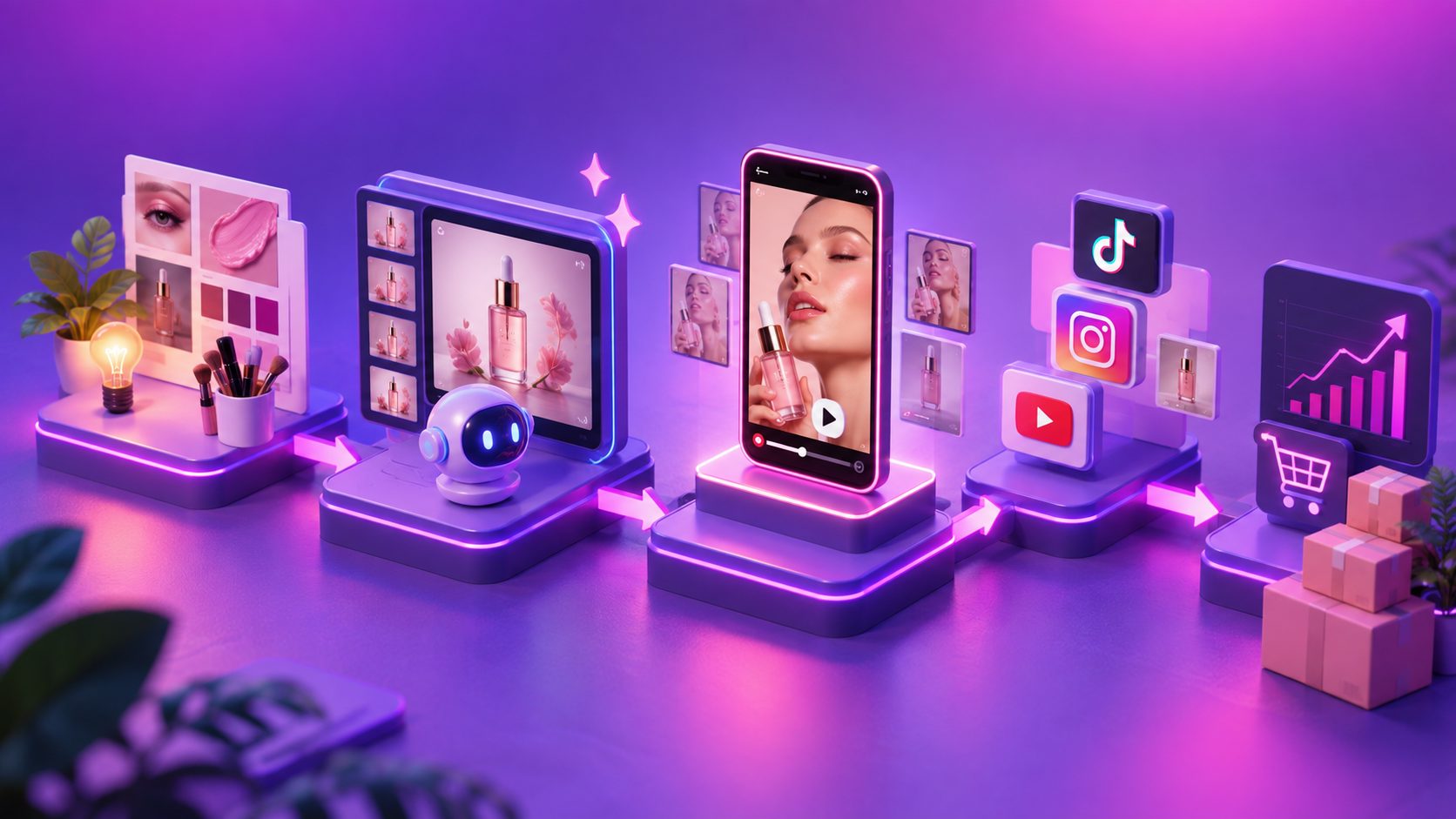
How to create a repeatable batch workflow
1. Start with the product brief, not the video style
Write the brief in plain language:
- Product: what it is
- Buyer: who needs it
- Problem: what frustration it addresses
- Benefit: what improves after purchase
- Proof: material, design, demonstration, or use case
- CTA: what the viewer should do next
This prevents the output from becoming visually polished but commercially vague.
2. Build three to five creative angles
A useful starter set is:
- Problem-solution: show the frustration, then introduce the product.
- Feature demonstration: focus on one feature and its practical result.
- Before-and-after: contrast the situation before and after use.
- Product comparison: explain why this option is more suitable for a defined buyer.
- Offer-led: lead with a promotion, bundle, or seasonal reason to act.
Each angle should have its own first sentence and first visual. The first two seconds should communicate either the problem, the product, or the outcome.
3. Produce short scripts with a fixed structure
For a 15–30 second ad, use this framework:
- Hook: earn attention with a problem, question, or result.
- Product reveal: show the product early.
- Proof: demonstrate one or two concrete benefits.
- Offer or differentiator: explain why this product is worth considering.
- CTA: tell the viewer what action to take.
Avoid placing every feature in one video. Batch production works better when each variation has one clear selling job.
4. Generate platform-specific versions
Create a master concept, then adapt it for:
- 9:16: TikTok, Reels, and Shorts
- 1:1: feed placements and product discovery
- 16:9: YouTube, landing pages, or wider placements
AdsTurbo Ad Clone can analyze a reference video up to 12 seconds and use its structure to generate advertising variations. This is useful when you want to study a winning opening, pacing pattern, shot logic, or CTA structure without copying the original product footage.
For long-form source material, a TikTok-style short video workflow can help turn product information into vertical, short-form creative concepts.
5. Add subtitles and localization after the core edit
Subtitles should reinforce the spoken message, not compete with it. Keep each caption short, place it inside the platform-safe area, and emphasize only the key phrase.
AdsTurbo Video Subtitle can transcribe speech, create time-synced captions, generate multilingual subtitles, and export either a video with embedded captions or a separate subtitle file. This makes it easier to create localized versions while keeping the original creative structure intact.
The quality-control gate most batch workflows need
Speed does not remove the need for review. AI-generated product ads should pass a five-point check before publishing:
- Product identity: Is the shape, color, logo, packaging, and quantity accurate?
- Claim accuracy: Does the script promise only what the product can support?
- Visual continuity: Do hands, products, backgrounds, and camera movements remain believable?
- Text readability: Can viewers read the hook, price, offer, and CTA on a mobile screen?
- Platform fit: Is the aspect ratio, duration, subtitle position, and export format appropriate?
A practical rule is to reject any variation that looks attractive but misrepresents the product. Product accuracy is more important than cinematic motion because a visual mismatch can reduce trust at the moment of purchase.
When an existing source clip is soft or heavily compressed, an AI video enhancer can improve resolution before repurposing it into additional ad variants. Enhancement should support a usable source; it should not be used to hide missing product detail.
How to organize hundreds of generated assets
Batch production becomes difficult when files are not labeled consistently. Use a naming pattern such as:
SKU_Angle_Hook_Format_Language_Version
Example:
MUG-014_Demo_Leakproof_9x16_EN_V03
Store the following fields in a spreadsheet or asset library:
- SKU
- Product category
- Creative angle
- Hook
- Presenter or voice
- Language
- Aspect ratio
- Offer
- Version
- Review status
- Destination channel
AdsTurbo supports asynchronous generation, with completion events available through status polling or Webhook callbacks. For larger operations, its API can connect image generation, Persona, AI actors, ad cloning, video generation, and task processing into a more structured workflow.
That makes the batch process easier to scale from manual uploads to a catalog-based production pipeline.
Common questions
Can I make product video ads without owning a camera setup?
Yes. A seller can begin with JPG or PNG product images, a product brief, and a defined creative angle. The result should still be reviewed for product accuracy and claim compliance.
How many variations should one product have?
Start with three creative angles and two hooks per angle. That creates six meaningful variations without changing too many variables at once. Add presenter, language, or offer tests after the strongest angle becomes clearer.
Are AI-generated product videos suitable for every product?
They are most useful when the product can be explained through visible features, use cases, benefits, or demonstrations. Products that depend on exact physical performance may need additional real footage or careful visual verification.
Should every ad use a different script?
Not necessarily. Reusing a proven structure while changing one variable makes results easier to interpret. The goal is controlled variation, not unlimited randomness.
Can the same batch support multiple markets?
Yes. A core concept can be adapted through translated voiceovers, subtitles, presenter choices, and localized offers. Keep the product facts and compliance requirements consistent across markets.
Final takeaway
The efficient way to create batch product video ads without camera crew is to treat AI as a production system, not a one-click video button. Build a clean product asset library, define a controlled variation matrix, generate short scripts around specific selling angles, adapt formats for each channel, and apply a strict quality-control gate.
That workflow gives ecommerce sellers more creative coverage without requiring a camera crew for every SKU—and creates clearer testing data than producing a large set of unrelated videos.