3D CAD to Video Ad Ecommerce: A Practical Workflow for DTC and B2B Brands


Summarize with
Summary
Learn how to turn CAD and 3D renders into accurate ecommerce video ads for product pages, paid social, and B2B sales. Build a low-cost workflow with Adsturbo.ai.
By adsturbo.ai | Published 2026-11-03 | Updated 2026-11-03
3D CAD to video ad ecommerce means converting an engineering model or finished 3D render into product demonstrations, paid-social creatives, product-page videos, and sales assets without arranging a traditional product shoot. For ecommerce brands, the best workflow is not “animate the model and add music.” It is a controlled process that connects product accuracy, customer benefits, platform formats, and creative testing.
What is CAD-to-video ecommerce production?
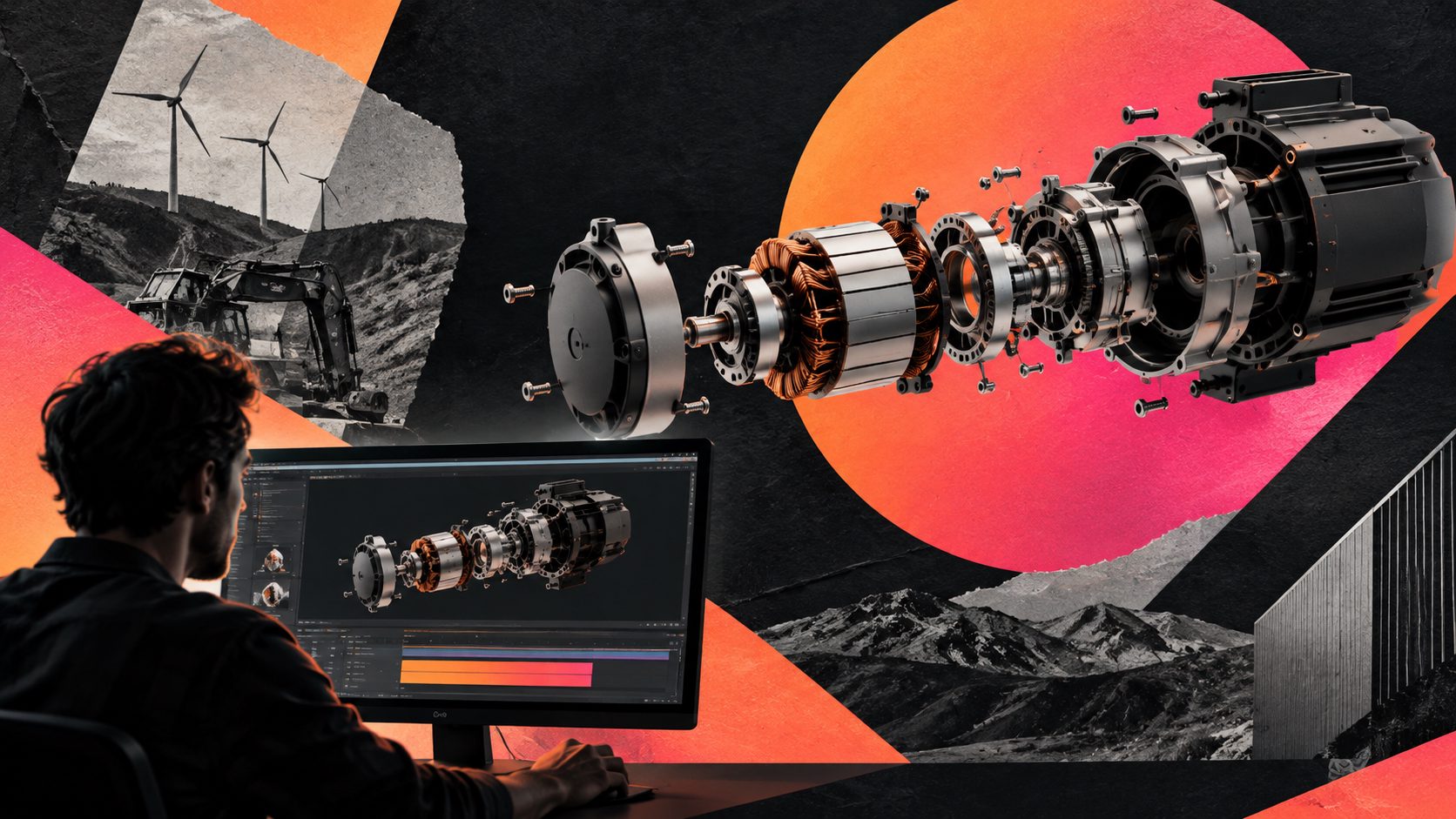
CAD-to-video production turns a product’s geometry, materials, and functional details into moving visual content. It is especially useful when the product is still in development, difficult to photograph, expensive to ship, or better understood through cutaways, exploded views, movement, or close-up detail.
Search results in this category commonly focus on three outputs: exact-CAD product films, 360-degree spins, and platform-ready aspect ratios. Some production services also offer exploded views, blueprint scenes, technical reveals, and silent trade-show loops. (cadtovideo.com)
For ecommerce, however, a technically impressive animation is only one part of the job. The video must also answer:
- What problem does the product solve?
- Which feature matters first?
- Can a shopper understand the product with sound off?
- Does the product remain visually accurate?
- Can the same asset support several channels?
That is why a CAD asset should be treated as a source of truth, not as the final advertisement.
CAD video and traditional product video: what is the difference?
A traditional product shoot records a physical item in a real environment. CAD-based video constructs the scene from digital product geometry and renders the camera movement, lighting, materials, and supporting graphics.
| Requirement | Traditional shoot | CAD-based video |
|---|---|---|
| Product must exist physically | Usually required | Not always required |
| Showing internal parts | Difficult or destructive | Suitable for cutaways and exploded views |
| Color or finish variations | Requires multiple setups | Easier to create from one approved model |
| Lifestyle realism | Naturally strong | Requires careful scene design |
| Technical accuracy | Depends on the filmed sample | Strong when the CAD is correct |
| Revision cost | Reshoot or edit changes | Often easier to revise camera and graphics |
The key limitation is also clear: CAD can preserve geometry, but it cannot automatically supply a persuasive marketing idea. A video still needs a hook, proof point, visual hierarchy, and call to action.
For DTC brands, that may mean “see how it fits,” “watch the mechanism work,” or “compare the old and new design.” For B2B brands, it may mean showing installation, airflow, component relationships, service access, or a measurable operating principle.
How to convert a CAD model into an ecommerce video ad
1. Prepare a marketing-safe product asset
Start with the cleanest approved model or render. Before animation, confirm:
- Product dimensions and proportions are correct.
- Materials and finishes match the sellable version.
- Non-public engineering details are hidden.
- Branding, labels, and controls are readable.
- The model contains enough detail for the intended camera distance.
A practical rule is to separate the model into three layers:
- Hero geometry: the complete product used for opening and closing shots.
- Feature geometry: components that demonstrate the main benefit.
- Support geometry: internal or surrounding parts used only when they clarify function.
This prevents a common failure: showing every available detail and making the ad feel like a technical inspection rather than a buying argument.
2. Convert specifications into visual claims
Do not begin with “make a cinematic 3D video.” Begin with a claim-to-shot table.
| Product claim | Visual treatment | Suitable audience |
|---|---|---|
| Compact installation | Product rotates beside a size reference | DTC and B2B |
| Faster assembly | Parts separate and reassemble in sequence | B2B |
| Hidden internal mechanism | Exploded or cutaway reveal | Technical buyers |
| Multiple finishes | Same camera move with controlled color swaps | DTC |
| Easier maintenance | Access panel opens with labeled steps | B2B |
This is an original planning framework for CAD-based ecommerce creative: one claim, one visual proof, one text overlay. If a scene needs five captions to explain itself, the shot is probably carrying too much strategy.
3. Build a short-form structure before rendering
A strong first version can follow this five-beat sequence:
- 0–2 seconds: show the product or customer problem immediately.
- 2–5 seconds: reveal the feature that changes the outcome.
- 5–9 seconds: demonstrate the mechanism, use case, or comparison.
- 9–13 seconds: add proof, specification, or application context.
- Final seconds: show the offer, product name, and CTA.
The exact duration should follow the placement. A vertical paid-social cut may prioritize a fast hook and readable captions, while a product-page video can spend more time on operation and detail.
For a new product, create three creative routes from the same CAD source:
- Feature-first: opens with the most visually distinctive mechanism.
- Problem-first: starts with a customer frustration or use-case scenario.
- Proof-first: begins with a cutaway, comparison, or specification.
This gives a small brand a useful testing system without requiring three separate production pipelines.
How to adapt one CAD video for DTC and B2B ecommerce
The model may stay the same, but the message should change.
DTC product-page and paid-social version
DTC viewers usually need a fast answer to three questions: what is it, why is it better, and why should I act now? Use larger product shots, fewer technical labels, stronger contrast, and captions that describe the customer outcome.
Useful outputs include:
- 9:16 vertical ads for TikTok, Reels, and Shorts
- 1:1 or 4:5 feed versions
- Short product-page loops
- Product detail clips for landing pages
- Offer or launch variations
Adsturbo Product Video can use a JPG or PNG product image to generate UGC-style product videos, while Product Image can create multiple ecommerce visual types from one product photo. These assets can complement a CAD-led technical video when a campaign needs both product accuracy and human-oriented storytelling.
B2B website and sales version
B2B buyers often need clarity more than spectacle. Use slower camera movement, labeled components, installation context, operating sequences, and versions that can play without audio.
Useful outputs include:
- Product overview videos
- Exploded-view demonstrations
- Installation or maintenance explainers
- Trade-show loops
- Sales-deck clips
- Product-page feature sections
For complex equipment, split one long concept into several short videos. A pump, fixture, sensor, or machine module may need separate clips for configuration, operation, maintenance, and application rather than one overloaded hero video.
A low-cost production workflow for ecommerce teams
A repeatable workflow looks like this:
- Audit the source: confirm the model, materials, product version, and approved claims.
- Choose one commercial objective: launch, conversion, education, or creative testing.
- Create a shot map: assign every scene to one benefit or proof point.
- Render a master: produce a clean hero version before adding localized text.
- Create variants: change hook, background, voice, captions, or CTA—not the product facts.
- Localize: adapt voiceover, subtitles, and on-screen copy for each market.
- Export by placement: prepare vertical, square, and landscape versions where needed.
- Review for accuracy: compare the final frames against the approved model and listing.
- Test creative variables: change one major variable at a time.
Adsturbo supports ad cloning, motion control, lip sync, character replacement, video translation, AI upscaling, background replacement, and video subtitles. Its Video Subtitle workflow can generate synchronized captions and export either a burned-in video or a separate subtitle file. This makes it useful for turning one approved product concept into localized and platform-specific variations.
For larger teams, asynchronous generation with status polling or Webhook completion events can fit into a production queue. Advanced plans also support team workflows, API access, and custom workflows.
What to check before publishing a CAD product ad
Use this preflight checklist:
- Geometry: Does the product match the approved version?
- Materials: Are color, gloss, texture, and finish credible?
- Claims: Does every statement match the product page or approved specification?
- Scale: Is the product shown in a believable context?
- Legibility: Can captions be read on a mobile screen?
- Pacing: Does the first visual communicate the product quickly?
- Format: Is the key content inside the platform’s safe area?
- CTA: Is the next action obvious?
- Localization: Were text, voice, units, and cultural references reviewed separately?
- Variant control: Did each version change a deliberate creative variable?
The most expensive error is not a low-quality render. It is a visually attractive video that demonstrates the wrong product version or implies a feature the product does not have.
Common questions about CAD-to-video ecommerce
Can a CAD model be used for a DTC ad?
Yes. A CAD model can support product reveals, spins, feature demonstrations, cutaways, and variant videos. For DTC, pair technical accuracy with a customer-centered hook and simple captions.
Is CAD video better than product photography?
Neither is universally better. CAD video is stronger for products that are new, technical, difficult to photograph, or dependent on internal mechanisms. Photography is often stronger for tactile materials, human use, and lifestyle credibility. Combining both usually gives ecommerce teams more creative flexibility.
What if the CAD file is not ready for animation?
Use an approved product render or clear JPG/PNG product image as an interim source. AdsTurbo Product Image works best with a sharp product photo on a plain background and can generate multiple product-image formats for ecommerce use.
How many versions should a brand create?
Start with three concept routes and a limited set of format variants. Test the hook, opening shot, or proof sequence before producing a large batch. More versions are useful only when each one has a defined learning objective.
Can one product video be translated?
Yes, provided the claims and visuals remain accurate in each market. Translation should cover voice, subtitles, on-screen text, units, and CTA language—not just the narration.
Final takeaway
A CAD model becomes a useful ecommerce asset when it is connected to a clear buying argument. The most efficient system is to preserve the model as the product truth, build short claim-led scenes, create DTC and B2B message variants, and reuse the approved source across formats and languages.
For a broader production workflow, combine CAD-based renders with localized ecommerce UGC video creation, product-image generation for ecommerce listings, and vertical video ad layout guidance. Start with one product, three claims, and three creative routes—then scale the version that produces the clearest customer response.