Author: adsturbo.ai | Published: September 20, 2026 | Updated: September 20, 2026
A furniture video ads generator from photo turns a clean product image into short promotional footage without moving a sofa, bed, or dining set into a physical studio. The strongest workflow does more than animate pixels: it preserves product geometry, establishes believable room scale, and uses restrained camera movement to make the furniture feel physically present.
This guide explains how ecommerce sellers can build living-room and bedroom ads while avoiding the warped legs, floating products, and misleading dimensions common in generic image-to-video output.
What Is a Furniture Video Generator From a Product Photo?
A furniture photo-to-video generator uses a reference image to create motion around the product or place it inside an AI-generated environment. The source photo anchors visible details such as silhouette, upholstery color, hardware, stitching, and leg design while the system creates the surrounding frames.
This approach is especially useful for large products because traditional production may require freight handling, room-set construction, lighting, styling, and storage. AI does not eliminate the need for quality control, but it can reduce dependence on a new shoot for every room style, sale, audience, or advertising format.
The safest creative goal is a believable interpretation of the visible product, not an invented 360-degree reconstruction. A single front-facing photo contains limited information about the back, underside, and hidden sides.
How Do You Turn a Furniture Photo Into a Video Ad?
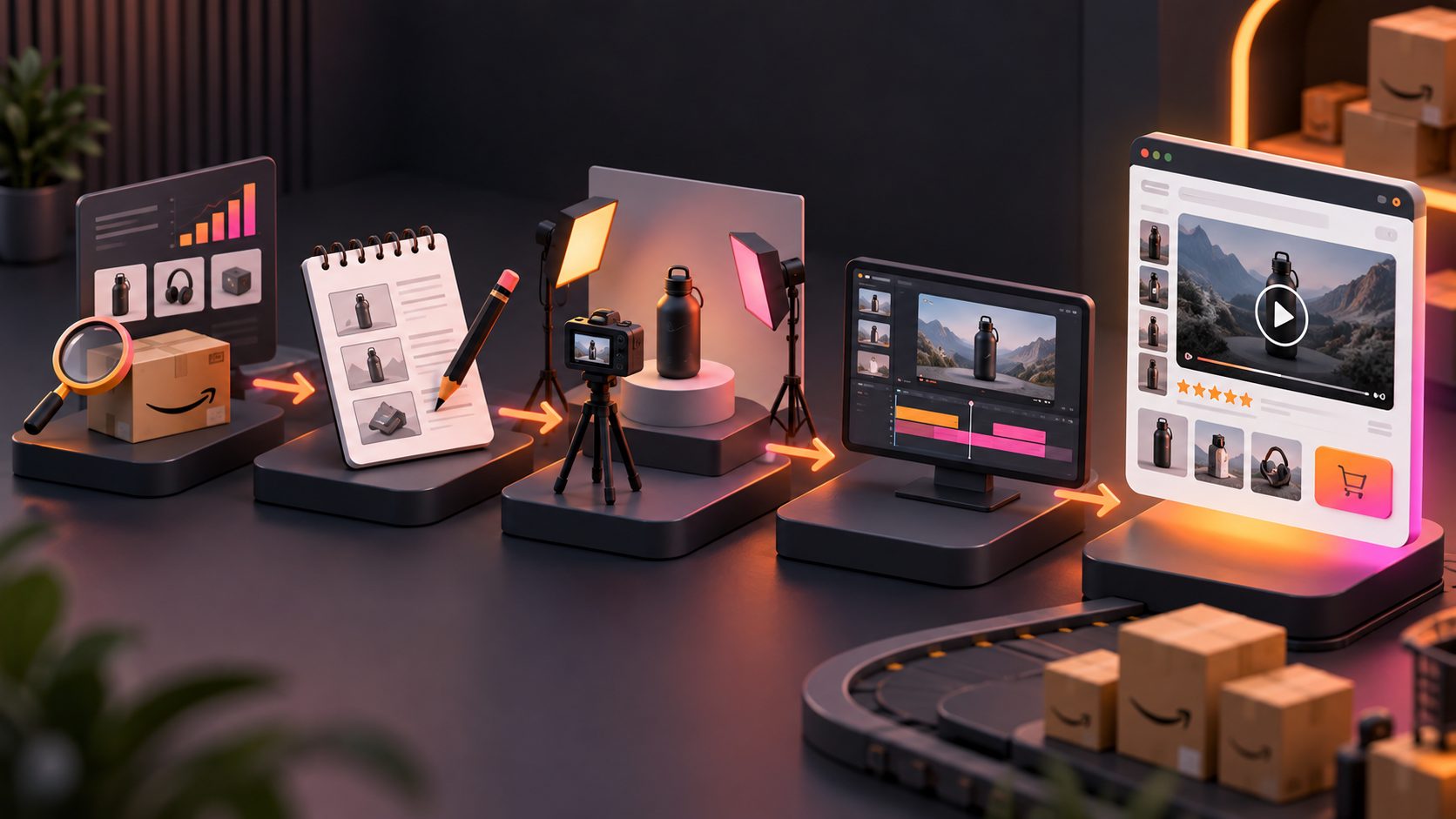
The reliable method is to prepare a faithful product reference, build one realistic room scene, animate it conservatively, and add the commercial message afterward. Separating scene creation from motion generation makes errors easier to identify and correct.
-
Choose a clean product photo.
Use a sharp JPG or PNG with the complete item visible. Avoid cropped legs, aggressive wide-angle distortion, reflections, or props that overlap the furniture. -
Remove or simplify the original background.
A pure-color background makes edge detection easier, particularly around chair legs, open shelving, and thin metal frames. AdsTurbo Product Image works best with clear product photos on solid backgrounds. -
Define physical constraints before style.
Record the real width, depth, height, material, color, and number of components. These details should guide scene scale even when they are not displayed in the final ad. -
Generate the room as a still image first.
Create a living room, bedroom, dining area, or studio scene appropriate to the SKU. Review the product-room composite before adding motion. -
Animate one controlled camera action.
Start with a slow push-in, lateral slide, or subtle parallax effect. Avoid combining an orbit, zoom, furniture movement, and lighting transition in one short clip. -
Add copy, offer details, captions, and CTA.
Keep promotional text separate from the generated furniture surface. This prevents AI-created lettering from appearing on cushions, tables, walls, or packaging.
For larger catalogs, connect this process to a documented bulk SKU video production workflow rather than rebuilding every asset manually.
How Can Furniture Stay Realistic in an AI Room?
Furniture realism depends on five checks: silhouette, scale, floor contact, material consistency, and motion stability. A visually attractive room should be rejected if the advertised product no longer matches the item customers will receive.
Use this original Furniture Reality Check, scoring each category from 0 to 2:
| Quality check | 0: Reject | 1: Review | 2: Approve |
|---|---|---|---|
| Silhouette | Shape or component count changes | Minor edge variation | Shape remains consistent |
| Scale | Clearly oversized or undersized | Scale is uncertain | Dimensions fit the room |
| Floor contact | Product floats or sinks | Weak contact shadow | Weight and shadow feel natural |
| Materials | Fabric, grain, or finish changes | Small texture drift | Finish stays recognizable |
| Motion | Legs, seams, or edges wobble | Brief instability | Product remains structurally stable |
A clip scoring below 8 out of 10 should stay out of paid campaigns. This is a creative review threshold, not an automated quality metric.
Which Camera Movements Work Best for Furniture?
The best camera movement reveals useful information without forcing the model to invent hidden geometry. Furniture generally benefits from slow, architectural motion rather than fast spins or dramatic transformations.
| Furniture type | Recommended shot | What it communicates | Primary risk |
|---|---|---|---|
| Sofa or sectional | Slow diagonal push-in | Shape, upholstery, room presence | Cushion or armrest distortion |
| Bed frame | Gentle side slide | Headboard height and bedroom fit | Mattress and frame merging |
| Dining table | Short lateral move | Surface finish and seating capacity | Warped legs or added chairs |
| Accent chair | Subtle parallax | Profile, material, compact scale | Changing seams or leg count |
| Cabinet | Front-facing push-in | Doors, handles, and storage design | Invented interior details |
Avoid wide orbits from a single frontal photo. When unseen areas become visible, the generated clip may fabricate hardware, alter the backrest, or change the product’s proportions.
How Does AdsTurbo Fit Into the Workflow?
AdsTurbo can support the pipeline from product preparation through video finishing. Sellers can upload JPG or PNG product images, generate ecommerce visuals, replace backgrounds, produce product videos, edit clip by clip, add subtitles, translate videos, and upscale the final output.
For an initial furniture workflow:
- Use a clean product photo as the visual reference.
- Create or refine room-scene imagery with Product Image and Background Replace.
- Use Product Video for short ecommerce creative; uploaded product images can be JPG or PNG up to 10 MB.
- Assemble the strongest shots with Clip by Clip editing.
- Generate synchronized captions with Video Subtitle.
- Export additional localized versions with video translation.
- Use AI Upscaling when the selected footage needs a higher-resolution finish.
Product Image can analyze product shape, color, and category and supports nine output ratios. That makes it practical to prepare related assets for marketplaces, storefronts, and social placements without stretching one master composition into every format.
How Should Furniture Ads Be Exported and Tested?
Export separate vertical, square, and horizontal compositions instead of relying on automatic cropping. Furniture occupies substantial frame space, so a crop can remove legs, cut off a headboard, or hide the room context that establishes scale.
Google Ads recommends supplying horizontal 16:9, vertical 9:16, and square 1:1 video orientations for broad placement coverage. Its current Performance Max guidance also recommends HD video and at least one vertical video between 10 and 60 seconds for Shorts eligibility. (support.google.com)
Test one variable at a time:
- Room style: minimalist versus family-oriented
- Hook: room transformation versus material close-up
- Camera move: push-in versus lateral slide
- Message: comfort, dimensions, craftsmanship, or promotion
- CTA: shop the collection versus view dimensions
Use a consistent naming and measurement structure. The ecommerce video ad ROAS testing framework explains how to separate creative concepts from minor variations, while this Performance Max video specification guide helps prepare channel-ready assets.
Common Questions
Can one furniture photo produce a complete 360-degree video?
It can produce an interpreted orbit, but it cannot reliably reveal product details absent from the source image. For accuracy-sensitive ads, use multiple angles or restrict movement to a push-in, slide, or shallow parallax shot.
What is the best source image for a sofa or bed?
Use a high-resolution photo showing the complete silhouette on a plain background. Keep all legs, corners, cushions, and major structural elements visible. Front three-quarter views usually provide more depth information than straight-on packshots.
Should dimensions appear inside the video?
Yes, when size is a major purchase consideration. Add verified dimensions as an editorial overlay after generation rather than asking the video model to create measurement text. Ensure the room scene also supports the stated scale.
Can AI furniture videos replace every photoshoot?
No. AI is well suited to creative testing, room-style variations, localization, sale campaigns, and short social ads. Physical photography or verified 3D assets remain preferable when exact rear construction, mechanisms, modular configurations, or material behavior must be demonstrated.
How many ad versions should be made per product?
Start with three distinct concepts: a room-context reveal, a detail-led material ad, and a dimensions or fit-focused version. Produce format adaptations only after selecting the strongest concept, following the same principle used for ecommerce landing-page product videos.