Leather Conditioning Before and After Video Ad: A Macro Shooting Guide

Summarize with
Summary
Learn how to film a credible leather conditioning before and after video ad with matched lighting, macro proof, and conversion-focused shots. Build your next creative with AdsTurbo.
By adsturbo.ai | Published 2026-10-29 | Updated 2026-10-29
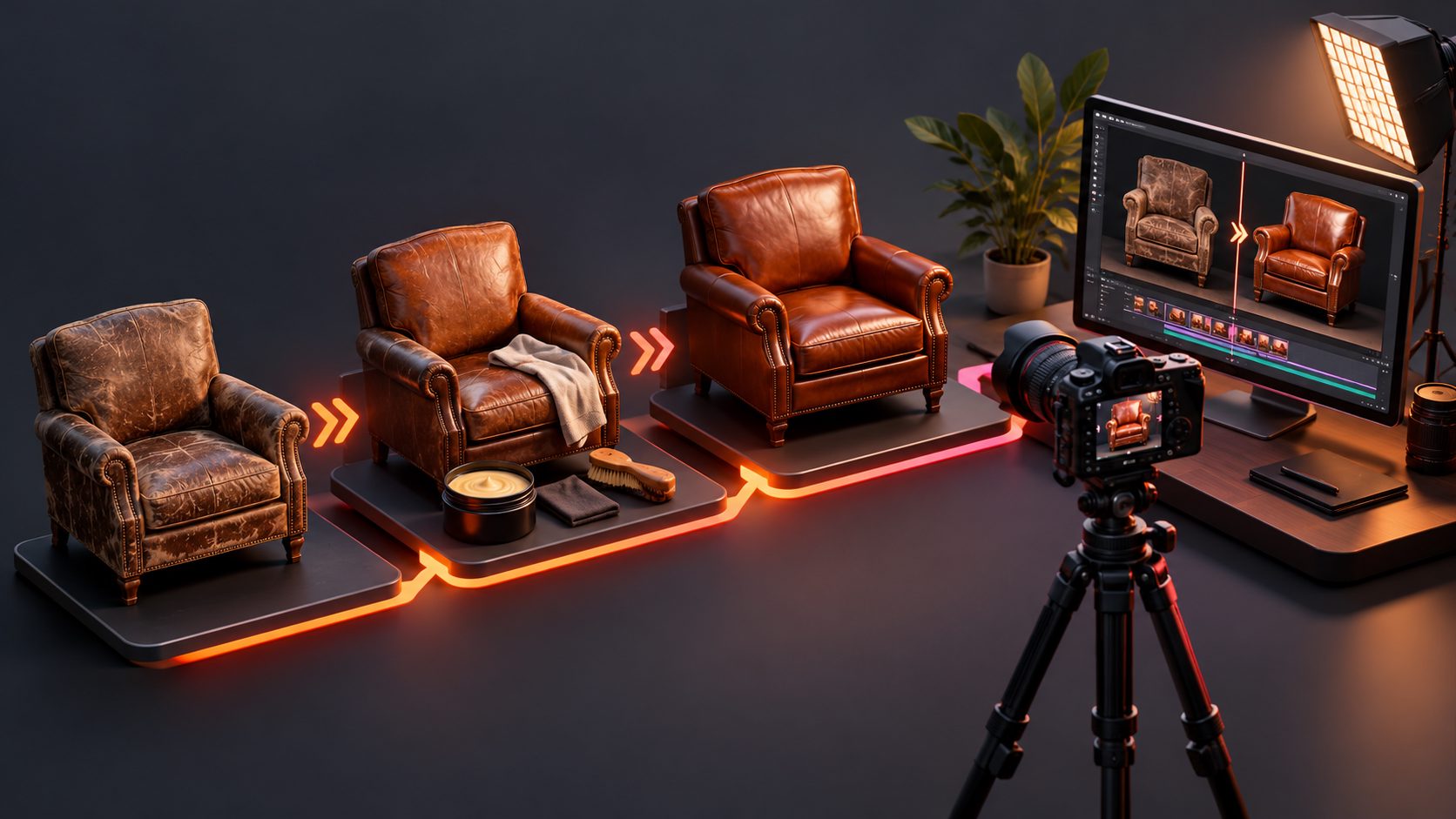
A leather conditioning before and after video ad works when viewers can trust the comparison. The strongest creative does not rely on a glossy final reveal alone; it shows the same leather, under the same light, with visible preparation, controlled application, and close-up proof of the surface change.
This guide explains how to plan the shot, preserve visual consistency, and turn a leather-care demonstration into a short ecommerce ad for TikTok, Instagram Reels, YouTube Shorts, or product pages.
What makes a leather conditioning before-and-after video credible?
A leather conditioning before-and-after video is a controlled visual comparison between an untreated or dry surface and the same surface after product application and buffing. Its credibility depends more on camera consistency than on dramatic editing.
Common top-ranking examples use one or more of these approaches:
- A side-by-side comparison of the same item
- A half-treated test area
- A step-by-step restoration sequence
- Close-ups of faded, dry, cracked, or dull leather
- A final full-product beauty shot
Professional restoration galleries often show the same object across multiple stages, while tutorial videos may deliberately treat only one half so viewers can compare the result directly. SOFOLK, for example, describes a half-restored leather surface as a way to demonstrate the effect more objectively. (renovation-du-cuir.fr)
The important distinction is that conditioning is not the same as full restoration. Conditioning may improve the apparent richness, flexibility, or surface finish, but it does not automatically repair deep cracks, tears, missing color, or structural damage. A trustworthy ad should show what the product actually changes.
How should the before shot be filmed?
The before shot should document the starting condition without making the leather look worse than it is. Use a clean, neutral setup and record the material before applying anything.
Recommended before-shot setup
- Place the leather item flat or in a stable position.
- Mark the camera position with tape.
- Lock focus, exposure, and white balance.
- Use the same lens distance and angle for the after shot.
- Record a wide shot, a medium shot, and a macro detail.
- Capture natural signs of dryness, dullness, creasing, or uneven color.
For premium handbags, wallets, boots, and leather accessories, the macro shot is usually the proof shot. It should reveal grain, pores, creases, and changes in sheen without excessive sharpening.
Avoid moving from cool daylight to warm indoor lighting between scenes. A lighting shift can make the leather appear darker or richer even when the conditioner has made little visible difference.
Why is matched lighting more important than a dramatic reveal?
Matched lighting prevents the audience from confusing a lighting effect with a product effect. Before-and-after content often looks persuasive because the “after” frame is brighter, warmer, or shot from a more flattering angle—not because the surface has been documented fairly.
Use this simple lighting matrix:
| Element | Before shot | After shot |
|---|---|---|
| Camera angle | Fixed | Identical |
| Light direction | Fixed | Identical |
| Light intensity | Fixed | Identical |
| Background | Fixed | Fixed |
| Focus distance | Fixed | Identical |
| White balance | Locked | Locked |
| Surface position | Marked | Returned to mark |
A useful creative test is a three-frame proof sequence:
- Frame A: Full item and condition context
- Frame B: Macro view of the untreated area
- Frame C: Identical macro view after conditioning
This sequence is more persuasive than a fast transition because it lets the viewer inspect the surface. It also gives editors reusable assets for product pages, paid ads, and organic short-form posts.
For additional proof-first ecommerce concepts, see this guide to a pre-owned luxury bag condition video.
What is the best 15-second storyboard?
A 15-second ad should communicate the problem, process, and visible result without turning into a long tutorial.
Suggested storyboard
0–2 seconds: Pattern interrupt
Show the dry or dull leather in a tight macro shot. Add a simple text overlay such as “Dry leather?” or “Watch the surface change.”
2–5 seconds: Establish the test
Show the full item and identify the material area being treated. A split-screen or vertical tape line can make the test area immediately understandable.
5–8 seconds: Application
Show a small amount of conditioner being applied with a cloth or applicator. Keep the hand movement slow enough for viewers to understand the process.
8–11 seconds: Wipe and buff
Show excess product being removed or the surface being buffed. This step helps the transformation feel earned rather than digitally manufactured.
11–14 seconds: Matched reveal
Return to the exact macro framing used at the beginning. Use a clean wipe transition, vertical slider, or split view.
14–15 seconds: CTA
Show the product, brand mark, and one action: “See the full care routine,” “Shop leather conditioner,” or “Save this care guide.”
The opening should focus on visible evidence, not a broad claim. “See the grain before and after” is more credible than “Restore any leather instantly.”
Which details should the macro camera show?
Macro footage should answer the viewer’s unspoken questions:
- Did the color become more even?
- Is the surface still textured?
- Did the product create an unwanted greasy shine?
- Are creases softened or merely hidden by glare?
- Does the leather look conditioned or simply darker?
Film at least three detail zones:
- A flat area to show color and sheen
- A crease or bend to show flexibility and texture
- An edge or seam to show whether the application looks controlled
Do not overuse slow motion. The application itself may be satisfying, but viewers usually need enough real-time footage to understand how much product was used and how it was spread.
A useful editing rule is to reserve visual effects for transitions, not proof. Heavy glow, artificial reflections, and extreme color grading can weaken trust in a high-consideration purchase.
How can ecommerce sellers create multiple ad variations?
Once the base footage is captured, create variations by changing one creative variable at a time:
- Hook variation: “Dry leather?” versus “Dull finish?”
- Proof variation: Half-treated panel versus side-by-side comparison
- Audience variation: Handbag owners, boot owners, car-interior owners
- Voiceover variation: Care instructions versus transformation story
- CTA variation: Shop now, learn the routine, or view the full comparison
AdsTurbo supports product video generation from JPG or PNG product images, with optional selling points and promotional information. For sellers who need a broader creative system, its tools include product video creation, ad cloning, subtitles, background replacement, and video translation.
You can also turn product photography into more ad formats with this product photo to video ads workflow. When the final footage is soft or heavily compressed, an AI upscaling workflow for ecommerce ads can help prepare a cleaner export.
How do subtitles improve a leather care ad?
Subtitles make the process understandable when viewers watch without sound. Keep each caption short and tied to the visual action:
- “Start with a clean, dry surface”
- “Apply a small amount”
- “Work in even circles”
- “Buff away excess”
- “Compare under the same light”
AdsTurbo Video Subtitle can automatically transcribe speech, create time-synced captions, and export either a video with embedded subtitles or a separate subtitle file. Caption layouts can be adapted for TikTok, Instagram Reels, and YouTube Shorts.
For international campaigns, translated voiceover and subtitles can create localized versions without reshooting the entire demonstration. The visual proof remains consistent while the spoken explanation changes by market.
Common questions about leather conditioning ads
Should the entire item be conditioned on camera?
Not always. A half-treated section is often more useful for an advertisement because it creates an immediate control group. It lets viewers compare treated and untreated leather in the same frame.
How long should the ad be?
Start with a 15-second version for short-form placements. Keep a 30–45-second cut for product pages, where viewers may want to see preparation and application in more detail.
Should the leather be cleaned before conditioning?
If the product instructions require cleaning, show that step or state it clearly. Dirt, grease, and residue can affect the result and make the comparison difficult to interpret.
Can AI generate the complete before-and-after demonstration?
AI tools can help create product videos, subtitles, translated versions, and creative variations. For a credible before-and-after claim, however, the source visuals should accurately represent the real product and treatment result.
What is the most important filming mistake to avoid?
Do not change the camera angle, exposure, or color temperature between the before and after shots. A consistent setup is the foundation of visual proof.
Final checklist for a trustworthy leather care ad
Before publishing, confirm that:
- The same item appears in both comparison frames.
- Camera position and lighting remain consistent.
- The macro shot shows grain and texture.
- The application process is visible.
- The claim matches the actual level of improvement.
- Subtitles remain readable in a vertical crop.
- The CTA is specific and easy to understand.
- The final export is sharp enough for mobile viewing.
A strong leather conditioning before and after video ad is not just a transformation montage. It is a small visual experiment: one material, one controlled setup, one clear treatment, and one result the viewer can inspect for themselves.