Product Manual QR Code Video Generator: Turn Instructions Into Scannable Tutorials

Summarize with
Summary
Use a product manual QR code video generator to turn assembly steps into short, scannable tutorials for Amazon and DTC products. Learn the workflow and best practices.
By AdsTurbo | Published 2026-10-28 | Updated 2026-10-28
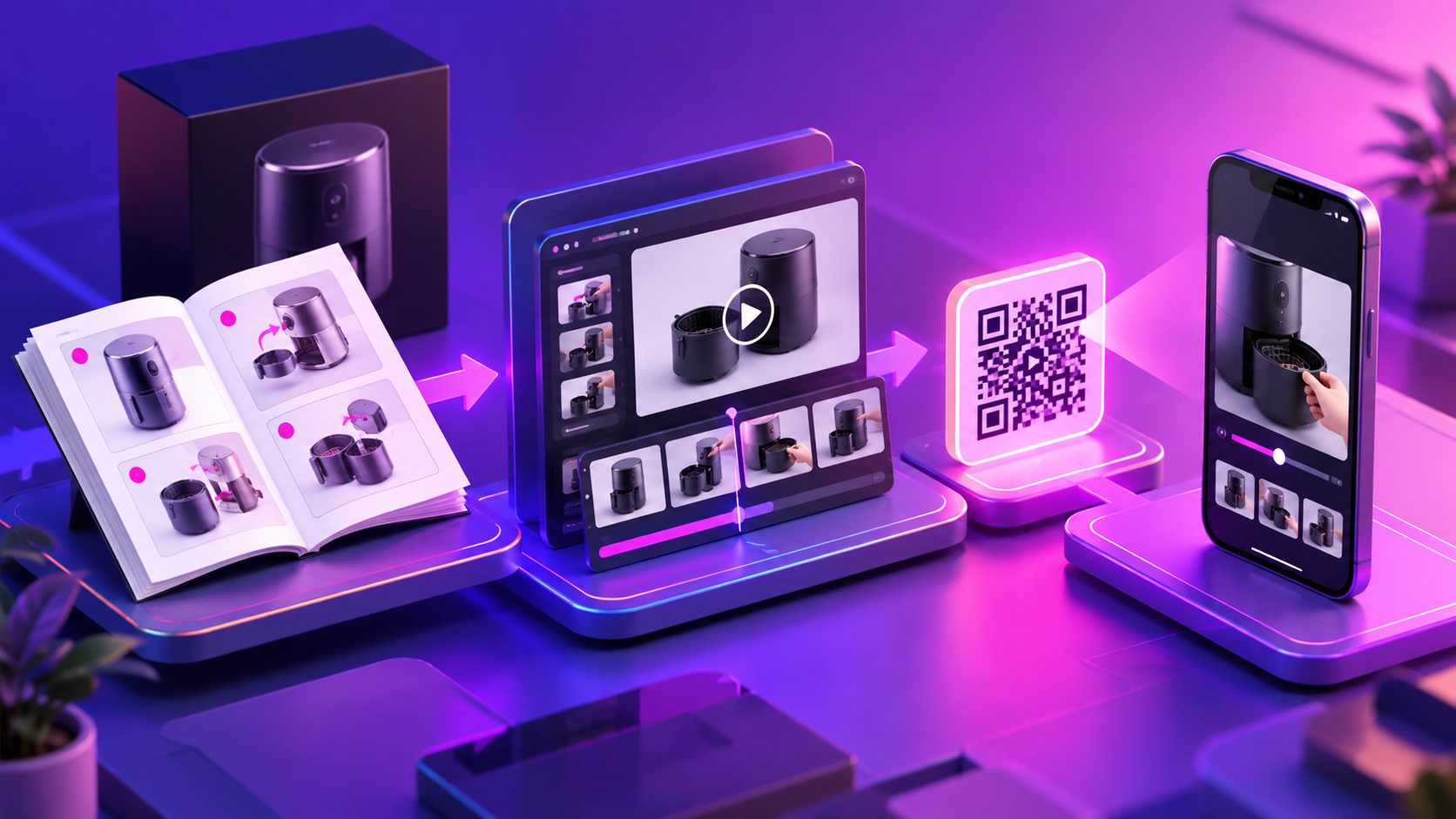
A product manual QR code video generator converts printed instructions, product photos, and assembly steps into a short tutorial that customers can open by scanning a QR code. For Amazon and DTC sellers, this creates a faster path from “I do not understand this step” to a clear visual answer—without forcing customers to search through a long PDF.
Traditional manuals are useful for safety details and complete specifications, but they often fail at showing movement, orientation, sequence, and troubleshooting. A short video can demonstrate those elements in seconds.
What is a product manual QR code video generator?
A product manual QR code video generator is a workflow that turns written or visual instructions into a hosted video tutorial, then connects that tutorial to a scannable QR code.
The basic system has four parts:
- Source content: A PDF manual, assembly guide, product photos, diagrams, or a written step list.
- Instructional video: A short sequence showing setup, installation, operation, or maintenance.
- Mobile destination: A page or video URL that opens well on a smartphone.
- QR code: A printed bridge from the physical package or manual to the digital tutorial.
This is different from a standard QR code generator. A QR code generator only encodes a URL. It does not explain the product, create the video, organize the steps, or adapt the content for different markets.
The strongest implementation treats the QR code as an access layer—not the product itself. The video should remain useful even when watched directly from an Amazon listing, Shopify product page, support email, or branded help center.
Why turn a paper manual into a video?
The main advantage is visual clarity. Customers can see which part faces upward, where a cable connects, how much pressure to apply, or what a finished installation should look like.
A video manual is especially valuable for products with:
- Multi-step assembly
- App pairing or device setup
- Replacement parts
- Fitment or installation requirements
- Safety-sensitive operating sequences
- Several product modes or controls
- Customers in multiple language markets
Amazon itself recommends product videos that demonstrate products in action and provide useful product information. Its US seller guidance also lists video requirements such as MP4 or MOV format, up to 1080p, and a 1–12 minute duration for eligible listing videos. (sellercentral.amazon.com)
For a QR-linked tutorial, however, the best length is usually shorter than the platform maximum. A practical target is 20–90 seconds per task, with one video for assembly, another for first use, and a third for troubleshooting. Separating tasks makes the content easier to scan, translate, update, and reuse.
QR code video manual vs. PDF manual
A PDF remains important because it can contain warnings, specifications, warranty information, and legally required details. A video should not replace information that customers must be able to read and retain.
| Format | Best for | Main weakness |
|---|---|---|
| Printed manual | Complete reference information and warnings | Slow to scan and difficult to visualize |
| PDF manual | Searchable digital documentation | Still text-heavy for physical actions |
| Video tutorial | Assembly, setup, demonstrations, and troubleshooting | Needs a reliable mobile destination |
| QR-linked video manual | Connecting packaging to immediate help | Requires careful QR placement and testing |
The most resilient approach is a layered instruction system: keep the complete manual, add short task-based videos, and use the QR code to direct customers to the right starting point.
A useful landing page can offer three choices:
- Watch the quick-start video
- Open the complete PDF
- Select a language or product variant
That structure prevents the QR code from becoming a dead end.
How to create a scannable product instruction video
1. Extract tasks, not paragraphs
Do not convert every sentence of a manual into narration. First identify what the customer is trying to accomplish.
For example, a smart pet feeder may need separate videos for:
- Installing the bowl
- Connecting the device to Wi-Fi
- Adding a feeding schedule
- Cleaning the food path
- Resetting the device
This “task map” is more useful than a chapter-by-chapter reading of the manual. It also creates clearer video titles and QR destinations.
2. Build each video around one outcome
Open with the result the customer wants:
“Set up your feeder and connect it to Wi-Fi in three steps.”
Then show the required parts, demonstrate the sequence, and finish with a confirmation signal. Avoid long brand introductions, decorative animation, or unrelated selling points.
For installation-heavy products, a proof-first structure works well:
- Show the parts
- Show the correct orientation
- Demonstrate the action
- Show the completed result
- Add one important warning
AdsTurbo’s smart pet feeder setup video workflow provides a useful example of how a setup-focused product video can prioritize clarity over promotional messaging.
3. Use product images when live filming is expensive
A seller does not always need a studio shoot. Clear JPG or PNG product images can support a guided product video, particularly for simple devices, accessories, tools, and household products.
AdsTurbo Product Video supports JPG or PNG product uploads and can generate product evaluation, introduction, and demonstration videos. Product images with a clear subject and simple background generally provide a stronger starting point for visual generation.
For complex assembly, use real diagrams or product footage wherever possible. Generated visuals should not invent connectors, buttons, safety labels, or parts that do not exist.
4. Add captions and language versions
Many customers scan a QR code in a noisy room, at night, or without audio. Captions make the tutorial easier to follow and provide a text layer for translation.
AdsTurbo Video Subtitle can automatically transcribe speech, create time-synced captions, and export either a subtitled video or a separate subtitle file. Caption layouts can be adapted for formats used by TikTok, Instagram Reels, and YouTube Shorts.
For cross-border sellers, create language versions from the same approved task map. Keep measurements, button names, warnings, and part numbers consistent across every translation.
5. Create the QR destination before printing
A common packaging mistake is printing a QR code that points directly to a temporary video URL. If the URL changes, existing inventory may become unusable.
A better setup is:
- QR code points to a stable redirect or help page
- Help page contains the current video
- PDF manual remains available as a fallback
- Product version and language are easy to identify
- The page works without an app or account
Before mass printing, test the QR code on multiple phones, under different lighting conditions, and from the expected scan distance.
A practical workflow for Amazon and DTC sellers
For an Amazon product, use the video in two places when appropriate:
- Listing video: Help shoppers understand the product before purchase.
- Packaging or manual QR code: Help owners complete setup after delivery.
Amazon’s guidance emphasizes accurate product information and prohibits external website links in shoppable video content. Sellers should review the relevant marketplace rules before placing QR codes in listing media or packaging, especially when the QR destination includes promotional, review-request, or off-platform sales content. (sellercentral.amazon.com)
For DTC stores, the same tutorial can be embedded on:
- Product detail pages
- Order-confirmation emails
- Help-center articles
- Warranty or registration pages
- Post-purchase onboarding flows
AdsTurbo can support the surrounding content workflow through product video generation, video translation, subtitles, background replacement, AI upscaling, and API access. Its asynchronous generation model also supports completion through status polling or Webhook callbacks, which is useful when a store needs to process multiple product tutorials rather than one video at a time.
The information-gain framework: “Task, Proof, Recovery”
A strong product manual video should answer three questions:
Task: What should the customer do?
Show the exact action in the correct order. Keep each scene tied to one physical step.
Proof: How does the customer know it worked?
Show the finished assembly, an indicator light, an app confirmation, a secure fit, or another observable result.
Recovery: What should the customer do if it fails?
Add one or two common fixes, such as checking orientation, reconnecting power, removing protective film, or restarting the pairing process.
This framework is more useful than simply animating manual pages because it includes the moment where many customers get stuck: verification and recovery.
Common questions
Can a QR code link directly to a product instruction video?
Yes. It can link to a mobile video page, a help center, or a page containing both the video and the full manual. A stable destination is preferable to a temporary file link.
Should the QR code replace the printed manual?
Usually, no. Keep required warnings and reference information in printed or downloadable form. Use the QR code to add visual guidance for setup, assembly, and troubleshooting.
What video length works best?
Use one short video per task. Around 20–90 seconds is a practical starting range for setup and assembly, while more complex products may need several chapters.
Can one tutorial support multiple countries?
Yes, if the workflow separates the approved instruction structure from the language layer. Translate narration and captions while preserving part names, measurements, warnings, and sequence.
Can product photos be used instead of filming?
For simple products, clear product photos can support an instructional product video. For safety-critical or highly mechanical actions, real footage and verified diagrams are safer choices.
Final checklist before printing the QR code
- The video answers one specific customer task.
- Every part and action matches the real product.
- Captions are readable on a phone.
- The QR destination loads quickly on mobile.
- The complete manual remains available.
- The link works after changing networks.
- At least two phones can scan the printed code.
- Amazon and marketplace policies have been reviewed.
- The QR code points to a stable destination that can be updated later.
A paper manual provides reference information. A QR-linked tutorial provides immediate visual help. Together, they give Amazon and DTC customers a clearer path from opening the box to successfully using the product.
For sellers building a broader creative system, AdsTurbo also supports product image generation for ecommerce listings, 4K video upscaling for product footage, and API-based video processing for repeatable content workflows.