By adsturbo.ai | Published 2026-10-01 | Updated 2026-10-01
A trade show booth tablet loop video should communicate your product before a salesperson starts the conversation. It needs to work without sound, restart smoothly, and make sense when a visitor sees only five seconds in passing. The strongest format is not a miniature corporate film; it is a visual sales aid built for quick, repeated viewing.
What is a trade show booth tablet loop video?
A trade show booth tablet loop video is a short, silent video designed to play continuously on a tablet placed at an exhibition stand. It usually combines product close-ups, use-case visuals, short benefit statements, proof points, and a clear next step.
Unlike a website video, the viewer may enter at any point. Unlike an interactive product demo, it must still work when nobody touches the screen. That makes instant comprehension, large text, and seamless repetition more important than narration or a long story arc.
Trade show video guidance commonly emphasizes sound-off viewing because exhibition halls contain conversations, announcements, and competing displays. Some production guides recommend short 30–60-second loops, while others separate an 8–15-second attention loop from a longer product explanation. (rsphotographysg.com)
For a tablet, a practical starting point is a 20–45-second loop. Use the shorter range for one product or one benefit. Use the longer range when the tablet displays several product details or supports a staff-led conversation.
What should the loop video accomplish?
The tablet video has three jobs:
- Interrupt passive browsing with a strong visual in the first few seconds.
- Explain the commercial value without requiring audio.
- Create a reason to engage, such as asking for a demonstration, scanning a QR code, or speaking with the booth team.
A common mistake is treating the tablet as a digital brochure. Dense slides, long paragraphs, and tiny specifications may contain useful information, but they do not work well for a standing visitor who is moving through a busy aisle.
A better rule is: one screen, one message, one action. If the visitor remembers only one thing after walking past, that message should be your strongest differentiator.
How to structure the script for silent viewing
Use this five-part structure for a B2B booth loop:
| Section | Suggested timing | Purpose |
|---|---|---|
| Visual hook | 0–3 seconds | Show the product, result, or problem immediately |
| Category statement | 3–8 seconds | Tell viewers what the product is |
| Proof or mechanism | 8–18 seconds | Show how it works or what makes it credible |
| Business benefit | 18–30 seconds | Connect the feature to time, cost, quality, or revenue |
| Repeatable CTA | Final 5–10 seconds | Invite a demo, scan, conversation, or product inspection |
The opening should not be a slow logo animation. A product in use, a before-and-after transformation, a distinctive component, or a measurable result is usually more useful in the first frame.
Every spoken sentence should have a visual equivalent. Replace “Our platform helps manufacturers reduce manual inspection” with a sequence showing the inspection process, the interface, and a concise line such as “Automated inspection for faster production decisions.”
Avoid placing all information at the end. Visitors may begin watching halfway through the loop, so the video should repeat the product category and benefit frequently enough to remain understandable from different entry points. This “random-entry” requirement is one of the main differences between a booth loop and a normal explainer video. (rsphotographysg.com)
How to design text for a tablet screen
Tablet viewers are often closer than large-screen viewers, but they may still be standing, walking, or looking from an angle. Use short text blocks rather than captions that require continuous reading.
A useful layout system is:
- Headline: one benefit or category statement.
- Support line: one proof point, use case, or feature.
- Visual evidence: product footage, interface motion, or comparison.
- CTA: one action only.
Keep important content away from the outer edges. Hands, stands, protective cases, and reflections can obscure the screen. Maintain a generous safe area and test the video in the actual tablet enclosure rather than only in an editing preview.
Use high contrast, clear type, and enough on-screen duration for a visitor to read while standing. Do not assume that adding subtitles solves the problem. Subtitles reproduce dialogue; booth text must explain the product even when no dialogue exists.
For multilingual B2B events, create separate language versions instead of squeezing four languages into one frame. AdsTurbo can support localized product visuals and video workflows, including video translation and subtitle generation. Its Video Subtitle tool can automatically transcribe speech, generate synchronized subtitles, and export either a captioned video or a separate subtitle file. For a silent booth loop, however, short designed-for-screen statements are usually more effective than a full transcript.
How to make a seamless tablet loop
A loop should not feel as if it ends and restarts. Avoid a black frame, a long end card, or a final “Thank you” slide that breaks the rhythm.
Use one of these loop structures:
Circular product loop
The final shot returns visually to the first shot. For example, a close-up of a machine component begins the video, the sequence shows the process, and the final frame returns to the same component in operation.
Repeating benefit loop
The video begins and ends with the same concise promise, such as “See the difference in every inspection.” The middle provides proof without depending on a fixed beginning.
Modular loop
Build several 5–8-second modules that can be rearranged: product, use case, proof, customer scenario, and CTA. This is useful when the same source material will be adapted for a tablet, a booth monitor, social ads, and a product page.
AdsTurbo’s Ad Clone workflow can analyze a reference video and help reconstruct its pacing, shot logic, screen text, and CTA structure for new advertising variations. For a trade show, use that capability as a creative starting point—not as a reason to copy another company’s branded content. The final loop should reflect your own product claims, visuals, and compliance requirements.
How AI can speed up production
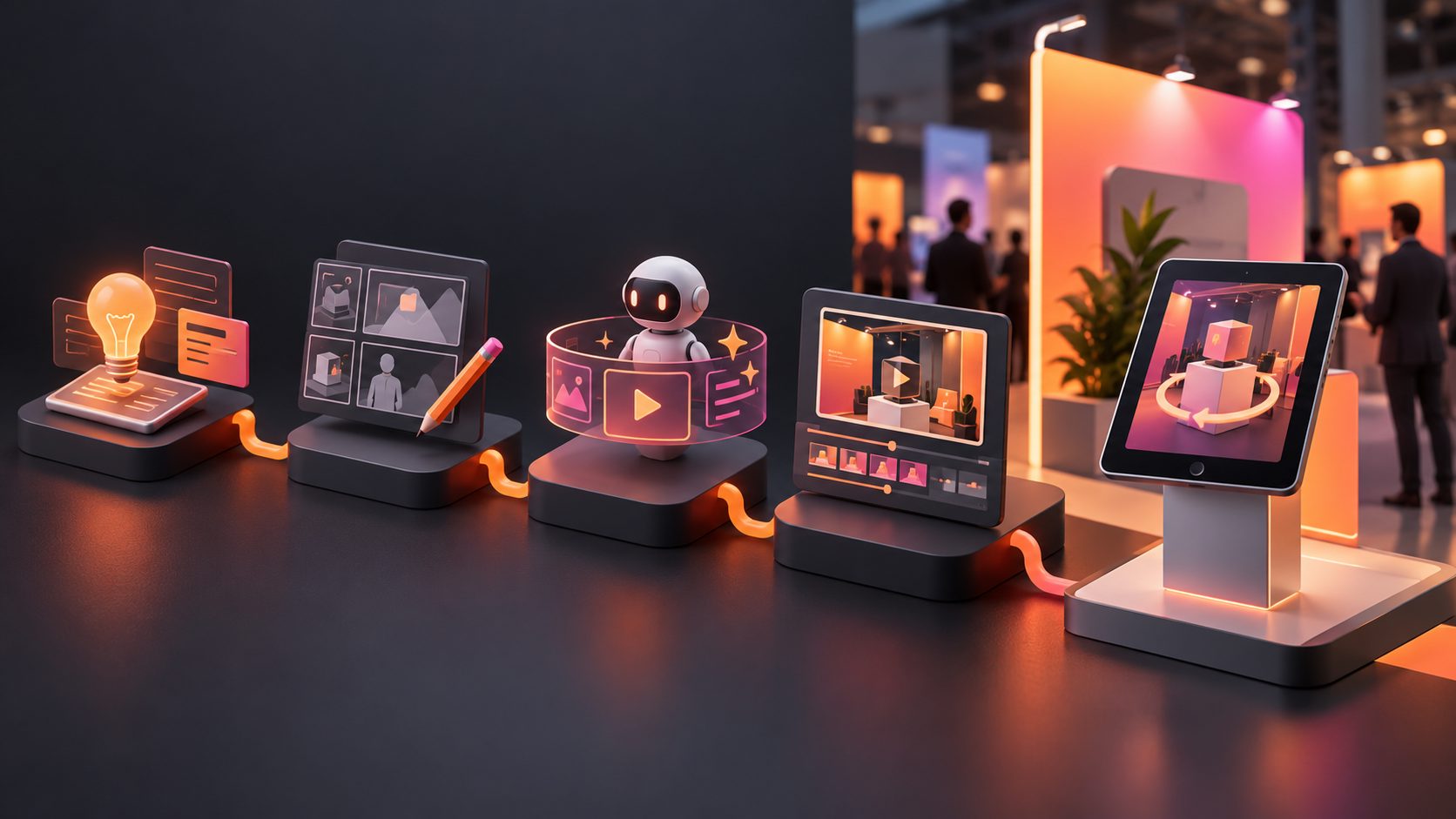
AI is most useful when the product team has strong source assets but limited time before the event. A practical workflow is:
- Upload a clean product image, existing demo, or reference ad.
- Identify one audience, one problem, and one product benefit.
- Generate a short product-video concept with silent on-screen messaging.
- Replace unsuitable backgrounds or create cleaner product scenes.
- Add captions, localized text, or translated versions.
- Export the correct tablet aspect ratio and test the file on the actual device.
AdsTurbo Product Video supports JPG or PNG product images and can generate UGC-style product videos, including product review, introduction, and demonstration formats. Its Product Image workflow can analyze a product’s shape, color, and category, then create multiple image types such as banners, lifestyle scenes, close-ups, and usage visuals.
For a hardware or industrial exhibitor, start with a product demonstration rather than a generic AI presenter. For a DTC brand, combine product movement with a clear benefit and a short offer. You can also use white-background product video workflows when the source image is clean but lifestyle footage is unavailable.
The original Glance-to-Loop test
A useful quality check is the Glance-to-Loop test, a practical framework for evaluating whether the video works for real booth traffic:
- Glance test: Pause the video at five random points. Can each frame identify the product category?
- Mute test: Watch with audio disabled. Is the main benefit still understandable?
- Distance test: View it from the aisle distance and from a side angle.
- Restart test: Watch the final five seconds into the first five seconds. Does the transition feel intentional?
- Conversation test: Ask a colleague to watch for ten seconds, then describe what the product does. Compare their answer with your intended message.
This test adds a critical layer that many production checklists omit: the video must work at an arbitrary entry point, not only from frame one. A technically polished video can still fail if every useful fact appears after a long introduction.
What file and content checklist should you use?
Before copying the video to the tablet, confirm:
- The video matches the tablet’s native orientation: landscape or portrait.
- Text remains readable inside the case and at an angle.
- The loop plays without requiring an internet connection.
- Audio is optional and not required to understand the message.
- The first frame contains a product, result, or strong visual cue.
- No critical information depends on a hover state, tap, or salesperson narration.
- The video has been tested for one full exhibition day.
- A backup copy is stored locally and on a second device.
- The CTA matches what the booth team can actually provide.
For broader campaign reuse, you can adapt the same creative into social formats. AdsTurbo Event Poster supports JPG and PNG uploads and can output nine aspect ratios for social media, display advertising, email, and print. That makes it possible to turn the booth message into supporting event visuals rather than producing every asset from scratch.
You can also review Amazon main image video aspect-ratio guidance when the product will continue into marketplace content after the show.
Frequently asked questions
Should a trade show tablet video have sound?
Usually, no. The message should remain complete with the tablet muted. Sound may be appropriate for a private demo area, but it should not be necessary for an unattended booth loop. (nordlys.io)
How long should the loop be?
Start with 20–45 seconds for a single tablet. Use a shorter loop for one product benefit and a longer version when several use cases need to be shown. Test the loop with random entry points before finalizing it.
Should the video begin with the company logo?
The logo can appear, but it should not delay the product message. Show the product or outcome first, then reinforce brand recognition through the logo, colors, packaging, or end-frame CTA.
Can one video be used on tablets, monitors, and social media?
Yes, if the production is modular. Export separate aspect ratios and adjust text safe zones rather than stretching one file across every screen.
What if there is no product footage?
Start with a clean JPG or PNG product image. AdsTurbo Product Video and Product Image workflows can help create product demonstrations, lifestyle scenes, and promotional variations from image assets, which can then be edited into a silent booth loop.