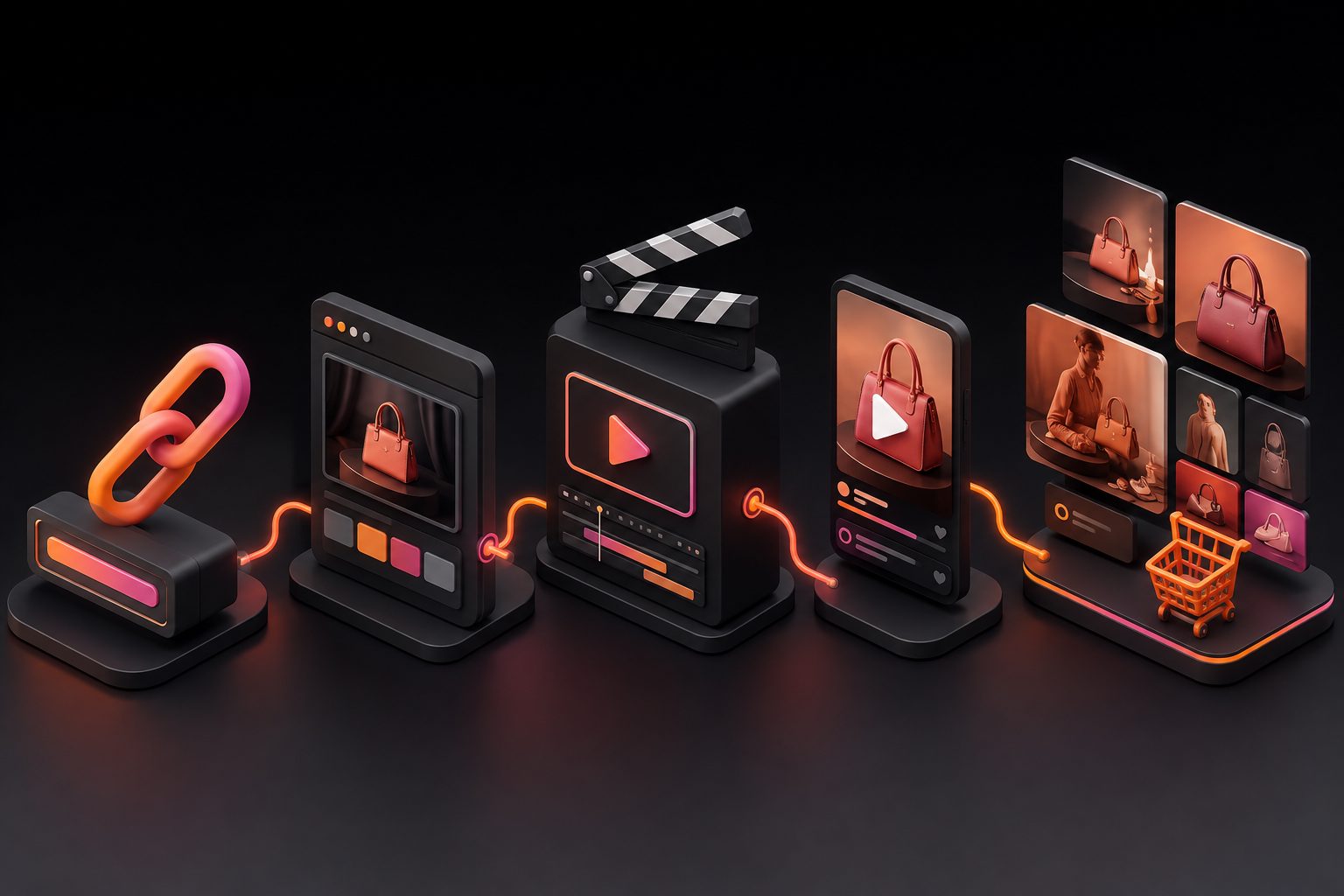
URL to TikTok Video Ad Generator: From Product Link to 9:16 Creative


Summarize with
Summary
Learn how a URL to TikTok video ad generator turns Shopify or Amazon product details into 9:16 ad concepts, scripts, scenes, and testable creative variations. Build a better workflow with AdsTurbo.
By adsturbo.ai | Published 2026-10-26 | Updated 2026-10-26
A URL to TikTok video ad generator converts a Shopify, Amazon, or product-page link into a structured short-form ad concept. The useful workflow is not simply “paste a URL and receive a video.” It is extracting product facts, selecting a persuasive angle, building a vertical storyboard, and producing several variations that can be tested.
What is a URL to TikTok video ad generator?
A URL to TikTok video ad generator is an AI workflow that reads product information from a webpage and uses it to create ad scripts, visual scenes, captions, and video variations for TikTok.
The strongest tools use the product page as a creative brief. They may identify the product name, images, benefits, use cases, and customer-facing language before turning those inputs into a short video structure. TikTok also supports importing information from a product URL into its own AI generation flow, with the important limitation that the page should contain a single product and the imported content is currently English-only. (ads.us.tiktok.com)
For ecommerce sellers, the value is speed and consistency. Instead of starting with a blank prompt, the generator begins with information already written for shoppers.
What information should the generator extract from a product URL?
A product URL should provide more than a product title. A useful extraction process separates facts, benefits, and creative opportunities.
| URL information | How it can become an ad element |
|---|---|
| Product title and category | Opening context or on-screen label |
| Product images | Product close-ups, demonstrations, or transitions |
| Features and specifications | Proof points and visual callouts |
| Customer benefits | Hook, voiceover, or CTA |
| Use cases | Lifestyle scenes and problem-solution structure |
| Offer details | Promotional overlay or closing frame |
| Reviews and objections | Testimonial angle or FAQ-style script |
This distinction matters because product pages often describe features while TikTok viewers respond to outcomes. “Stainless steel blade” is a specification. “Slice vegetables faster with less pressure” is a potential creative angle, provided the claim is accurate.
A generator should also preserve uncertainty. If a page does not clearly prove a claim, the script should not invent a demonstration, certification, result, or customer quote.
How to turn a Shopify or Amazon link into a TikTok ad
A practical URL-to-video workflow has six stages.
1. Start with a clean product page
Use a direct product URL rather than a collection page, homepage, or search-results page. The page should contain one primary product, clear images, and readable product information.
For Shopify sellers, the product page is often the best starting brief because it combines merchandising copy, product visuals, and purchase context. Amazon listings can also work well, but sellers should review the extracted claims carefully because titles, bullets, variations, and compliance language may not all translate cleanly into a short ad.
2. Extract the product’s conversion message
Reduce the page to three components:
- The problem: What frustration does the product address?
- The proof: What visible feature or use case supports the benefit?
- The next step: What should the viewer do after watching?
This is a more reliable method than asking AI to “make a viral ad.” It gives the generator a decision framework and reduces generic scripts.
3. Select one creative angle
A 15-second video should usually have one dominant idea. Common ecommerce angles include:
- Product demonstration
- Before-and-after transformation
- Unboxing or first impression
- Problem-solution explanation
- Comparison or fit guide
- Founder or creator-style recommendation
- Limited-time offer
AdsTurbo’s product video generation workflow is especially relevant when the seller wants to build short-form product content from product assets rather than coordinate a full shoot.
4. Build the 9:16 storyboard
A simple vertical structure is:
- 0–2 seconds: Show the problem, result, or unusual product detail.
- 2–6 seconds: Introduce the product and its main benefit.
- 6–11 seconds: Demonstrate how it works or why it is different.
- 11–15 seconds: Reinforce the benefit and present the CTA.
The first frame should communicate visually even when the sound is off. Use large, concise captions and keep important text away from interface areas near the top, bottom, and right edge.
5. Generate controlled variations
Do not change everything between versions. Create a test matrix where each batch changes one major variable:
| Test variable | Example versions |
|---|---|
| Hook | “Still dealing with…” vs. “Watch this…” |
| Presenter | Product-only vs. AI actor |
| Proof | Demonstration vs. close-up detail |
| Tone | Educational vs. testimonial |
| CTA | Shop now vs. See how it works |
AdsTurbo provides more than 300 AI actors and over 100 product advertising templates, which can support controlled tests across presenter style, product angle, and audience framing. The useful practice is to keep the product facts constant while changing the creative hypothesis.
6. Review before publishing
URL-based automation is not a substitute for approval. Check:
- Product appearance and proportions
- Spoken claims against the product page
- Price, discount, and availability details
- Caption spelling and timing
- Brand names and logos
- Audio, face, and character usage rights
- CTA destination and landing-page consistency
This review step is where many low-quality AI ads fail. A visually polished video can still reduce trust if the product is distorted or the narration promises something the listing does not support.
URL generator versus image-to-video workflow
A URL-based workflow is best when the product page already contains enough information to explain the offer. An image-to-video workflow is better when the seller controls the creative direction and wants to start from a specific product photo.
The two approaches can be combined:
- Use the URL to extract the product facts and selling points.
- Use a clean JPG or PNG product image for visual accuracy.
- Generate several scripts from the same verified brief.
- Add product-specific scenes or background changes during editing.
AdsTurbo Product Image accepts JPG and PNG product images. Clear product photos on a plain background generally provide the strongest starting point for product-image generation, background replacement, and advertising compositions.
For products that need visual proof, a specialized concept may outperform a generic UGC script. For example, an installation product may need a step-by-step demonstration, while apparel may need fit, movement, or size-context content. AdsTurbo’s fit-first clothing video advertising guide illustrates why the creative angle should follow the buyer’s main uncertainty.
An original testing framework: the F-A-P score
A useful way to evaluate URL-generated ads before spending media budget is the F-A-P score:
- F — Fact accuracy: Are all claims supported by the product page?
- A — Attention clarity: Can the first two seconds communicate the problem or result?
- P — Proof visibility: Does the video visibly demonstrate the benefit?
Score each category from 1 to 5. A video scoring 5 for attention but 2 for proof may earn views without building purchase confidence. A video scoring 5 for facts but 2 for attention may be accurate but ignored.
This framework adds a practical layer that many URL-to-video tools omit: it separates creative quality from factual reliability. Produce new variations only after the lowest score is improved.
How AdsTurbo fits the workflow
AdsTurbo can support the production stages after the product brief is defined. Its tools include product video generation, ad cloning, motion control, lip sync, character replacement, video translation, background replacement, AI upscaling, subtitles, and AI erasing.
For localization, AdsTurbo can create translated video versions and generate subtitles with timing aligned to the spoken audio. Its Video Subtitle tool supports embedded-caption downloads or separate subtitle-file exports, which is useful when different platforms or campaigns require different caption treatments.
For teams and developers, AdsTurbo provides API access through a standard REST architecture with Bearer API key authentication. Its video generation API includes eight processing endpoints covering shot analysis, lip sync, watermark removal, translation, upscaling, face swap, motion control, and subtitles. All generation tasks run asynchronously, with completion available through status polling or webhook callbacks.
The practical implication is that a seller can treat creative production as a repeatable pipeline: extract the brief, generate variations, review outputs, localize winners, and send approved assets into the campaign workflow.
Common questions
Can I use an Amazon product URL?
Yes, an Amazon product page can provide product text and images for an ad concept. Review extracted claims, variation details, and product imagery before publishing.
Does a URL automatically create a high-converting ad?
No. A URL supplies information, but performance still depends on the hook, proof, pacing, product-market fit, landing page, and testing process.
What format should I use for TikTok?
Use a vertical 9:16 layout for a native TikTok-style placement. Keep the product and key text visible within safe areas and review the final export on a mobile screen.
Should every variation use a different script?
Not necessarily. Keep the core product promise consistent and test one major variable at a time, such as the hook, presenter, proof style, or CTA.
What if the product page is incomplete?
Add verified selling points manually, upload a clean JPG or PNG product image, and avoid asking the generator to fill missing information with assumptions.
Final takeaway
A URL to TikTok video ad generator is most useful when treated as a structured creative system, not a one-click viral-video machine. Start with a focused product page, extract verifiable benefits, choose one angle, build a 9:16 storyboard, and test controlled variations.
For ecommerce teams that need to scale beyond one finished video, the combination of product assets, ad cloning, localization, subtitles, editing controls, and API workflows can turn one product brief into a repeatable creative pipeline. Explore TikTok ad script examples for specific ecommerce products or visit AdsTurbo to begin creating product-focused ad assets.