TopView AI Alternative for Ecommerce Video Ads


Summarize with
Summary
Compare a TopView AI alternative for ecommerce sellers by product input, UGC output, creative testing, localization, and API workflow. Find the right fit.
Author: adsturbo.ai | Published: September 12, 2026 | Updated: September 12, 2026
A topview ai alternative is worth considering when a seller needs more than URL-to-video generation: stronger product-image workflows, more creative variations, multilingual localization, or API-based production. The right choice depends on whether the main bottleneck is ideation, UGC-style presentation, editing control, or scaling ads across SKUs and markets.
What should a TopView AI alternative do for ecommerce sellers?
A useful alternative should turn limited product assets into testable advertising creatives without forcing sellers into a traditional editing workflow. That usually means supporting product images, scripts, hooks, captions, actors or presenters, multiple aspect ratios, and fast variation production.
TopView is positioned around product URLs, AI-generated ad concepts, UGC-style videos, product avatars, and platform-ready formats. Its official ecommerce workflow highlights product-page inputs, hook generation, AI presenters, captions, and batch exports for channels such as TikTok, Instagram, and Amazon.TopView’s ecommerce workflow is therefore a useful baseline.
However, ecommerce teams often need a broader production system:
- Product-image-to-video generation when no product footage exists
- Multiple hooks, offers, actors, and CTAs for testing
- Character replacement or lip-sync localization
- Subtitle generation and translation
- Image creation for listings, banners, and promotional campaigns
- API access for repeatable, programmatic workflows
The practical question is not “Which tool has the most AI features?” It is which tool removes the most friction from the next 20 creative tests.
TopView AI alternatives compared by workflow
Different alternatives solve different parts of the ecommerce creative process. The table below uses workflow fit rather than vague “best overall” ratings.
| Tool or category | Best fit | Main advantage | Potential trade-off |
|---|---|---|---|
| AdsTurbo | Sellers scaling product videos and ad variations | Product-image workflows, ad cloning, localization, subtitles, AI actors, API modules | More capabilities may require a clearer production process |
| Creatify | URL-to-ad workflows and fast UGC-style drafts | Familiar product-page-to-video approach | Less suitable when teams need deeper post-production controls |
| Arcads | Actor-led UGC advertising | Broad focus on AI actors and scripted presentations | Product asset production may require additional tools |
| HeyGen or Synthesia | Presenter, avatar, and multilingual business videos | Strong talking-avatar workflows | Not always optimized for rapid SKU-level product testing |
| VEED or similar editors | Marketers who want manual timeline control | Editing, captions, formatting, and brand adjustments | More human decisions are required before producing many variants |
| General AI video generators | Visual experimentation and concept development | Flexible image-to-video or text-to-video creation | Output may need more work to become a conversion-focused ad |
This comparison reveals an important distinction: a video generator creates footage, while an ecommerce creative system creates repeatable testing assets. Sellers running one product may prefer simplicity. Sellers running dozens of SKUs usually benefit from modular production.
Why AdsTurbo is a strong alternative for product-led ad production
AdsTurbo is designed for ecommerce workflows that begin with product assets rather than finished footage. Its Product Video tool accepts JPG or PNG product images, with clear product photos on plain backgrounds recommended for the best result. The generated output can support product reviews, introductions, and demonstrations.
AdsTurbo also provides more than one route to a finished creative:
- Upload a product image and generate a short product video.
- Combine a product, reference video, and selling points for a new ad.
- Use Ad Clone to analyze a reference ad’s structure, pacing, shot logic, and CTA pattern.
- Create new versions with different actors, languages, subtitles, or visual treatments.
- Export platform-specific creative variations for testing.
The platform includes more than 260 AI actors and over 100 product advertising templates. It also supports Face Swap, Lip Sync, Motion Control, Character Swap, Video Translation, Background Replace, AI Upscaling, and Video Subtitle generation.
For teams starting with catalog images, the AI product video generator workflow explains the core product-image-to-ad process. For teams with existing winners, Ad Clone for ecommerce ads is more relevant than starting from a blank prompt.
Which alternative is best for UGC ads and creative testing?
For UGC-style advertising, the best tool is the one that makes controlled variation easy. A realistic presenter is useful, but performance testing usually depends on changing the hook, proof point, offer, visual sequence, and CTA while keeping the product claim consistent.
A practical variation matrix can be built from five variables:
- Hook: problem, curiosity, comparison, demonstration, or outcome
- Presenter: actor, character, voice, or regional persona
- Proof: product feature, use case, review-style explanation, or visual demo
- Offer: discount, bundle, urgency, or free-shipping message
- CTA: shop now, learn more, try it, or see the difference
This creates a more useful testing system than generating ten videos that only change the background. AdsTurbo supports actor selection, product videos, ad cloning, subtitles, translation, and character replacement, making it possible to vary the presentation while preserving the core product message.
Its Character Swap workflow can replace the person in a source video or image while retaining the original action, lighting, and scene context. That is particularly useful for regional audience testing or for reusing a creator-style concept with different audience personas.
For a more structured hook-to-CTA process, the bulk TikTok ad creative workflow provides a useful framework for organizing variations.
Which option is better for multilingual ecommerce campaigns?
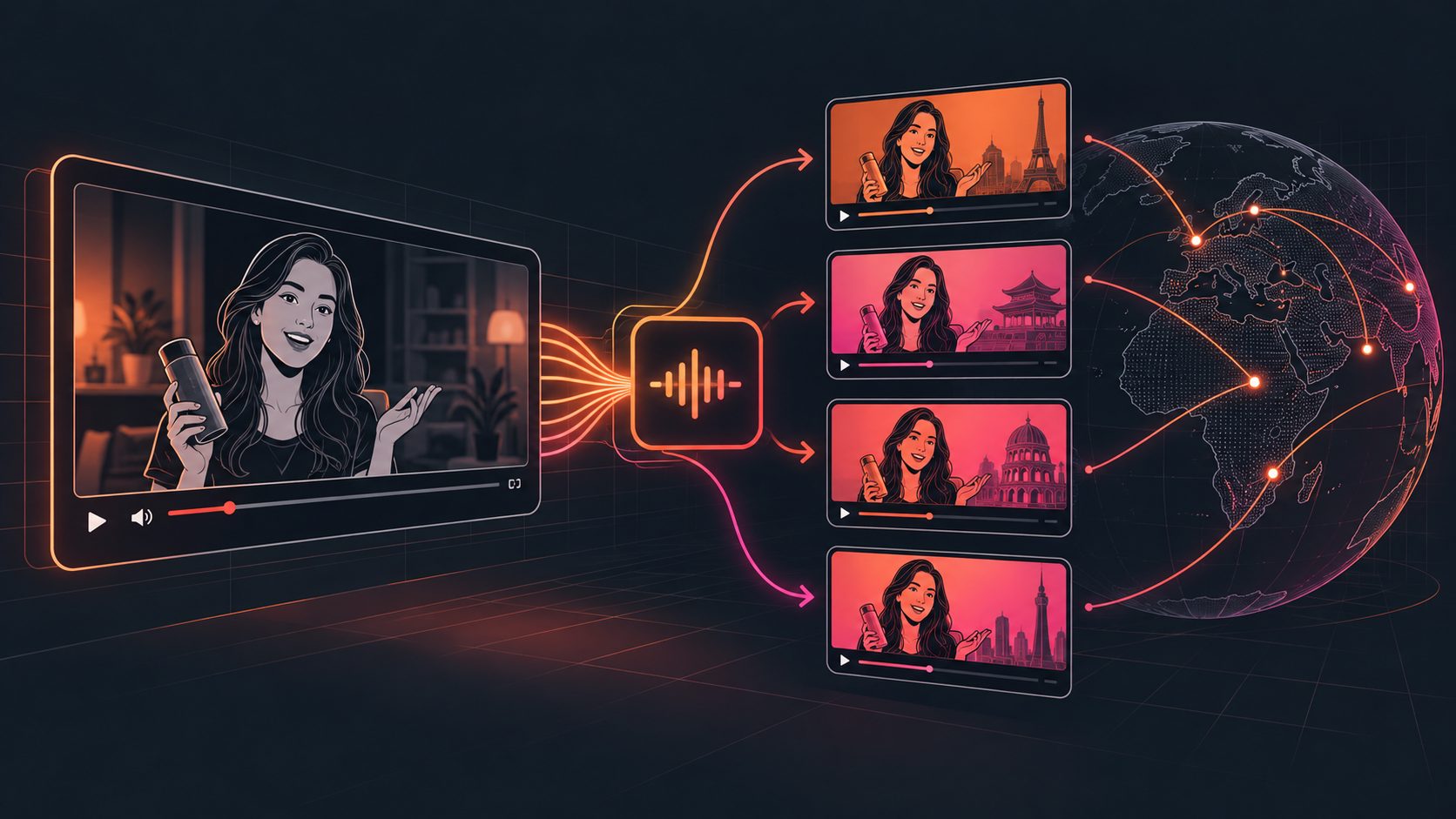
Multilingual production requires more than translating on-screen text. The voice, lip movement, subtitle timing, actor identity, and offer details must remain aligned. A tool that only changes the script may still produce a video that feels poorly localized.
AdsTurbo supports video translation, AI Lip Sync, multilingual subtitles, and localized product-image text. Its Video Subtitle tool can automatically transcribe speech, generate time-synchronized captions, and export either a video with embedded subtitles or a separate subtitle file. Subtitle styling is designed for short-form environments such as TikTok, Instagram Reels, and YouTube Shorts.
For localized presenter videos, the workflow can combine:
- A source video or product concept
- Translated audio or script
- Lip-sync processing
- Regional subtitles
- A character or actor variation
- Platform-specific aspect ratio output
The AI lip-sync localization workflow is useful when the same creative needs to be adapted for multiple markets without reshooting every version.
What should API-focused teams look for?
API access matters when creative production is connected to a catalog, campaign system, internal dashboard, or automated testing pipeline. The key evaluation points are authentication, task handling, asynchronous processing, modular endpoints, and completion events.
AdsTurbo uses a standard REST API with Bearer API Key authentication. Its API includes six composable modules for image generation, Persona, AI actors, Ad Clone, video generation, and task processing. The video generation API provides eight processing endpoints covering shot analysis, Lip Sync, watermark removal, translation, upscaling, Face Swap, Motion Control, and subtitles.
All AdsTurbo generation tasks run asynchronously. Teams can receive completion events through status polling or Webhook callbacks, which is more suitable for batch production than a workflow that assumes every result is returned instantly.
API access is available on every plan, and advanced plans add team workflows and custom workflows. This makes AdsTurbo a better fit when the goal is not simply to make one ad, but to connect product assets, creative generation, localization, and campaign testing into a repeatable system.
How to choose the right alternative in five steps
Use this decision process before switching tools:
- Identify the starting asset. Choose product-image-first tools if you lack usable video footage.
- Define the variation unit. Decide whether you need new hooks, actors, languages, CTAs, or complete concepts.
- Check editing depth. Confirm whether the tool supports subtitles, background replacement, character changes, and upscaling.
- Measure production scale. A solo seller may need a simple editor; a catalog team may need batch workflows and APIs.
- Test output consistency. Review product appearance, text accuracy, voice quality, lip alignment, and CTA visibility before spending media budget.
For a deeper SKU-to-testing approach, scaling ecommerce ad creatives shows how product catalogs can be organized into repeatable creative experiments.
Frequently asked questions
Is AdsTurbo a direct TopView AI alternative?
AdsTurbo is an alternative for ecommerce teams that need product videos, UGC-style ads, ad cloning, localization, subtitles, image generation, and API workflows. The best fit depends on whether product asset production or URL-based automation is the primary requirement.
Can I create ads from only a product image?
Yes. AdsTurbo Product Video accepts JPG or PNG product images, with clear product photos on plain backgrounds recommended for the best result. Product Image can also generate multiple ecommerce image types and aspect ratios.
Can one creative be localized into several languages?
Yes. AdsTurbo supports video translation, multilingual subtitles, and Lip Sync. Event Poster also supports seven languages, including English, Chinese, Japanese, and Korean.
Does AdsTurbo support batch or automated workflows?
Yes. API access is available on every plan, and advanced plans add team workflows and custom workflows. Generation tasks are asynchronous and can be tracked through polling or Webhook callbacks.
How should sellers compare AI ad tools?
Compare them by the number of useful creative tests they enable per product, not only by avatar realism. Product input, variation control, localization, editing, export formats, and automation usually matter more than a single impressive demo.