What AI Tools Can Help Ecommerce Brands Make Paid Social Videos at Scale?


Summarize with
Summary
What AI tools can help ecommerce brands make paid social videos at scale? Use this practical tool stack and workflow to plan, localize, edit, and test faster.
Author: adsturbo.ai|Published: 2026-09-03|Updated: 2026-09-03
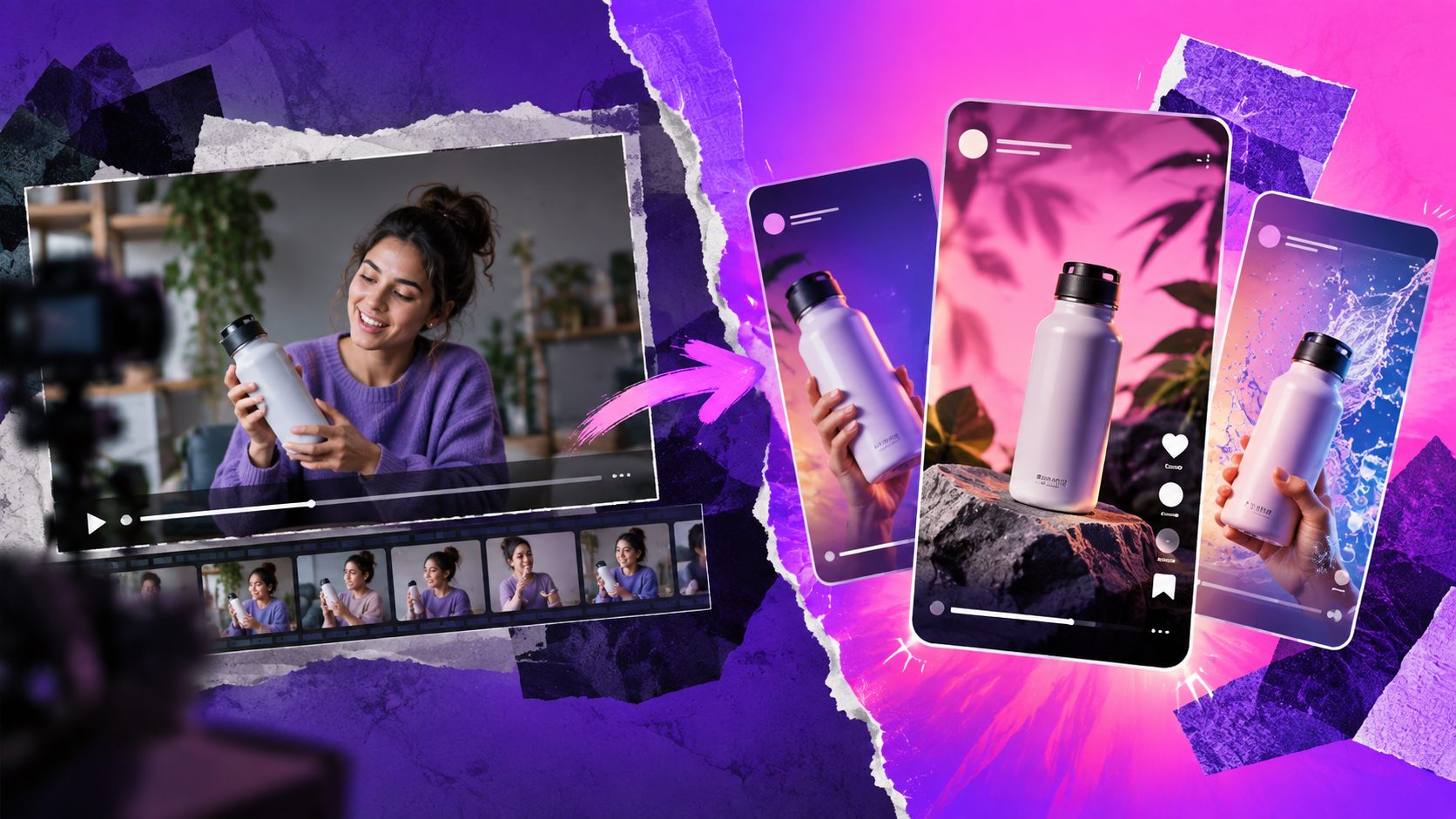
What AI tools can help ecommerce brands make paid social videos at scale? The useful stack is not one magic generator. Ecommerce teams usually need product-to-video tools, ad cloning, AI actors, subtitles, localization, resizing, editing controls, and a workflow layer that turns one winning concept into many testable variants.
For paid social, “scale” means producing enough fresh video angles for Meta, TikTok, Instagram Reels, YouTube Shorts, and TikTok Shop without waiting on every new shoot. The best AI setup should help you move from product asset → hook → short video → localized versions → platform-ready exports → test results.
The Short Answer: Use a Production Stack, Not a Single Tool
A scalable ecommerce video stack combines five tool types: creative research, video generation, product asset creation, post-production editing, and localization. A single AI video app may cover several of these, but the workflow matters more than the logo on the tool.
Here is the practical breakdown:
| Need | Tool category | What it should produce |
|---|---|---|
| New concepts | Ad inspiration and script extraction | Hooks, angles, pacing, CTA ideas |
| Fast first drafts | Product-to-video or UGC video generator | Short-form product demos, reviews, explainers |
| More variants | Ad clone or reference-video workflow | New ads based on a proven structure |
| Human presence | AI actor, face swap, character swap, lip sync | Presenter-led ads without reshooting every version |
| Platform fit | Captions, resizing, safe-zone editing | 9:16, 1:1, 16:9 exports with readable text |
| Global testing | Video translation and localized subtitles | Multilingual creative for regional campaigns |
| Quality control | Upscaling, background replacement, eraser tools | Cleaner product detail and publishable output |
| Automation | API, webhooks, batch workflows | Repeatable generation at campaign volume |
This is why ecommerce brands should evaluate AI tools by workflow coverage, not by demo quality alone.
Why Paid Social Video Scaling Breaks for Ecommerce Teams
Paid social video scaling fails when teams only multiply outputs, not decisions. A brand may create 50 clips, but if they share the same hook, claim, actor, and product shot, the test is shallow.
Meta reports that Reels ads built in 9:16 video with audio and key elements in the safe zone had a lower cost per result than still-image Reels ads in its split-test analysis, according to Meta for Business Reels ad guidance. Google also recommends vertical assets for mobile video campaigns, and says vertical creative can improve Shorts performance in Google Ads vertical video guidance.
For ecommerce, the bottleneck is usually not one finished video. It is the ability to test:
- Different opening hooks
- Different personas or presenters
- Different product-use scenes
- Different offers
- Different captions and CTAs
- Different aspect ratios
- Different languages
A good AI workflow makes these variables easy to isolate.
The Seven AI Tool Types Ecommerce Brands Actually Need
1. Product-to-Video Generators
Product-to-video tools turn a product image, listing, URL, or short brief into a paid-social video draft. They are best for new product launches, SKU expansion, and early hook testing.
For ecommerce brands, the strongest product video tools should support clean input assets. AdsTurbo Product Video, for example, supports uploading JPG or PNG product images up to 10MB and can generate product review, product introduction, and product demo videos. For practical setup details, see this guide to ecommerce video ads for Shopify stores.
Use this category when the team has a product but no footage. Do not expect the first render to be the final ad. Treat it as a structured draft that still needs platform formatting, claim review, and creative QA.
2. Ad Clone and Reference-Video Tools
Ad cloning tools analyze a reference ad’s structure, pacing, scene logic, hook, and CTA pattern, then rebuild the idea for another product or market. This is useful when a brand has found a winning format but needs fresh variants.
AdsTurbo’s Ad Clone workflow can preserve a strong opening, rhythm, shot logic, and CTA structure while reconstructing the ad for a brand’s own product. It supports uploading a reference video or pasting a link, and can export versions for TikTok, Meta, and Shorts in 9:16, 1:1, and 16:9 formats.
The right way to use ad cloning is not to copy another brand’s claim or creative identity. Use it to understand why a structure works: the first three seconds, objection handling, proof moment, and offer reveal. For a deeper workflow, see Clone Video Ads: How Ecommerce Teams Turn One Reference Into Multilingual Variants.
3. AI Actor, Character Swap, and Face Swap Tools
AI actor and character replacement tools help teams test the messenger, not just the message. A skincare brand, for example, may need different presenters for Gen Z, millennial, men’s grooming, and regional campaigns.
AdsTurbo provides 260+ AI actors and supports Face Swap, Character Swap, Lip Sync, and Motion Control. Character Swap can use a source video or image with a person plus a target character image, while preserving motion, lighting, and scene realism. That makes it useful for audience testing and localized presenter variants.
This tool category is strongest when your script and product proof are already clear. Swapping characters will not fix a weak hook, unclear offer, or misleading product demonstration. For ecommerce-specific character replacement, see Character Swap AI for Ecommerce Video Ads.
4. Lip Sync, Voiceover, and Video Translation Tools
Localization tools turn one strong video into versions for multiple regions. They can translate spoken content, generate subtitles, and align mouth movement when presenter-led creative needs to feel native.
AdsTurbo offers Lip Sync and Video Translation, and its Video Subtitle tool can automatically transcribe speech and generate time-synced captions. It also supports downloading videos with embedded subtitles or exporting standalone subtitle files. Subtitle styling is adapted for TikTok, Instagram Reels, and YouTube Shorts.
TikTok’s own creative best-practice guidance emphasizes vertical 9:16 video, sound, safe-zone visibility, and at least 720p resolution in TikTok performance ad guidance. For cross-border ecommerce, localization should include both language and platform readability.
5. Product Image, Background, and Poster Tools
Paid social video production often fails before video generation begins because the product photo is weak. AI product image tools create clean product shots, lifestyle scenes, banners, close-ups, instruction images, and brand visuals that can become video inputs.
AdsTurbo Product Image supports JPG and PNG uploads, automatically analyzes product shape, color, and category, and can generate six ecommerce image types. It also supports 9 aspect ratios for Amazon, Shopify, TikTok Shop, and Instagram. Clear product photos on plain backgrounds tend to produce better results.
Event Poster tools are also useful for promo bursts. AdsTurbo Event Poster supports JPG and PNG brand assets, 9 aspect ratios, and campaign details such as discount percentage, promo code, dates, and terms. That helps teams turn a sale theme into coordinated ad and landing-page visuals.
6. Post-Production Tools: Captions, Upscaling, Eraser, and Background Replace
Post-production tools make AI video usable in real media buying environments. They clean up resolution, remove unwanted visual distractions, add subtitles, replace backgrounds, and prepare creative for platform placements.
AdsTurbo provides Clip by Clip editing, AI Upscaling, AI Eraser, Background Replace, Video Subtitle, and watermark removal tools. Its Video Upscaling supports previewing before-and-after enhancement and exporting 4K video. AI Eraser can remove corner badges or stamp residue with preview before export.
These tools matter because performance ads are judged in a feed, not inside a polished demo page. Product text must be readable, the offer must remain in the safe zone, and the first frame should make sense with sound off.
7. API and Workflow Automation Tools
API access is the difference between making videos and operating a creative factory. Ecommerce teams with many SKUs, languages, or markets need repeatable workflows, not manual one-off rendering.
AdsTurbo’s API uses standard REST architecture with Bearer API Key authentication. It includes six composable API modules: image generation, Persona, AI actor, ad clone, video generation, and task processing. Its video generation API provides eight processing endpoints: shot analysis, lip sync, watermark removal, translation, super-resolution, face swap, motion control, and subtitles.
All AdsTurbo generation tasks run asynchronously and support status polling or Webhook callbacks. Higher-tier plans support team workflows and custom workflow support (API access itself is available on every plan). For brands producing many variants, asynchronous job handling prevents creative production from becoming a browser-tab bottleneck.
A Practical Variant Framework for Paid Social Video Scale
A scalable AI workflow should create structured variation, not random volume. Use this simple matrix before generating assets:
| Variable | Test options | Example |
|---|---|---|
| Hook | 3 | Problem, demo, comparison |
| Persona | 3 | Expert, everyday user, skeptic |
| Offer | 2 | 20% off, bundle deal |
| Format | 3 | UGC review, product demo, before/after |
| Aspect ratio | 3 | 9:16, 1:1, 16:9 |
That creates 162 possible outputs from a single product concept. Most brands should not launch all 162. Instead, generate a first batch of 12–24 videos by holding one variable steady and testing the others.
For example:
- Keep the same product demo.
- Test three opening hooks.
- Use two personas.
- Export each in 9:16 and 1:1.
- Add subtitles and one clear CTA.
- Launch with consistent budgets and naming conventions.
- Feed the winning structure back into the next batch.
This is the core information gain: AI video scale is not “more videos.” It is controlled creative multiplication.
How AdsTurbo Fits This Workflow
AdsTurbo is designed for ecommerce sellers that need AI video ads and product visuals in repeatable batches. Its strongest fit is the middle of the paid-social production chain: turning product assets, reference videos, scripts, actors, and localization needs into multiple campaign-ready variants.
Relevant AdsTurbo capabilities include:
- Ad Clone for rebuilding proven ad structures
- Product Video for generating reviews, introductions, and demos
- Lip Sync and Character Swap for presenter variants
- Video Translation and Video Subtitle for localization
- AI Upscaling, AI Eraser, and Background Replace for cleanup
- Product Image and Event Poster for ecommerce visual production
- API access, Webhooks, polling, and custom workflows for scaled teams
A practical workflow could start with AI product video from URL, move into ad-structure testing with Ad Clone, then localize the winner using translation and subtitles. The team can then use API workflows to generate controlled batches across markets.
What to Check Before Choosing an AI Video Ad Tool
The best AI tool is the one that matches your production constraint. Use this checklist before buying or standardizing a workflow:
- Input flexibility: Does it accept product photos, URLs, scripts, reference videos, and brand assets?
- Variant control: Can you change one variable without regenerating the entire ad?
- Platform exports: Can it produce 9:16, 1:1, and 16:9 versions?
- Subtitle quality: Are captions time-synced and readable in short-form placements?
- Localization: Does it support translated voice, captions, and visual text?
- Editing controls: Can you upscale, erase distractions, replace backgrounds, and edit clip by clip?
- Batch operations: Are there API, Webhook, polling, and team workflow options?
- Compliance review: Can your team check claims, disclosures, product accuracy, and usage rights before launch?
For paid ads, the safest process is human-reviewed AI production. AI can generate fast, but the brand still owns the claim, offer, landing-page match, and audience promise.
Common Questions
What AI tools can help ecommerce brands make paid social videos at scale?
The most useful tools are product-to-video generators, ad clone tools, AI actor workflows, lip sync, subtitles, video translation, upscaling, background replacement, product image generation, and API automation. Together, they help teams create structured variants for Meta, TikTok, Reels, and Shorts.
Are AI UGC videos good enough for paid ads?
AI UGC videos can be good enough for paid ads when the product demonstration is clear, the claims are accurate, and the creative is reviewed before launch. They work best for testing hooks, presenters, offers, and localized versions, not for replacing every original creator shoot.
How many video variants should an ecommerce brand test first?
A practical first batch is 12–24 videos. Test two or three variables at most: hook, persona, and format. If every variable changes at once, the team cannot tell what caused the performance difference.
Which aspect ratios should paid social videos use?
Most ecommerce teams should prepare 9:16 for Reels, Stories, TikTok, and Shorts; 1:1 for feed placements; and 16:9 when needed for YouTube or broader video inventory. Keep text and CTAs inside safe zones so platform UI does not cover them.
Can one winning video become a global campaign?
Yes, if the team separates structure from execution. Keep the winning hook, pacing, proof sequence, and CTA logic, then generate localized versions with translated subtitles, voiceover, lip sync, different presenters, and region-specific offers.
Conclusion: Build a Creative System, Not a Video Pile
The answer to what ai tools can help ecommerce brands make paid social videos at scale? is a connected stack: research, product video generation, ad cloning, AI actors, localization, subtitles, cleanup, and automation.
For ecommerce teams, the goal is not to generate endless clips. The goal is to create better creative tests faster, learn which angle works, and turn winners into multilingual, multi-format paid-social assets. AdsTurbo supports that workflow with AI video generation, ad cloning, product visuals, localization, editing controls, and API-based production for teams ready to scale.