By adsturbo.ai | Published 2026-09-25 | Updated 2026-09-25
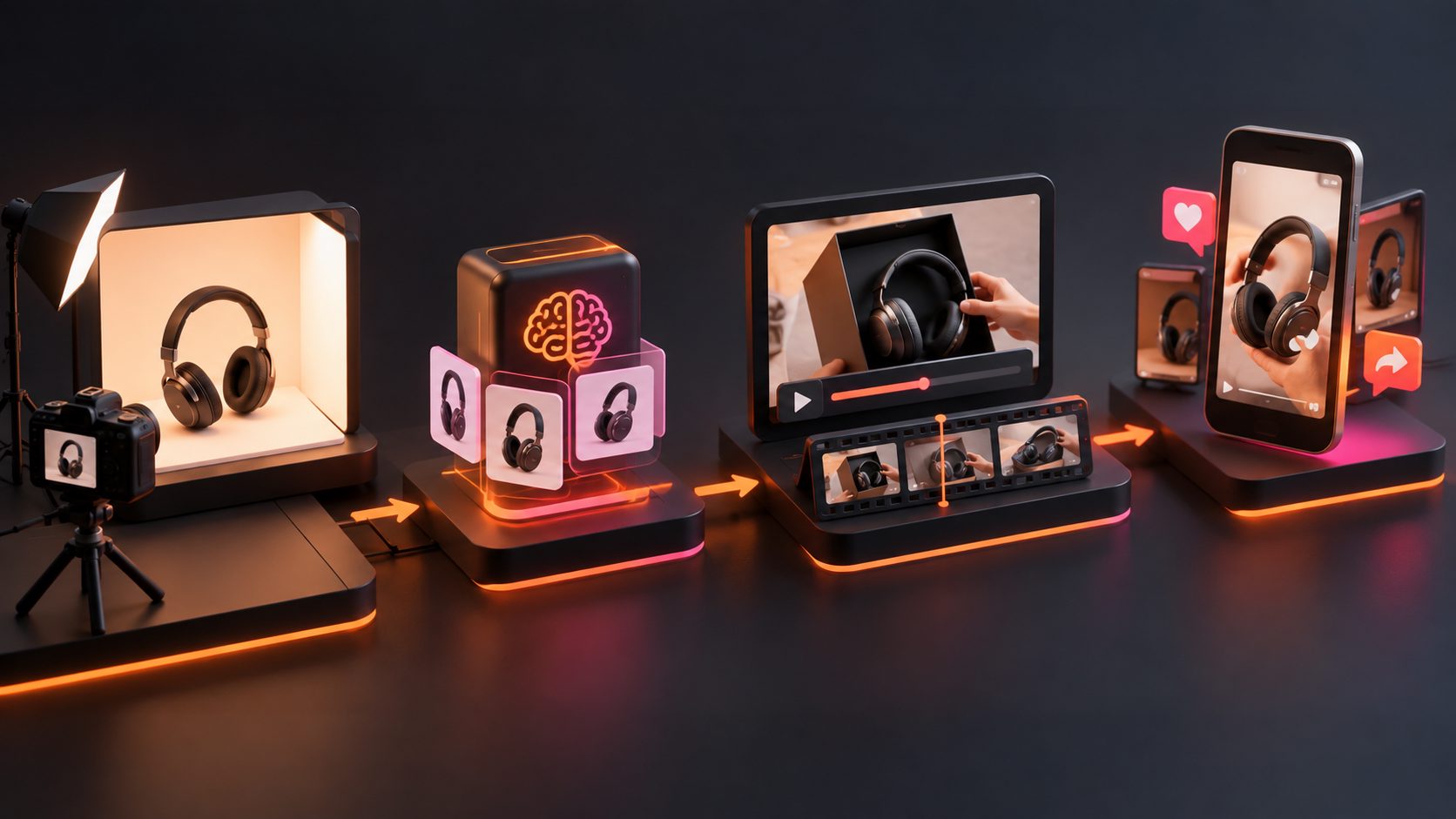
An ai unboxing video generator ecommerce workflow turns static product photos into short, creator-style clips that simulate opening, revealing, and presenting a product. For DTC brands, its best use is not replacing every creator shoot. It is producing fast, testable concepts before committing inventory, budget, or samples to full production.
The practical challenge is preserving the real product. A persuasive clip must keep packaging, colors, proportions, labels, and included accessories consistent while creating believable motion and a clear sales narrative.
What Is an AI Unboxing Video Generator for Ecommerce?
An AI unboxing video generator is a tool that creates an opening or first-reveal sequence from product images, written instructions, and optional promotional details. It can produce hands-only POV clips, presenter-led videos, product close-ups, or UGC-style ads without filming a physical unboxing.
Unlike a generic image-to-video effect, an ecommerce workflow has a commercial objective. It must show what arrives, why the item matters, and what the shopper should do next.
The most useful output usually follows five beats:
- Hook: Create curiosity before the package opens.
- Reveal: Show the product clearly and quickly.
- Inspection: Highlight packaging, texture, components, or size.
- Benefit: Connect a visible feature to a customer need.
- CTA: Direct the viewer toward the product page or offer.
This structure also makes each section replaceable, so teams can test hooks without rebuilding the entire ad.
Which Product Images Produce Better Unboxing Videos?
Clear, front-facing product photos on simple backgrounds give the generator fewer details to invent. The source should accurately show the product’s shape, color, packaging, logo placement, and any component that must remain visible in the final video.
AdsTurbo Product Video accepts JPG or PNG product images up to 10MB. It analyzes the uploaded item and can generate product review, introduction, and demonstration videos. Optional selling points and promotion details can provide additional direction.
Prepare these assets before generation:
- One clean hero photo with the full product visible
- Separate images of the retail box and included accessories
- Close-ups of labels, controls, textures, or seals
- A short list of verified product benefits
- Exact offer language, dates, and promotional conditions
- Brand colors, approved terminology, and prohibited claims
For a deeper production sequence, use this product-photo-to-unboxing workflow to organize source images before creating motion.
How Do You Turn a Product Photo Into a UGC Unboxing Ad?
The most reliable method separates product accuracy, storytelling, generation, and quality control. Trying to solve everything with one long prompt makes it harder to identify why an output failed.
-
Choose one conversion angle.
Decide whether the clip should emphasize discovery, convenience, packaging, value, gifting, or a specific use case. Avoid combining every benefit in one short video. -
Write a five-beat shot plan.
Define the hook, package opening, reveal, detail shot, and CTA. Describe observable actions rather than vague goals such as “make it viral.” -
Generate the base product sequence.
Upload the approved JPG or PNG image. Keep the first version visually simple, with one presenter or hands-only POV and limited camera movement. -
Add voice, captions, and localization.
Use short spoken lines that match the visible action. AdsTurbo provides lip sync, video translation, and time-synchronized video subtitles, including subtitle styling suited to short-form social formats. -
Export variants, not one final answer.
Change one variable at a time. This creates interpretable tests rather than a collection of unrelated videos.
What Makes an AI Unboxing Video Believable?
Believability depends more on continuity than cinematic polish. Viewers quickly notice changing labels, impossible hand contact, inconsistent box dimensions, floating accessories, or a product that transforms between shots.
Use the original REVEAL-6 quality gate below. Score each category from 0 to 2, where 0 means unusable, 1 requires editing, and 2 is ready to test.
| Quality gate | What to inspect |
|---|---|
| R — Resemblance | Shape, color, proportions, and packaging match the real SKU |
| E — Exact text | Logos, labels, quantities, and offer text remain correct |
| V — Visual contact | Hands and objects interact without clipping or floating |
| E — Evidence | Spoken benefits are supported by what the video shows |
| A — Action flow | Opening, reveal, inspection, and CTA follow logically |
| L — Legal clarity | The clip avoids fake testimonials and unsupported claims |
Set a minimum passing score of 10 out of 12. Treat a zero for product resemblance or exact text as an automatic rejection, regardless of the total.
In the United States, AI-generated characters should not be presented as real customers with invented experiences. The FTC’s rule addresses fake or false testimonials, including testimonials attributed to people who do not exist or did not use the product. (ftc.gov)
How Should Ecommerce Teams Test Unboxing Variants?
A useful first sprint contains 12 videos created from three hooks, two points of view, and two CTAs. This matrix tests meaningful creative variables while keeping the product, offer, duration, and landing page constant.
| Variable | Options |
|---|---|
| Hook | Curiosity, problem-first, outcome-first |
| Point of view | Hands-only, presenter-led |
| CTA | Product discovery, offer-led |
| Total | 3 × 2 × 2 = 12 variants |
Evaluate the first round in two stages. First, apply the REVEAL-6 gate and remove inaccurate outputs. Then launch the remaining clips under comparable audience, placement, budget, and attribution conditions.
Track:
- Three-second hold or equivalent early-retention signal
- Average watch time
- Click-through rate
- Product-page engagement
- Add-to-cart rate
- Cost per acquisition
The result should identify a winning component, not merely a winning file. For example, an outcome-first hook may outperform curiosity across both camera styles. That insight can guide the next batch. The same principle is expanded in this guide to testing the first three seconds of video ads.
Where Does AdsTurbo Fit Into the Workflow?
AdsTurbo supports the production stages surrounding an ecommerce unboxing campaign: product video generation, ad cloning, clip-by-clip editing, lip sync, character replacement, translation, subtitles, resolution upscaling, and background replacement.
Its Product Video workflow can start from a JPG or PNG product photo and optional selling points or promotional information. Teams can then create variations around the same product concept rather than coordinating a new physical shoot for every hook.
For international campaigns, a validated creative can move into an ecommerce video translation workflow. AdsTurbo also provides more than 300 AI actors and over 100 product advertising templates. Advanced plans support team workflows, API access, and custom workflow assistance.
The goal is controlled iteration: preserve the product, vary the message, and keep a record of which creative element changed.
Frequently Asked Questions
Can one product photo create a complete unboxing video?
Yes, a clear product photo can provide the basis for an AI-generated unboxing clip. Additional packaging, accessory, and detail images improve accuracy when the product has complex components or important label text.
Which products are easiest to generate?
Rigid, clearly packaged products such as bottles, boxes, small electronics, accessories, and home goods are generally easier to represent consistently. Reflective materials, transparent containers, flexible fabrics, and products requiring physical transformation need closer review.
Should an AI unboxing video include an AI actor?
Not necessarily. A hands-only sequence can focus attention on packaging and product details. A presenter-led version is useful when the script needs explanation, emotion, lip sync, or localization. Testing both provides better evidence than assuming one format will win.
Can these videos replace real customer testimonials?
No. Use AI-generated clips as branded demonstrations, concept ads, or clearly controlled creative—not as fabricated customer experiences. Claims should be truthful, supportable, and consistent with the product shown.
What is the best first test for a small DTC brand?
Start with one SKU and the 12-variant matrix. Reject clips that score below 10 on REVEAL-6, then compare the approved variants under similar campaign conditions. This makes an ai unboxing video generator ecommerce test small enough to manage but structured enough to produce reusable insights.
Build a Repeatable Unboxing System
The value of an AI UGC workflow is not one polished clip. It is the ability to turn an approved product image into controlled creative variations, identify effective hooks, and adapt the winning structure for new offers or markets.
Begin with accurate source assets, generate a simple reveal sequence, apply strict product-fidelity checks, and test one variable at a time. Explore AdsTurbo’s ecommerce video creation tools when you are ready to build and iterate product video concepts.