作者:adsturbo.ai|发布日期:2026-09-21|更新日期:2026-09-21
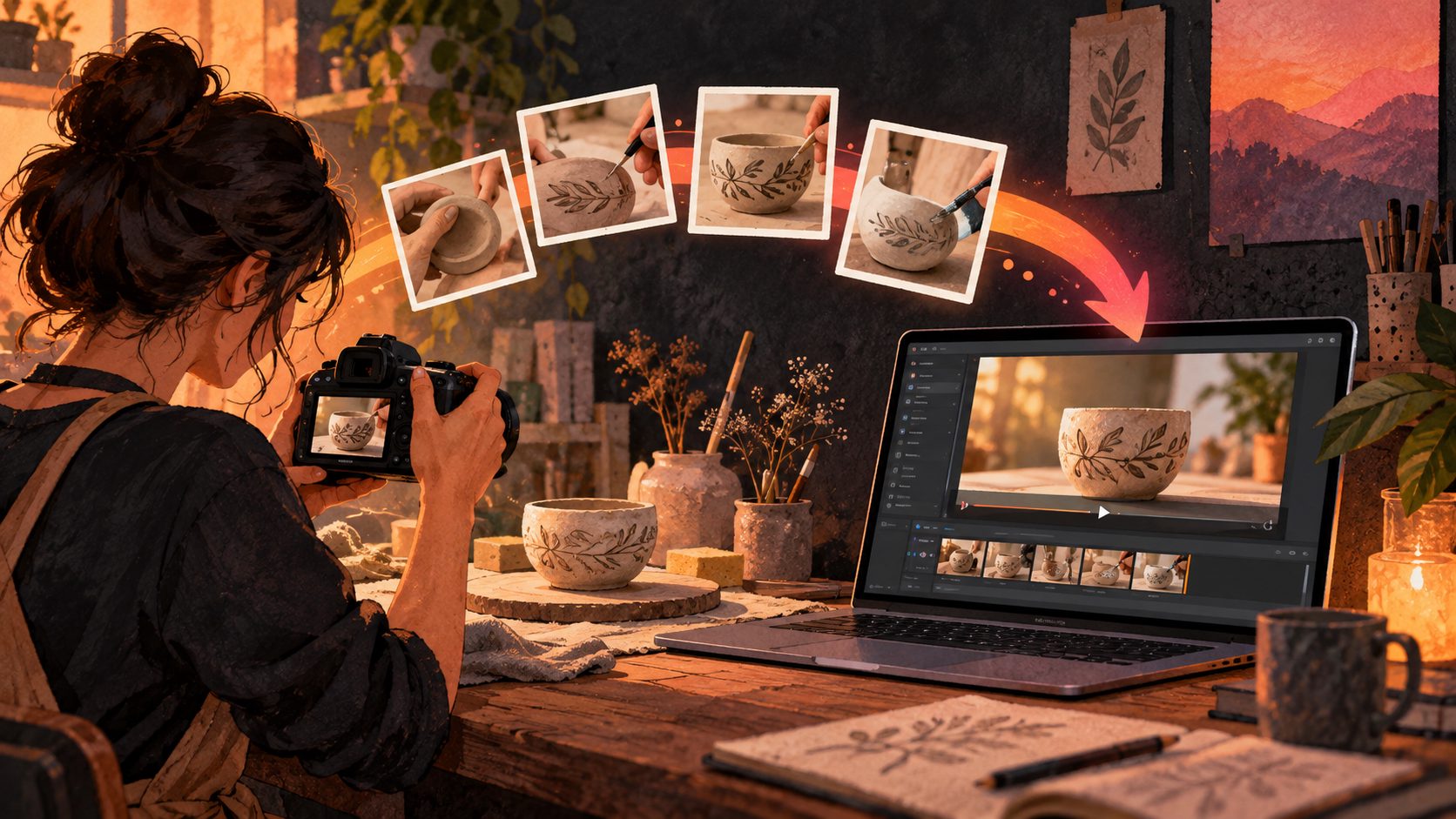
For handmade sellers, an etsy product video maker timelapse ai workflow can turn still photos of materials, tools, and finished products into a short process video that feels more personal than a standard product slideshow. The strongest version does not simply add movement to images—it connects the raw material to the finished item, answers a buyer question, and stays within Etsy’s listing-video requirements.
What is an AI timelapse product video for Etsy?
An AI timelapse product video is a short visual sequence that compresses a handmade production process into a few seconds. It may show fabric becoming a bag, clay becoming a mug, beads becoming jewelry, or wood becoming a finished home décor item.
For Etsy, the goal is not to simulate every manufacturing step perfectly. The goal is to make the product’s origin understandable and visually credible. Etsy’s current help documentation says listing videos can be 3–15 seconds long, are muted after upload, support common formats such as MP4 and MOV, and can be uploaded in up to two videos per listing. Etsy recommends at least 1080px for ideal resolution. (help.etsy.com)
That makes a compact process narrative more useful than a long tutorial:
- Show the raw material or starting form.
- Highlight one or two recognizable making actions.
- End on the exact finished product the buyer will receive.
Etsy’s own seller guidance also recommends showing the making process when possible, especially for art and collectibles, then ending with the finished item. (etsy.com)
Why handmade sellers benefit from process-based listing videos
A product photo answers, “What does it look like?” A process video can answer, “How was it made?” and “Why does this item feel different from a mass-produced alternative?”
This distinction matters for handmade categories where texture, craftsmanship, customization, and material choice influence buying decisions. A timelapse can make those qualities visible without requiring the seller to appear on camera or record a full production session.
The most useful benefits are:
- Material transparency: Show leather, yarn, clay, beads, wood, paper, or other inputs.
- Scale and detail: Use close-up frames to reveal stitching, glaze, grain, or surface texture.
- Brand storytelling: Make the studio process part of the product’s perceived value.
- Content reuse: Adapt the same short video for Etsy, Pinterest, Instagram Reels, TikTok, and paid ads.
- Lower production friction: Create a draft from existing JPG or PNG product and process images.
However, AI should support the evidence rather than replace it. If the generated sequence changes the product’s shape, color, pattern, or materials, the video may create buyer confusion. The finished product must remain the visual anchor.
How to build an Etsy timelapse video from process photos
A reliable workflow begins with a small set of purposeful images instead of dozens of random snapshots. For one listing, collect five to eight assets:
- One image of the raw material
- One image of the work-in-progress
- One detail image showing craftsmanship
- One hand, tool, or workspace image for context
- One clear image of the finished item
- Optional packaging, personalization, or size-reference image
For the best result, use sharp JPG or PNG files with consistent lighting. A product photo on a plain or uncluttered background is particularly useful when the final frame needs to preserve accurate product details.
The three-part “Proof to Product” storyboard
This article’s practical framework is a Proof to Product sequence. It gives every short video one job: demonstrate that the item is made, show what makes it special, and confirm what the buyer receives.
| Segment | Suggested duration | Purpose | Example |
|---|---|---|---|
| Proof | 2–3 seconds | Establish material and human process | Cutting leather or shaping clay |
| Detail | 2–4 seconds | Show the differentiating feature | Stitching, texture, engraving, or glaze |
| Product | 3–6 seconds | Confirm the final item clearly | Finished product rotating or being held |
This structure is intentionally different from a generic “photo-to-video” montage. The first section builds credibility, the middle section gives buyers a reason to care, and the final section prevents the process story from overshadowing the product itself.
For more guidance on creating listing videos from product images, see the Etsy listing video maker workflow.
How to prompt AI without making the product look artificial
The prompt should describe movement, timing, and continuity—not ask the system to invent a new product.
A useful prompt pattern is:
Create a 10-second silent vertical timelapse for an Etsy handmade listing. Begin with the supplied raw material, transition through two realistic crafting stages, then end with the supplied finished product. Preserve the product’s exact color, shape, proportions, texture, hardware, and pattern. Use natural studio lighting, gentle camera movement, and clean visual transitions. Do not add new accessories, text, logos, hands, or materials that are not present in the reference images.
Add a single buyer-focused instruction, such as:
- “Emphasize the hand-stitched edge.”
- “Show the speckled glaze and rounded rim.”
- “Make the pendant scale clear beside a hand.”
- “Highlight the engraved personalization area.”
Avoid prompts such as “make it luxurious,” “make it viral,” or “add cinematic magic” unless the product’s appearance is already well controlled. Abstract style instructions can encourage unnecessary changes to color and form.
AdsTurbo Product Video accepts JPG and PNG product images and can generate product introduction, review, and demonstration-style videos. Its Product Image workflow can also analyze a product’s shape, color, and category, which is useful when preparing consistent source assets for a video sequence.
How to format the final video for Etsy
Etsy listing videos are muted, so the story must work visually. Do not depend on narration, music, or spoken claims to explain the product. Use movement, framing, and—when appropriate—short on-screen text.
A practical export checklist:
- Length: 3–15 seconds
- Format: MP4 is a safe default
- Resolution: Aim for 1080px or higher
- Aspect ratio: Use a vertical or square-friendly composition
- Audio: Assume it will not play on the listing
- Opening frame: Show the material or product immediately
- Ending frame: Hold the finished product long enough to inspect
- Accuracy: Do not alter color, dimensions, materials, or included components
Etsy’s official upload instructions state that videos longer than 15 seconds may be clipped, and listing videos do not contain audio once uploaded. (help.etsy.com)
For sellers who also need social ads, create a second cut rather than forcing one file to serve every channel. A listing video should prioritize product clarity. A social version can use faster pacing, subtitles, a hook, or a promotional message. AdsTurbo’s product photo to video ads workflow is better suited to expanding one product asset into multiple advertising formats.
A simple quality-control test before publishing
Before uploading, review the video with three questions:
- Identity: Is the final object unmistakably the same product shown in the listing photos?
- Evidence: Does the process frame prove something real about the materials or craftsmanship?
- Decision: Can a shopper understand one useful buying detail within 15 seconds?
If the answer to any question is no, simplify the video. Remove decorative transitions before removing product detail.
For a second review, watch the video on a phone with the sound muted. If the product is not clear in the first second or the final frame disappears too quickly, revise the timing.
A useful test package for one Etsy listing is three versions:
- Process-first: Raw material → making detail → finished product
- Detail-first: Signature feature → short process → finished product
- Use-case-first: Product in context → craftsmanship detail → finished product
Compare them using saves, favorites, listing visits, and sales over a consistent period. Do not treat one early result as proof; seasonal demand, traffic source, price, and listing quality can affect performance.
Frequently asked questions
Can AI create a believable handmade timelapse from photos?
Yes, but the result is strongest when the source photos show real materials and a real finished product. AI can interpolate motion and transitions, but it should not invent missing construction details or change the product’s physical characteristics.
Should the Etsy video show the entire making process?
No. A 3–15 second listing video should show the most informative moments, not every step. Focus on one material, one craftsmanship detail, and the finished product.
Can one timelapse video be reused for social media?
Yes. Keep the Etsy version product-focused and silent-friendly. For TikTok, Instagram Reels, or paid ads, create alternate versions with captions, translated subtitles, or a stronger promotional hook.
What if I only have a finished product photo?
Start with a product demonstration or detail video rather than claiming to show a complete making process. AdsTurbo can create product-focused video variations from JPG or PNG assets, but the final output should remain an accurate representation of the item.
How can I improve low-quality source footage?
Use AI camera movement and product video guidance for motion planning, and consider resolution enhancement when the original images or clips are too small. Always inspect the final product detail after upscaling.
Final takeaway
An effective Etsy timelapse is not the most dramatic AI video. It is the shortest sequence that makes the product’s material, craftsmanship, and final form easier to understand. Use real process evidence, a Proof to Product storyboard, accurate source images, and a clear final frame. That combination gives handmade sellers a repeatable way to create listing videos without turning authenticity into a visual effect.