By adsturbo.ai | Published 2026-09-30 | Updated 2026-09-30
An Amazon Lightning Deal Teaser Video is a short promotional video designed to build product interest before a limited-time Amazon deal begins. The strongest version does not try to explain everything. It shows the product quickly, communicates the offer clearly, and gives shoppers a reason to remember the deal window.
Amazon describes Lightning Deals as time-bound promotions that usually run for 4 to 12 hours, with eligible products receiving special merchandising such as a Deals badge. Eligibility, timing, fees, and approval depend on Amazon’s current requirements. (sell.amazon.com)
For sellers, the practical challenge is not simply making a video. It is turning one product image into several useful teaser variations without making the discount message feel misleading or repetitive.
What should an Amazon Lightning Deal teaser video include?
A teaser video should answer three questions within seconds: What is the product? Why should I care? When should I act? A 15-second format works well because it creates enough time for product proof and offer context without requiring a complex production.
Use this structure:
| Time | Purpose | Recommended content |
|---|---|---|
| 0–2 seconds | Stop the scroll | Product close-up, movement, or strong visual contrast |
| 2–5 seconds | Identify the benefit | One clear use case or customer problem |
| 5–9 seconds | Show the product | Feature, texture, size, setup, or result |
| 9–12 seconds | Introduce the deal | “Limited-time offer,” discount, or deal date |
| 12–15 seconds | Create recall | Product image, brand cue, and action reminder |
The deal teaser is different from a full product demo. A demo explains functionality in depth. A teaser creates recognition and anticipation, so the shopper remembers the product when the deal becomes active.
Avoid unsupported urgency such as “last chance” unless the statement is accurate. Amazon’s guidance emphasizes that promotional messages must clearly and accurately describe the benefit being offered. (advertising.amazon.com)
How to turn one product image into a 15-second teaser
A single clean product photo can become the visual foundation for several short videos. Start with a JPG or PNG image that shows the product clearly, preferably against a plain background. AdsTurbo Product Image supports JPG and PNG uploads, analyzes the product’s shape, color, and category, and can generate multiple image types and aspect ratios for ecommerce use.
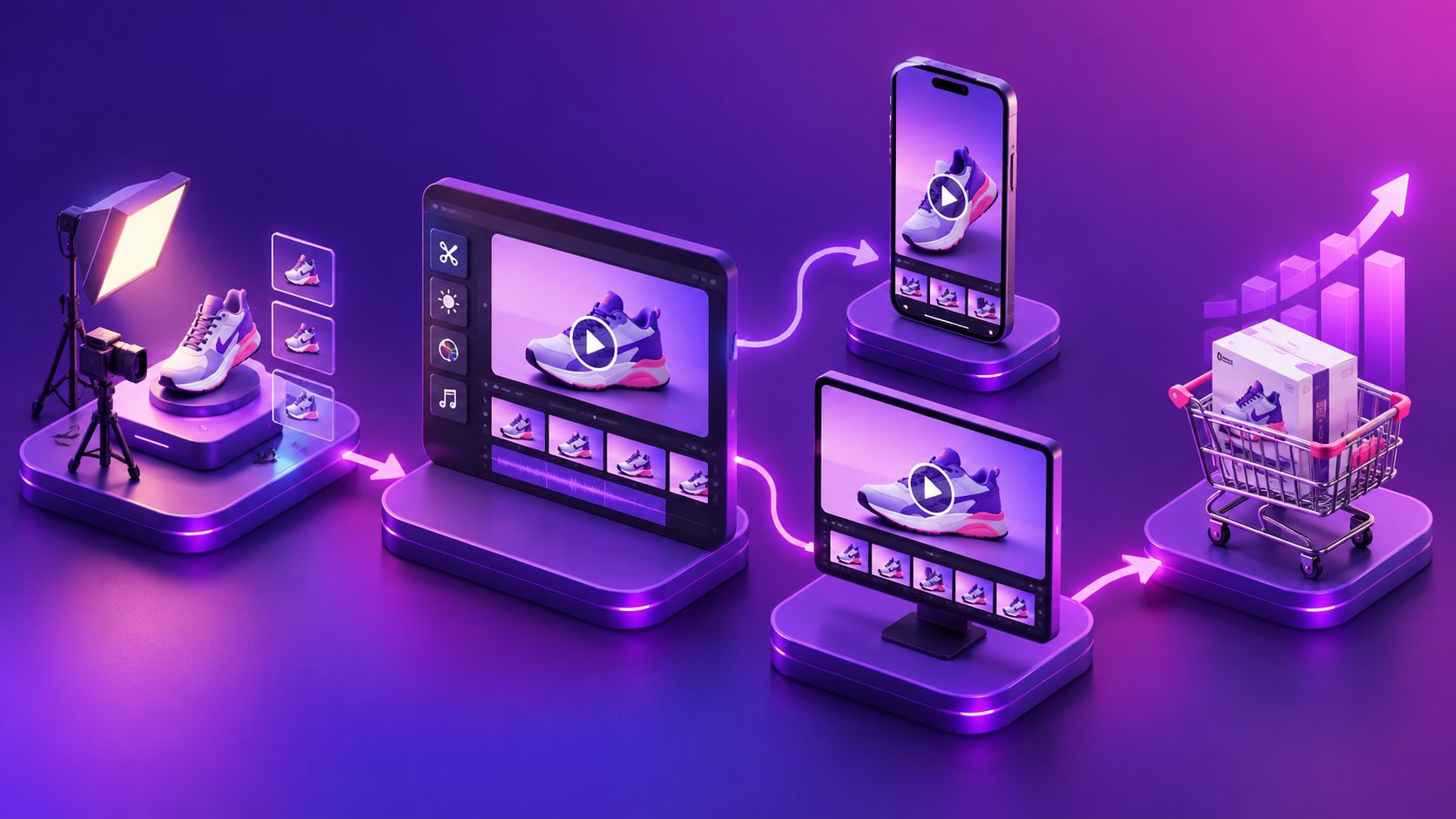
A practical image-to-video workflow is:
- Create the product hero frame. Use a clean product image with the packaging, color, and main shape visible.
- Generate a use-context frame. Place the product in a relevant lifestyle setting without hiding its important features.
- Create a detail frame. Highlight texture, controls, materials, size, or another visible proof point.
- Add the deal frame. Display the offer information in a readable layout.
- Assemble the sequence. Keep each scene short and use simple motion rather than distracting transitions.
- Export platform variations. Prepare vertical, square, and horizontal versions when the same concept will be used across different placements.
This process creates a reusable creative system rather than a single disposable video. For a related workflow, see how to turn Amazon product images into video ads.
A deal teaser script that does not overpromise
The most reliable script format is problem → product → proof → offer → reminder. Here is a generic example for a household product:
“Still dealing with [problem]?
Meet [product name].
Designed to [specific benefit].
Get ready for a limited-time Amazon deal.
Save the date and check the offer while it’s live.”
The script should use only claims that the listing, packaging, or product documentation can support. If the product is a moisturizer, for example, show its texture and application rather than promising a guaranteed cosmetic result. If it is a kitchen tool, demonstrate its use instead of making unsupported claims about speed or durability.
For a more visual product, use fewer words:
- Scene 1: Product appears with a strong motion cue.
- Scene 2: Product solves one recognizable task.
- Scene 3: Close-up of a differentiating feature.
- Scene 4: Deal announcement.
- Scene 5: Product name and reminder.
The teaser should make the product easy to recognize later. Repeating the exact discount in every scene often makes the video look like an ad banner rather than useful product content.
How to create multiple variations for testing
The information gap in many deal-video guides is that they focus on one “perfect” video. In practice, sellers need a small variation set that isolates creative decisions.
Use a 3 × 3 teaser matrix:
| Variable | Version A | Version B | Version C |
|---|---|---|---|
| Opening | Product close-up | Product in use | Before-and-after context |
| Benefit | Main function | Convenience | Design or quality detail |
| Offer frame | Discount-led | Date-led | Limited-quantity-led |
This creates nine possible combinations, but you do not need to produce all nine immediately. Begin with three versions:
- Use-case version: opens with the product solving a problem.
- Feature version: opens with the most visually distinctive detail.
- Offer version: opens with the upcoming deal message, then introduces the product.
This framework is an editorial testing method, not a guaranteed performance formula. Its value is that each version has a clear hypothesis. If the use-case opening attracts more engagement, future teasers can emphasize practical demonstrations. If the feature version performs better, the product’s visual differentiator may deserve more attention in the listing and paid creative.
AdsTurbo can support this workflow with product image generation, product video creation, background replacement, subtitles, and clip-by-clip editing. Its asynchronous generation system allows tasks to be tracked through status polling or webhook callbacks, which is useful when producing multiple creative variations.
Which formats should sellers prepare?
A deal teaser should be adapted to the destination instead of simply resized. Amazon product videos, social placements, email, and display ads may require different framing and text density.
Prepare these versions when relevant:
- 9:16 vertical: for mobile-first social placements and short-form video feeds.
- 1:1 square: for compact placements and product-focused feeds.
- 16:9 horizontal: for desktop, video placements, or broader retail media layouts.
Keep the product within a safe central area so that interface elements do not cover the product name or deal message. Use large, high-contrast text and avoid placing essential information near the top or bottom edges.
Amazon states that product videos can appear in several locations, including product detail pages, search results, and video sections of the Amazon store. Its guidance also reports that product detail pages with a first shoppable video added saw an average 24% increase in sales compared with pages without videos; this is an Amazon-reported average, not a performance guarantee for every listing. (sell.amazon.com)
For a broader listing-content workflow, review Amazon A+ Content background video design and upload guidance.
How to connect the teaser to the actual Lightning Deal
The video cannot compensate for an unclear or poorly prepared offer. Before publishing the teaser, verify four operational details:
- Deal eligibility: Confirm that the ASIN is eligible and that the deal is approved in Seller Central.
- Timing: Match the video’s date or time message to the scheduled deal window.
- Inventory: Prepare enough stock to support the expected demand without creating a poor customer experience.
- Listing readiness: Check the main image, title, bullet points, reviews, and product detail content before sending traffic.
Amazon recommends monitoring deal status because submissions go through validation and may be suppressed if eligibility requirements are not met. Amazon also advises sellers to prepare inventory in case a deal creates a spike in orders. (m.media-amazon.com)
If the deal time is not confirmed, use flexible language such as “Watch for our upcoming offer” rather than printing an exact date. Once the schedule is confirmed, produce a final version with the verified timing.
For sellers who need supporting promotional visuals, Amazon event poster creation with multiple aspect ratios can extend the same product-and-offer concept into social, email, and display formats.
Common questions about Amazon Lightning Deal teaser videos
Can I make a teaser video from only one product photo?
Yes. A clean JPG or PNG product image can serve as the source for product-focused scenes, lifestyle compositions, detail frames, and offer cards. The result is stronger when the original image clearly shows the product shape, color, and packaging.
Should the discount appear at the beginning?
Not always. Lead with the discount when the offer is the primary reason to watch. Lead with the product benefit when shoppers need context before the promotion becomes meaningful.
How long should the video be?
For a teaser, 15 seconds is a practical starting point. It is long enough to show one benefit and the offer while remaining short enough for rapid creative testing. A longer product demo may be more appropriate when the product requires setup or explanation.
Can one teaser be reused after the deal ends?
Only after removing or changing time-sensitive deal language. The product demonstration may remain useful, but a “limited-time” message should not be reused when the promotion is no longer active.
What should be measured?
Track creative-level signals such as video views, completion rate, clicks, detail-page sessions, and sales during the deal window. Compare versions that use different openings or benefits rather than changing every element at once.
A well-built teaser is not just a countdown graphic. It is a compact product story that helps shoppers recognize the item, understand its value, and remember when the offer matters.