Claude
 Cursor
How to Use AI Model Replacement in Ecommerce Video Ads

Summarize with
Summary
Learn how to use AI model replacement in ecommerce video ads to localize creative, test audiences, and reduce reshoot needs with a practical QA workflow.
By adsturbo.ai | Published 2026-11-25 | Updated 2026-11-25
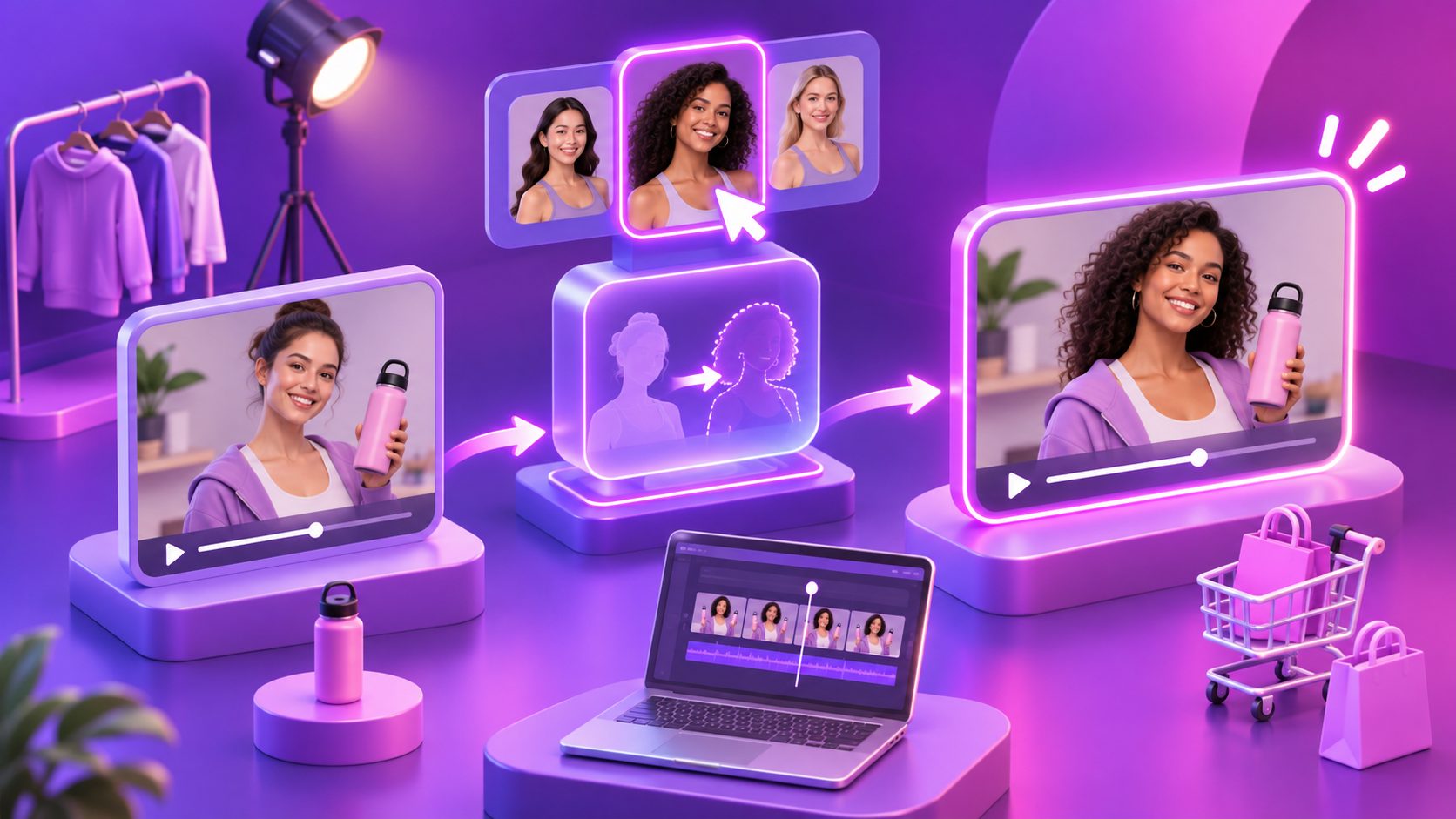
How to use AI model replacement in ecommerce video ads: start with a short, rights-cleared reference video, replace the on-screen model while preserving the product action, then review product accuracy, motion continuity, audio, captions, and platform fit before testing the variation.
For ecommerce teams, the value is not simply producing a different-looking person. The stronger use case is turning one approved creative concept into localized versions for different audiences, markets, languages, or customer segments without repeating the entire production process.
What is AI model replacement in ecommerce advertising?
AI model replacement is a video editing workflow that changes the person appearing in a product video while retaining important elements such as the product demonstration, camera movement, setting, and general timing. It is especially useful for apparel, beauty accessories, consumer electronics, home products, and other categories where a person interacts with the item.
Search results commonly emphasize generating a new AI model from a product image or changing an outfit in a video. Those are useful applications, but performance advertisers need a stricter distinction:
- Model replacement: changes the person or presenter.
- Product replacement: changes the item shown in an existing scene.
- Ad cloning: reconstructs the structure, pacing, hook, and CTA of a reference ad.
- Localization: adapts voice, subtitles, language, casting, or cultural context for a market.
These workflows can be combined, but they should not be evaluated with the same quality checklist. A visually realistic model is not enough if the product shape, logo, color, or interaction becomes inaccurate.
When should ecommerce sellers use model replacement?
AI model replacement is most useful when the creative idea already works but the original presenter does not fit a new audience or market. It can also help when a seller wants to create more testing variations from a limited amount of source footage.
Good use cases include:
- Regional audience testing: Create versions with different presenter styles while keeping the product explanation consistent.
- Fashion and wearable products: Show the same garment or accessory on different model profiles and settings.
- UGC-style creative expansion: Retain the original hook and product action while creating alternate presenter-led versions.
- Language-market adaptation: Combine model replacement with translated voice, captions, or lip synchronization.
- Catalog testing: Build multiple variations around the same product before investing in a full reshoot.
Avoid using the workflow when the source video has heavy occlusion, rapid camera movement, extreme lighting changes, or a product that is barely visible. In those cases, a fresh product video or a simpler product-image workflow may produce more reliable results.
For clothing brands, an image-first workflow can also be useful before video production. AdsTurbo’s AI fashion model video workflow explains how product imagery can support on-model creative development.
How to use AI model replacement in ecommerce video ads
1. Choose a reference video with a clear commercial action
Start with a video that demonstrates one product benefit. The best reference clips are usually short, contain one main subject, and make the product visible for most of the scene.
Before uploading, check:
- You own the video or have permission to modify it.
- The people shown have agreed to the intended use.
- The product is visible from useful angles.
- The first three seconds communicate the hook.
- The CTA does not depend on the original person’s identity.
A clean, continuous shot is often easier to process than a montage with many scene changes. If the source contains several product interactions, divide it into short clips and evaluate each segment separately.
2. Prepare the replacement model and product references
Use a consistent set of reference images for the replacement person. Include a clear front-facing image and, where possible, additional angles with similar lighting. Avoid mixing photos with dramatically different facial expressions, lenses, or image quality.
For the product, use an accurate reference image rather than relying on a text description. AdsTurbo Product Image supports JPG and PNG product uploads, and clear product photos on a plain background are recommended for the best results.
A practical preparation rule is:
One person reference set, one product reference set, and one defined commercial action per clip.
This reduces ambiguity and makes the output easier to compare across markets.
3. Define what must stay unchanged
Write a short preservation brief before generating. It should identify the elements that cannot drift:
- Product color, shape, size, and visible branding
- Hand placement and product interaction
- Camera direction and shot duration
- Background category and lighting mood
- On-screen offer, discount, or CTA
- Spoken claim and subtitle meaning
This is an important improvement over a generic “replace the model” instruction. The commercial objective is not maximum visual change. It is controlled variation: change the audience-facing presenter while protecting the conversion-critical information.
4. Generate variations in a controlled batch
Create a small first batch rather than generating dozens of versions immediately. A useful testing matrix has three variables:
| Variable | Example options |
|---|---|
| Presenter | Casual, expert, premium |
| Market adaptation | English, Spanish, Japanese |
| Creative emphasis | Demonstration, testimonial, offer |
Keep the hook, product, and CTA constant in the first round. Changing every variable at once makes it difficult to identify why one version performs better.
AdsTurbo supports advertising workflows that combine ad cloning, product video creation, video translation, lip synchronization, motion control, subtitles, and other post-production functions. Its asynchronous tasks can be monitored through status polling or completed through Webhook callbacks, which is useful when producing multiple creative jobs through an API workflow.
5. Add captions and localization after visual approval
Do not finalize subtitles before checking the regenerated video. A small timing difference can make a previously accurate caption appear too early or too late.
AdsTurbo Video Subtitle can automatically transcribe speech, generate synchronized captions, support multilingual subtitle workflows, and export either a captioned video or a separate subtitle file. Caption styling can be adapted for formats such as TikTok, Instagram Reels, and YouTube Shorts.
If the replacement introduces softness or compression artifacts, use an AI video enhancer after the edit rather than enlarging the source before replacement. Upscaling is most useful as a finishing step when the composition and product details are already correct.
The replacement-readiness scorecard
A common weakness in AI video tutorials is judging output by realism alone. For ecommerce, use a five-part scorecard and reject any version that fails a critical product or claim check.
Score each category from 0 to 2:
- Product fidelity: Is the item still accurate in color, shape, logo, and texture?
- Interaction continuity: Do hands, gestures, and product handling remain believable?
- Temporal stability: Does the model remain consistent across frames?
- Message integrity: Are speech, captions, offer details, and CTA correct?
- Platform readiness: Does the video fit the required aspect ratio, duration, and safe zones?
A version scoring 8–10 is ready for human review and ad testing. A score below 8 should return to generation or editing. This is not a platform benchmark; it is a practical decision rule designed to prevent attractive but commercially unsafe outputs from entering a paid campaign.
For additional control, AdsTurbo supports clip-by-clip editing, video analysis, translation, subtitles, resolution enhancement, and API-based processing. Its Ad Clone workflow can also analyze reference videos up to 12 seconds and generate parallel advertising variations, which is useful when the original hook and pacing are worth preserving.
How to test model-replaced ads without wasting budget
Treat model replacement as a creative variable, not as a complete campaign strategy. Keep the following elements stable during the first comparison:
- Product and landing page
- Offer and price
- Audience definition
- Placement mix
- Attribution window
- Primary CTA
- Video length and opening hook
Then compare one meaningful change at a time, such as presenter style or language. Review both performance data and qualitative feedback. A lower click-through rate may indicate weak relevance, while strong clicks but poor conversion can indicate product mismatch, unclear claims, or a visual that creates unrealistic expectations.
For a broader testing structure, the DTC creative testing plan can help organize hooks, formats, audiences, and iteration cycles.
Common questions
Does AI model replacement eliminate the need for product photography?
No. It can reduce the need for repeated presenter shoots, but accurate product references remain essential. Product images, packaging details, and real usage footage still provide the evidence needed for trustworthy creative.
Can model replacement be used for multilingual ads?
Yes. The visual replacement can be combined with translated audio and subtitles. Lip synchronization may be useful when the presenter speaks directly to camera, while subtitle-only localization may be sufficient for product demonstrations.
What products work best with this workflow?
Products with clear visual form and simple interactions are usually easier to review: apparel, accessories, beauty tools, home goods, and consumer electronics. Products with tiny text, reflective surfaces, or complex mechanical use require stricter quality checks.
Should the replacement happen before or after subtitles?
Generate and approve the visual edit first. Add or regenerate subtitles afterward so timing reflects the final speech and cut structure.
How many variations should a seller create?
Start with a small batch, such as three presenter or market variations, then expand only after confirming product fidelity and message clarity. More variations are useful when they represent a deliberate testing hypothesis, not random visual changes.
Final takeaway
The most reliable way to use AI model replacement in ecommerce video ads is to preserve the winning commercial structure while changing one audience-facing variable at a time. Begin with rights-cleared footage, accurate product references, a clear preservation brief, and a review scorecard. Then combine model variation with localization, captions, and platform-specific editing to turn one strong concept into a controlled testing system.