Claude
 Cursor
Automated Facebook Video Ad Maker: A Practical Ecommerce Workflow


Summarize with
Summary
Learn how an automated Facebook video ad maker turns product assets into testable ad variations, with a practical workflow for ecommerce teams. Build your system with AdsTurbo.
By adsturbo.ai | Published 2026-11-21 | Updated 2026-11-21
An automated Facebook video ad maker helps ecommerce teams turn product images, existing footage, scripts, and selling points into multiple ad-ready video concepts without repeating the same editing work manually. The best workflow is not “generate one video and publish it.” It is a repeatable system for creating, adapting, and testing creative angles across Meta placements.
What is an automated Facebook video ad maker?
An automated Facebook video ad maker is a tool or workflow that streamlines several stages of video ad production: creative planning, script creation, scene assembly, product presentation, captions, resizing, localization, and export.
Unlike a basic video editor, automation focuses on repeatability. A seller can provide a product image, reference ad, promotion, or short brief, then create several versions based on different hooks, audiences, formats, or offers.
Most tools appearing for this search emphasize one of three starting points:
- Product-first generation: create a video from product photos and selling points.
- Footage repurposing: identify useful moments from a longer video and turn them into short ads.
- Template or script generation: combine a business description with scenes, captions, voiceover, or stock-style layouts.
For example, product-photo workflows can create vertical videos for Reels and Stories or landscape versions for in-stream placements, while footage-based tools often focus on reframing, captions, and selecting ad-worthy moments. (photoroom.com)
The important distinction is that automation reduces production friction; it does not replace creative judgment. You still need to decide which customer problem, proof point, and offer deserve the first three seconds.
Why ecommerce brands automate Facebook video production
Automation is most useful when the bottleneck is creative volume rather than a lack of ideas. A store may already have product photos, reviews, landing-page copy, and several winning ads, but turning those assets into new variations can take too much time.
A structured workflow can help you:
- Produce more concepts from the same product assets.
- Separate creative angles from minor visual changes.
- Adapt one concept to Facebook Feed, Reels, and Stories.
- Localize scripts, subtitles, and voice tracks for different markets.
- Refresh ads without organizing a new shoot.
- Build a clearer testing library for performance analysis.
This matters because a new background, font, or transition is not always a meaningful test. A stronger variation changes the reason to buy: convenience, demonstration, comparison, gifting, social proof, or a time-limited offer.
Tools such as Biteable highlight templates, brand elements, captions, and export for Meta Ads Manager, while other platforms focus on AI actors, product demonstrations, or converting a prompt into a complete ad. (biteable.com)
The four-layer system behind scalable Facebook video ads
A useful way to evaluate automation is to divide the process into four layers.
1. Input layer: product truth
Start with assets that accurately represent the product:
- Clear product images
- Key benefits and limitations
- Target customer
- Price or promotion
- Existing reviews or proof
- Brand colors, logo, and required wording
For product-image generation, a clear JPG or PNG photo on a plain background is a practical starting point. AdsTurbo Product Image can analyze a product’s shape, color, and category, then create multiple ecommerce image types and aspect ratios.
2. Creative layer: the advertising angle
The system should produce different messages, not only different edits. A simple angle matrix can include:
| Angle | Opening idea | Best product proof |
|---|---|---|
| Problem-solution | “Still dealing with this?” | Demonstration |
| Feature benefit | “A simpler way to…” | Close-up detail |
| Comparison | “What changes when you switch?” | Before-and-after |
| Lifestyle | “Built for your daily routine” | Contextual scene |
| Offer-led | “A limited-time reason to try it” | Discount or bundle |
This framework is an original practical distinction: test the angle before testing the decoration. If five videos use the same promise, changing music or background gives you five edits—not five strategic hypotheses.
3. Assembly layer: video production
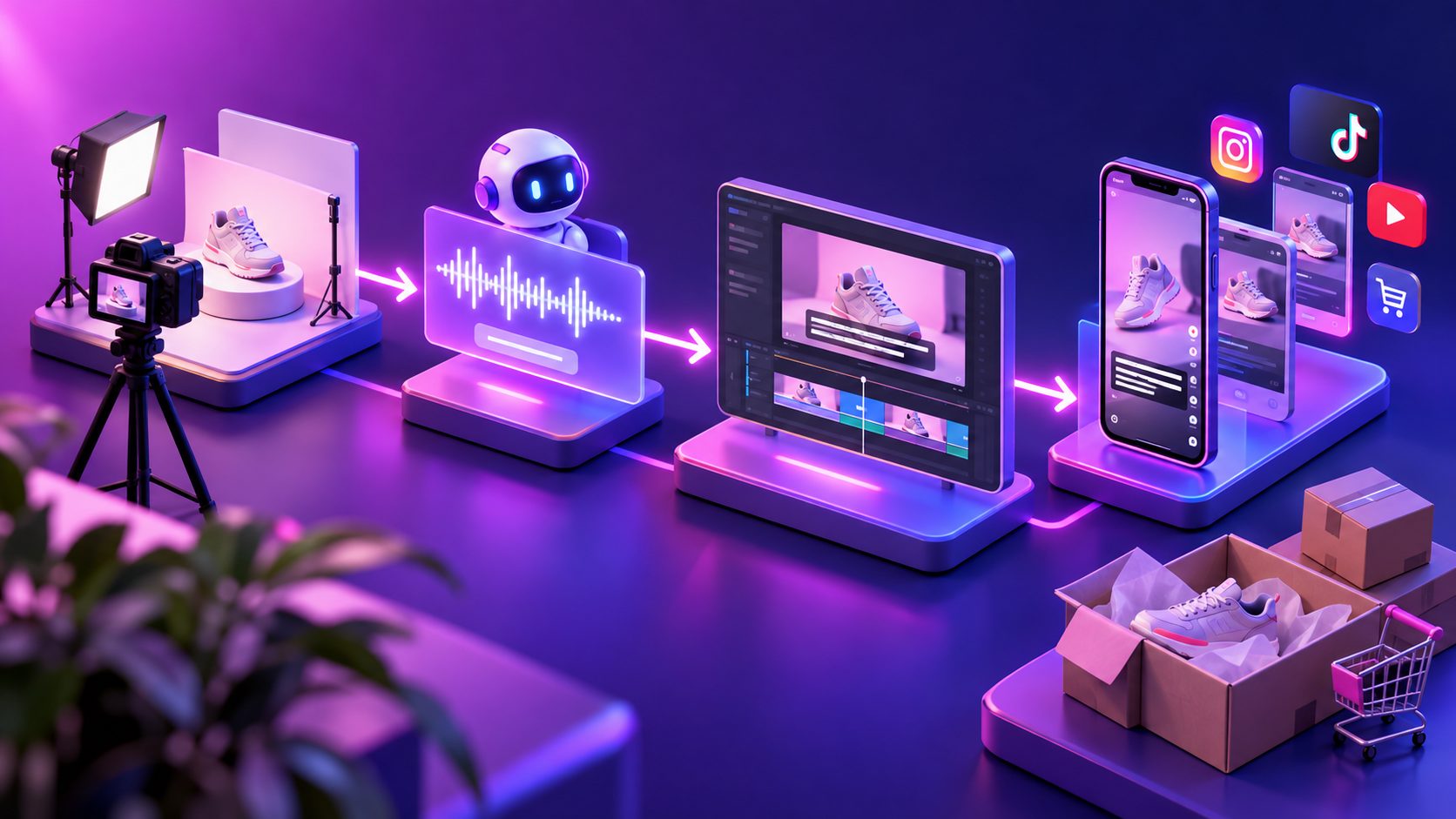
This is where automation can combine scenes, product visuals, AI presenters, motion, captions, voice, and music. AdsTurbo supports product video creation, ad cloning, motion control, lip sync, video translation, subtitles, background replacement, and resolution enhancement.
Its Ad Clone workflow can analyze a reference video of up to 12 seconds and use its structure to create brand-specific variations. The useful application is not copying another advertiser’s identity. It is studying the reference’s hook timing, shot order, pacing, proof sequence, and CTA structure, then rebuilding those elements around your own product.
4. Delivery layer: testing and iteration
Automation becomes valuable when outputs are organized for action. Each file should have a clear label such as:
angle_audience_format_hook_offer_version
For example:
demo_cold_9x16_problem_free-shipping_v2
This makes it easier to compare concepts inside Ads Manager and identify which variable changed. Meta’s creative systems can test combinations of videos, images, text, headlines, and calls to action, but advertisers still need a clean naming and measurement structure to interpret results. (static1.squarespace.com)
A practical workflow for making Facebook video ads automatically
Use the following process when building a repeatable ecommerce system.
Step 1: Define one audience and one promise
Avoid asking the generator to target everyone. Choose one customer situation and one clear benefit. A product video for first-time buyers should not use the same opening as a retargeting video for shoppers who already viewed the product page.
Step 2: Prepare the source assets
Collect the product image, reference video if available, selling points, offer details, logo, and required disclaimer language. For generated product visuals, use clean JPG or PNG files and check packaging, colors, text, and proportions after rendering.
Step 3: Create three strategic concepts
Generate one demonstration concept, one problem-solution concept, and one offer or lifestyle concept. Keep the product and offer consistent while changing the opening and proof sequence.
Step 4: Produce placement versions
Create a 9:16 version for Reels and Stories, a 4:5 or square version for Feed testing, and a 16:9 version when the campaign requires landscape video. Do not simply crop the same composition if the headline or product position becomes difficult to read.
Step 5: Add captions and localization
Many viewers encounter social video without sound. AdsTurbo Video Subtitle can transcribe speech, create time-synced captions, and export either a video with embedded subtitles or separate subtitle files. Localization can also include translated audio, captions, and on-screen text rather than translating only the spoken script.
Step 6: Improve weak source footage
If the original clip is compressed or low resolution, an AI video enhancer can help prepare a cleaner source before resizing or repurposing. Enhancement should improve clarity—not hide inaccurate product details.
Step 7: Review before publishing
Check the first frame, product accuracy, captions, offer terms, CTA, audio, brand consistency, and landing-page match. Automation should shorten production time, not shorten quality control.
How to measure whether automation is helping
Do not judge the workflow only by how quickly it renders a video. Track production and advertising metrics separately.
Production metrics:
- Time from brief to export
- Number of usable first drafts
- Percentage requiring manual correction
- Cost or credits per approved variation
- Time required to create a localized version
Advertising metrics:
- Thumb-stop or three-second view rate
- Hold rate through the opening
- Link click-through rate
- Cost per landing-page view
- Add-to-cart rate
- Purchase conversion rate
- Cost per acquisition
A useful internal benchmark is the usable-variation rate:
Usable-variation rate = approved videos ÷ total generated videos
For example, if 8 of 20 generated videos pass product, caption, and brand checks, the usable-variation rate is 40%. This is more informative than claiming that automation “creates 20 ads,” because unusable outputs still consume review time.
Common mistakes to avoid
Treating every variation as a new creative idea
Changing only music, color, or transition may not create a meaningful test. Change the hook, proof, audience context, or offer logic.
Overloading the first seconds
The opening should communicate the product category and customer relevance quickly. Too many claims, animations, or text layers can make the ad harder to understand.
Ignoring product consistency
AI-generated scenes can alter labels, proportions, colors, or small design details. Review every version, especially for products where packaging and physical appearance influence trust.
Publishing without a testing hypothesis
Before launch, write down what each video is intended to test. Otherwise, a winning result may tell you that one ad worked—but not why.
Frequently asked questions
Can I make a Facebook video ad from a product image?
Yes. Product-image workflows can turn a clear product photo into a short demonstration, lifestyle, or promotional video. The output should be checked for accurate product shape, color, packaging, and claims.
Is an automated tool the same as Meta Ads Manager?
No. A creative automation tool produces or adapts assets. Meta Ads Manager is used to configure campaigns, audiences, placements, budgets, and delivery. The two systems serve different parts of the workflow.
Should I create one video for Facebook and Instagram?
You can reuse the concept, but placement-specific versions are usually easier to review. Vertical formats are suited to Reels and Stories, while Feed and in-stream placements may need different framing, text scale, and pacing.
How many video variations should an ecommerce store create?
Start with three genuinely different concepts rather than a large batch of superficial edits. Once an angle shows promise, create controlled variations around its hook, presenter, proof type, offer, or localization.
Can existing long videos be repurposed?
Yes. Long-form footage can be cut into shorter clips with captions, translated versions, and platform-specific framing. The strongest source moments usually contain a clear product demonstration, customer objection, result, or memorable statement.