Claude
 Cursor
Automated Video Creation Software for Dropshipping: A Practical Testing Workflow


Summarize with
Summary
Learn how automated video creation software for dropshipping can turn product assets into testable ad variations, with a practical workflow for hooks, formats, localization, and iteration.
By adsturbo.ai | Published 2026-11-26 | Updated 2026-11-26
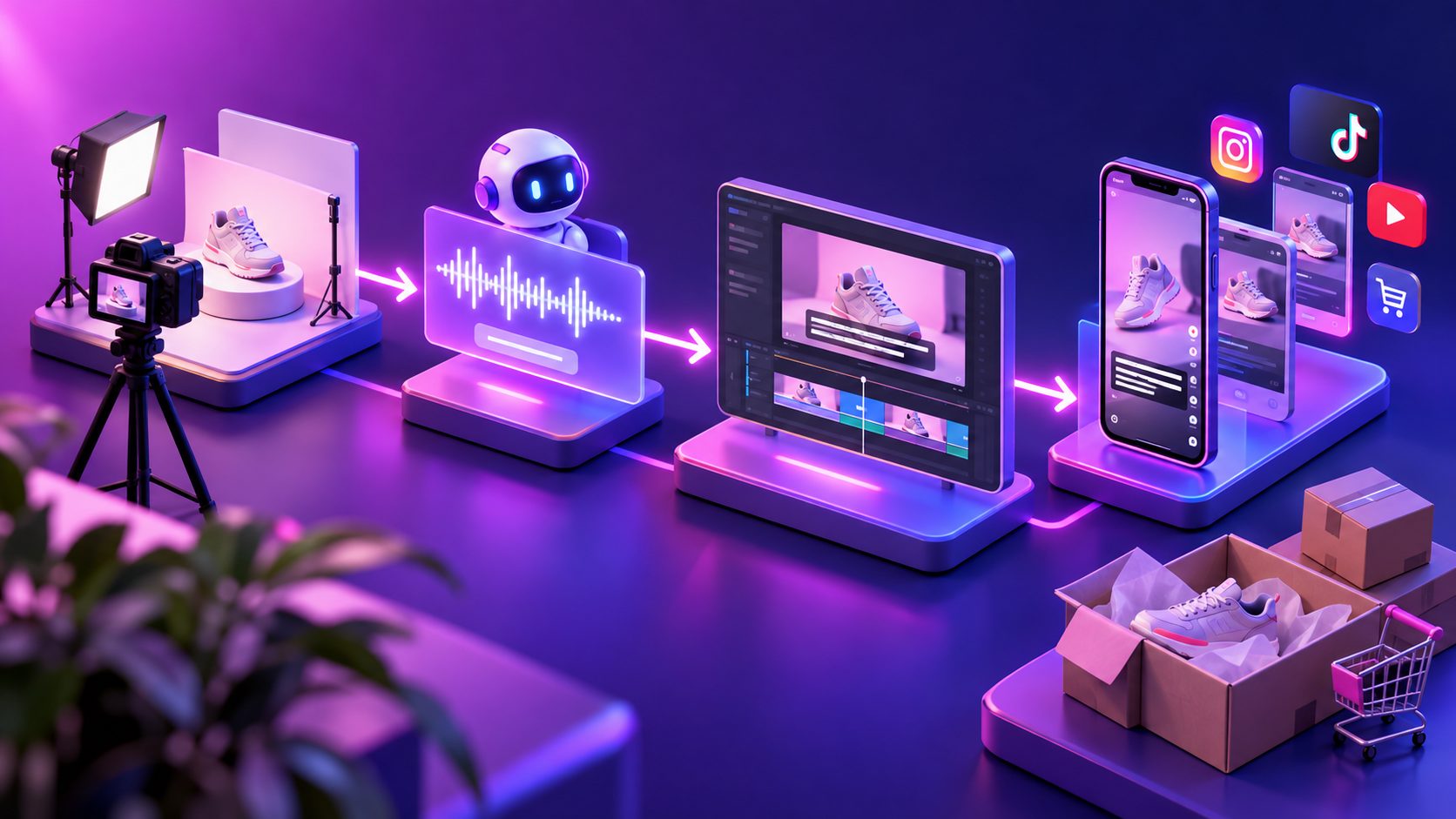
For dropshipping sellers, automated video creation software for dropshipping is most useful when it helps test products and creative angles quickly—not when it simply produces one polished video. The strongest workflow turns a product image, reference ad, selling point, and offer into several controlled variations for TikTok, Meta, Reels, and Shorts.
What is automated video creation software for dropshipping?
Automated video creation software for dropshipping uses product assets, scripts, templates, or reference videos to produce short-form advertising content with less manual filming and editing.
A practical system usually combines five functions:
- Product-to-video generation from JPG or PNG product images.
- Script and hook variation for different customer problems or use cases.
- Short-form editing with captions, pacing, scenes, and calls to action.
- Localization through translated voiceovers, subtitles, or screen text.
- Batch production for testing multiple creative directions.
Many search results focus on URL-to-video tools, AI avatars, or UGC-style ads. Those are useful categories, but the real buying decision is usually broader: Can the software preserve the product’s appearance, create meaningful variations, export the right formats, and support a repeatable testing process? Search results commonly emphasize speed and output volume, while giving less attention to creative control and test design. (shhots.ai)
Why dropshipping sellers need a testing workflow
Dropshipping advertising has a special constraint: you may need to validate demand before investing heavily in inventory, samples, creators, or long production cycles. A video generator can reduce production friction, but it cannot decide which customer promise is credible.
The better approach is to separate your creative variables:
| Variable | Example options |
|---|---|
| Hook | “A faster way to…” / “I did not expect this to…” |
| Product proof | Demonstration / close-up / before-and-after |
| Audience | Parents / commuters / pet owners / home organizers |
| Offer | Discount / bundle / free shipping |
| Presentation | UGC-style / product demo / slideshow |
| Format | 9:16 / 1:1 / 16:9 |
Original testing framework: begin with three hooks, two proof styles, and two offers. That creates a 3 × 2 × 2 matrix, or 12 possible combinations. Do not produce all 12 immediately. Start with six versions that change one major variable at a time. This makes early performance easier to interpret than publishing six videos that differ in hook, pacing, soundtrack, product scene, and offer simultaneously.
For a deeper creative structure, see this guide to high-converting DTC ad creative structure.
What should you look for in an automated video tool?
The right tool depends on your product and testing volume, but five criteria matter more than a large template library.
1. Product fidelity
The product should remain recognizable across scenes. This is especially important for cosmetics packaging, electronics, accessories, and products with distinctive shapes.
A strong input is a clear product photo on a plain background. AdsTurbo Product Image accepts JPG and PNG files, analyzes product shape, color, and category, and can create multiple ecommerce image types such as banners, lifestyle scenes, close-ups, detail images, instruction graphics, and brand visuals.
2. Creative control
Automation should not remove your ability to edit the core sales message. You should be able to specify the product benefit, target audience, discount, promotion, or CTA instead of accepting a generic script.
Useful controls include clip-by-clip editing, motion control, subtitles, background replacement, script extraction, and ad analysis. These features let sellers reuse a proven concept while changing only the part they want to test.
3. Platform-ready formats
A dropshipping ad may need different versions for TikTok, Instagram Reels, Meta Feed, and YouTube Shorts. AdsTurbo Ad Clone can export reference-based ad variations in 9:16, 1:1, and 16:9 formats, while Event Poster supports nine aspect ratios for social, display, email, and print use.
4. Localization
Translation is more than replacing a few words on screen. The voiceover, subtitles, CTA, and promotional language should match the target market.
AdsTurbo supports video translation and multilingual subtitle generation. Its Video Subtitle workflow can produce embedded-caption videos or separate subtitle files, with layouts adapted for TikTok, Instagram Reels, and YouTube Shorts.
5. Workflow and integration
If you create several assets every week, asynchronous processing and automation become important. AdsTurbo generation tasks run asynchronously, with completion events available through status polling or Webhook callbacks. Advanced plans also support team workflows, API access, and custom workflows.
For developers, the API uses standard REST architecture with Bearer API Key authentication. Its video generation API includes endpoints for scene analysis, lip sync, watermark removal, translation, upscaling, face swap, motion control, and subtitles.
A step-by-step workflow for making dropshipping video ads
Step 1: Prepare a product input
Use a clear JPG or PNG product image. A plain-color background generally produces the cleanest result. Add the product’s main benefit, price or discount, target audience, and any claims that must appear in the ad.
Do not begin with a vague instruction such as “make this product viral.” Use a specific brief:
“Show how this compact organizer saves space in a small apartment. Lead with the problem, demonstrate the product in use, and end with the bundle offer.”
Step 2: Choose one creative angle
Select one angle before generating variations:
- Problem and solution
- Product demonstration
- Unboxing or first impression
- Comparison with a common alternative
- Gift or seasonal use case
- Convenience or time-saving benefit
One angle per ad makes the test easier to interpret.
Step 3: Generate a small variation set
Create three to six versions first. Change the hook, presenter style, proof sequence, or CTA—but avoid changing every element at once.
AdsTurbo provides more than 300 AI actors and over 100 product ad templates, which can support controlled presenter and format testing. The goal is not to use the largest possible library. It is to find a repeatable combination that fits the product and audience.
Step 4: Add captions and local versions
Captions help communicate the message when viewers watch without sound. Generate readable subtitles with strong contrast, safe margins, and short lines.
For international testing, create localized versions after selecting the strongest angle. Translating every experimental version at the beginning can waste production capacity.
Step 5: Improve weak source footage
If your source video is compressed, blurry, or poorly sized, use an AI video enhancer before exporting the final creative. Upscaling cannot fix a weak concept, but it can improve clarity when the product demonstration is already useful.
Step 6: Track the result by creative variable
Record each ad’s:
- Product and SKU
- Hook
- Audience angle
- Offer
- Format
- Voice or presenter
- Landing page
- Spend and conversion outcome
The most valuable insight is not always the winning video. It may be the winning hook, proof sequence, or offer that can be reused across new products.
Which video formats work best for different products?
There is no universal best format. Match the format to how the product is understood.
| Product situation | Recommended format |
|---|---|
| Product solves a visible problem | Demonstration with problem-first hook |
| Product requires trust | Presenter or testimonial-style explanation |
| Product has a distinctive mechanism | Close-up product demo |
| Product is visually attractive | Lifestyle montage with short captions |
| Product targets multiple countries | Localized voiceover and subtitles |
| Product has limited source footage | Image-led video with controlled motion |
Product-focused tools are often stronger for demonstrating physical items, while avatar platforms are more useful when the main test is presenter delivery or talking-head hooks. Industry comparisons frequently separate these categories, but sellers should judge tools by the complete workflow: inputs, revision control, export formats, and testing discipline—not only by generation speed. (creax.io)
Common mistakes to avoid
Producing volume without a hypothesis
Ten random videos do not equal ten useful tests. Each version should answer a question, such as: “Does a demonstration outperform a problem-first opening?”
Using generic product claims
Automated scripts often sound interchangeable when the product brief is weak. Add a specific customer, situation, benefit, and proof point.
Testing too many variables
If one video changes the actor, hook, price, soundtrack, product scene, and CTA, a result cannot explain what caused the difference.
Treating AI output as final
Review product accuracy, subtitles, claims, transitions, and CTA placement before publishing. Automation reduces production work; it does not remove the need for commercial judgment.
Ignoring source rights and approvals
Only use product images, reference videos, music, logos, and likenesses that you are authorized to use. Build approval into the workflow before launching paid campaigns.
Frequently asked questions
Can automated video software create ads from one product image?
Yes. Product-image workflows can create product videos, image-led ads, banners, and promotional visuals from a single JPG or PNG. Results improve when the image is clear and the product is photographed against a plain background.
Is AI-generated video suitable for testing dropshipping products?
It can be useful for early creative testing, especially when you need several hooks or product demonstrations quickly. However, the output should be treated as a testing asset, not proof that a product will sell.
Should every version use a different AI actor?
No. Keep the actor consistent when testing hooks or offers. Change the actor only when presenter identity is the variable you want to evaluate.
How many videos should a seller create first?
Start with six focused variations: three hooks and two proof styles. Expand only after identifying which message earns stronger engagement or conversion signals.
Can one video be localized for multiple markets?
Yes. Video translation, multilingual voiceover, and subtitle workflows can adapt one concept for several languages. Review every localized version for cultural clarity, offer accuracy, and natural phrasing.
Conclusion
The best automated video creation software for dropshipping is not simply the tool that generates the most clips. It is the system that helps you move from product input to structured creative testing: define an angle, produce controlled variations, adapt formats, localize winners, and record what changed.
For dropshipping sellers, that process creates a practical advantage. You spend less time rebuilding edits and more time learning which product promise, proof sequence, and offer deserve the next advertising dollar.