Claude
 Cursor
Flat Lay to Video AI Tool for Apparel: A Practical Ecommerce Workflow

Summarize with
Summary
Learn how a flat lay to video AI tool for apparel turns garment photos into short-form ads, with a product-accuracy workflow for ecommerce sellers. Start creating.
By adsturbo.ai | Published 2026-11-26 | Updated 2026-11-26
A flat lay to video AI tool for apparel transforms a static clothing photo into a short product or advertising video. The strongest workflow is not simply “animate the image.” It first protects garment details, then adds a believable model, movement, captions, and a platform-ready format for TikTok, Instagram Reels, YouTube Shorts, or product pages.
For apparel sellers, this can reduce the gap between having product photography and having enough video creative for testing. The key is to treat the flat lay as a product reference—not as a complete creative brief.
What is a flat lay to video AI tool for apparel?
A flat lay to video AI tool for apparel uses a garment photograph as the visual source for an animated fashion scene. Depending on the workflow, the system may place the clothing on an AI model, create a lifestyle setting, simulate motion, or build a short ad around product benefits.
Most tools follow one of two approaches:
- Image-first animation: Convert the flat lay into an on-model or lifestyle image, then animate that approved still.
- Direct image-to-video generation: Use the flat lay as a reference and generate motion, camera movement, or a product presentation directly.
Search results in this category commonly emphasize flat-lay-to-model generation, walk cycles, fit checks, styling scenes, and short social clips. Claid and Generama, for example, describe a two-stage process that turns a garment photo into an on-model image before animating it. ApparelAI highlights image-to-video workflows for flat lays, mannequins, and model images. (claid.ai)
The practical difference is important: approving the garment image before animation usually gives sellers more control over color, silhouette, and styling consistency.
Why flat lay clothing photos need a structured workflow
A flat lay clearly shows the garment, but it does not show how fabric moves, fits, or looks in use. AI can infer these missing elements, yet inference can also introduce errors.
Common failure points include:
- Changed logos, buttons, seams, or pocket placement
- Incorrect sleeve length or garment proportions
- Fabric that looks too glossy, stiff, or transparent
- Unnatural hands or poses covering important product details
- A model wearing a similar-looking item rather than the exact garment
- Motion that changes the print or color between frames
This is why the best apparel video workflow separates product fidelity from creative variation. First create a clean, controlled representation of the product. Then test different models, hooks, backgrounds, motions, and calls to action.
A useful internal review rule is to check three frames: the opening frame, the clearest product frame, and the final CTA frame. If the garment looks accurate in all three, the video is more likely to be usable in paid media.
How to create an apparel video from a flat lay
1. Prepare the garment photo
Start with a sharp JPG or PNG image. Lay the garment flat, remove unnecessary folds, and use even lighting. A plain background makes the outline easier to interpret.
For difficult apparel categories—such as patterned dresses, denim, knitwear, or structured jackets—provide additional references when possible:
- Front view
- Back view
- Close-up of fabric or print
- Detail of labels, hardware, or stitching
- Multiple colorways
A single photo can be enough for a first concept, but extra references reduce ambiguity. Crop out unrelated objects and avoid props that could be mistaken for part of the product.
2. Lock the product before adding motion
Choose the intended presentation before generating the final video:
- On-model try-on
- Outfit reveal
- Product detail showcase
- Street-style walk
- Studio turntable
- Styling or pairing concept
For ecommerce ads, a simple product-first sequence often performs better than an elaborate fashion scene:
- Show the garment clearly.
- Reveal it on a model or in context.
- Highlight one concrete benefit.
- End with a product or offer CTA.
This structure keeps visual movement from overpowering the item being sold.
3. Generate several creative directions
Instead of producing one polished video, create a small test matrix. For example:
| Variable | Test options |
|---|---|
| Opening hook | “New season layer,” “Made for warm days,” “Three ways to style it” |
| Visual setting | Studio, street, bedroom, outdoor café |
| Motion | Walk, turn, close-up, hand-to-fabric detail |
| Model direction | Front-facing, side profile, full-body |
| CTA | Shop the look, See all colors, Explore the collection |
This framework creates meaningful variation. Changing only the background produces cosmetic differences; changing the hook, motion, and product explanation creates distinct ad hypotheses.
4. Add captions and localize the message
Short-form fashion videos often need to communicate without relying on sound. AdsTurbo’s Video Subtitle workflow can automatically transcribe speech, create time-synced captions, and export either a video with embedded subtitles or a separate subtitle file.
Caption design should support the product:
- Keep the first line short.
- Place text away from the garment.
- Use high contrast.
- Show one benefit at a time.
- Adapt the layout for TikTok, Instagram Reels, and YouTube Shorts.
For international campaigns, translate the voiceover and captions rather than simply replacing on-screen text. A localized version should also reflect regional wording, sizing conventions, currency, and promotional language.
What makes an AI apparel video commercially useful?
The most useful output is not necessarily the most cinematic one. It is the version that helps a shopper understand the product quickly.
Evaluate each draft using five criteria:
- Product accuracy: Does the garment retain its real cut, color, print, and details?
- Visual clarity: Can a viewer identify the product in the first few seconds?
- Motion credibility: Does the movement support the fabric and fit?
- Message clarity: Is the benefit understandable without excessive text?
- Placement readiness: Does the aspect ratio and safe-zone layout fit the channel?
A practical scoring method is to rate each criterion from 1 to 5. Reject videos that score below 4 for product accuracy, even if they look attractive. Apparel ads lose trust quickly when the video suggests a product that the buyer will not receive.
For low-resolution source images or compressed supplier assets, an AI video enhancer can improve clarity before or after the creative workflow. Upscaling cannot repair incorrect garment structure, so it should be treated as a finishing step—not a substitute for a better source image.
How AdsTurbo fits an apparel production workflow
AdsTurbo supports product video generation from JPG or PNG product images, with optional selling points and promotional information. Its product-focused workflow can be used to create product reviews, product introductions, and demonstration-style videos.
For larger creative programs, AdsTurbo also supports:
- Ad Clone for rebuilding the structure, pacing, shot logic, and CTA pattern of a reference ad
- Video subtitles and multilingual localization
- Motion control for transferring movement to a character or product presentation
- AI upscaling for improving video resolution
- Product image generation in multiple aspect ratios
- Event poster creation for promotional campaigns
- API access for production workflows and task automation
All generation tasks run asynchronously, with completion available through status polling or Webhook callbacks. This matters for ecommerce teams because a batch of product videos can be handled as a job queue rather than as a sequence of manual browser actions.
A useful production pipeline is:
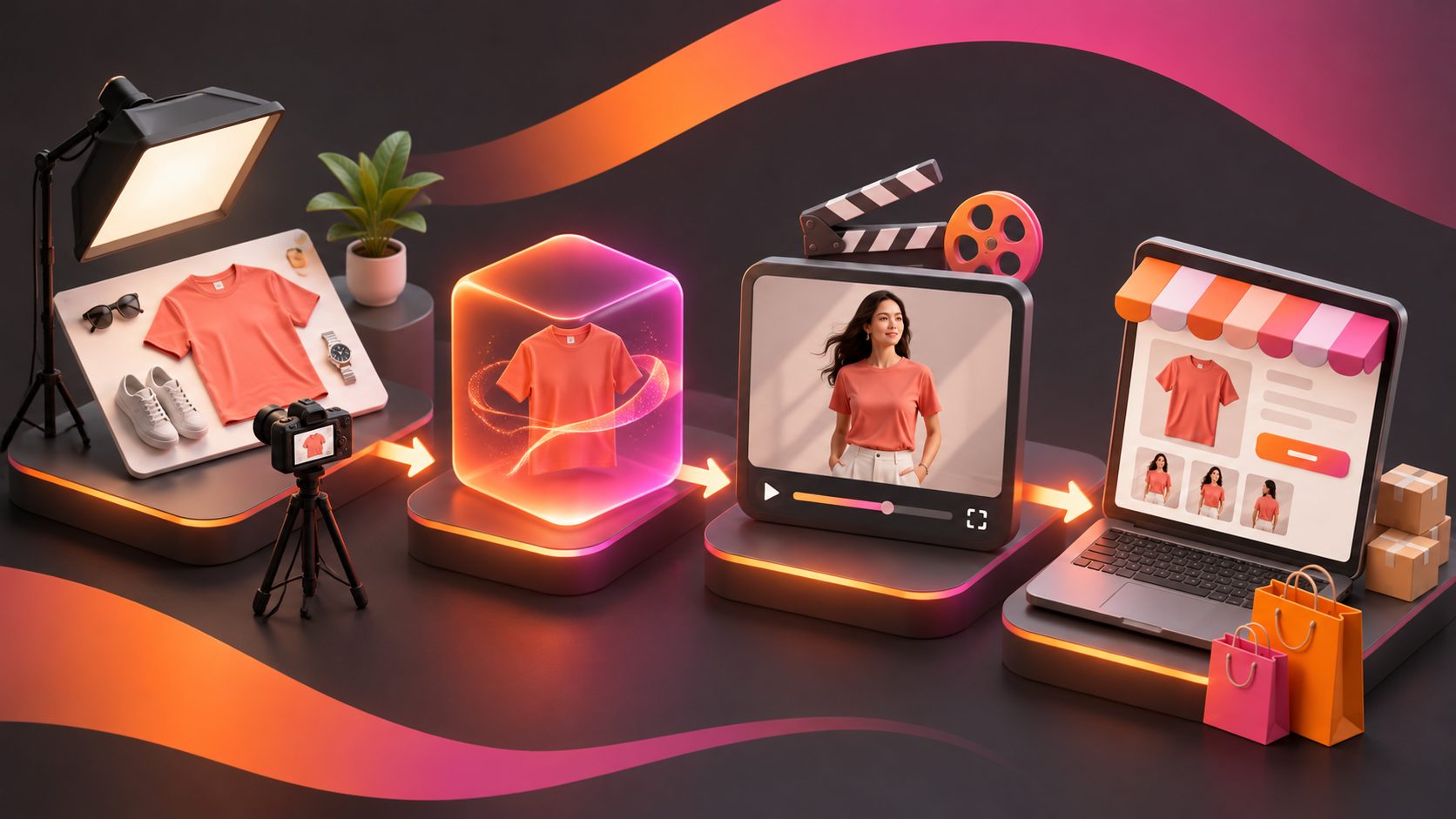
Product image → product accuracy review → model or scene direction → video generation → captions → aspect-ratio exports → creative scorecard → paid test.
Common questions
Can a flat lay become a model video?
Yes. A flat lay can serve as the garment reference for creating an on-model image and then animating it into a short fashion video. Accuracy depends heavily on image quality, garment visibility, and the number of useful reference views.
Is a flat lay better than a mannequin photo?
Neither is universally better. A flat lay usually gives a clean view of the entire garment, while a mannequin image can communicate shape and structure more clearly. For fitted or highly structured apparel, combining both references can improve the result.
What video length works best for apparel ads?
Use the shortest length that communicates the product and CTA. A compact 10–20 second concept is often easier to test because it forces a clear hook, product reveal, benefit, and next step. Longer videos may be appropriate for demonstrations or styling sequences.
How do I avoid AI changing the clothing?
Use a sharp, evenly lit source image; provide front, back, and detail references; approve the still representation before animation; and inspect multiple frames for color, print, seams, and proportions. Do not judge accuracy from the opening frame alone.
Can one flat lay support multiple ad variations?
Yes. The same garment reference can support different models, settings, hooks, motions, languages, aspect ratios, and calls to action. The strongest testing approach changes one or two variables at a time so performance differences remain interpretable.
Conclusion
A flat lay is more than a static product photo: it can become the controlled starting point for a scalable apparel video system. The most reliable results come from separating product accuracy, creative direction, motion, captions, and testing into clear stages.
For ecommerce sellers, the goal is not to make every garment look like a luxury campaign. It is to produce enough accurate, understandable, and platform-ready variations to learn which message helps shoppers act.