Claude
 Cursor
Virtual Try On Video Generator for Plus Size Clothing: A Practical Ad Workflow

Summarize with
Summary
Learn how to create more accurate plus-size clothing try-on videos from product photos, with a fit-first workflow for ecommerce ads. Build your first creative.
By adsturbo.ai | Published 2026-11-26 | Updated 2026-11-26
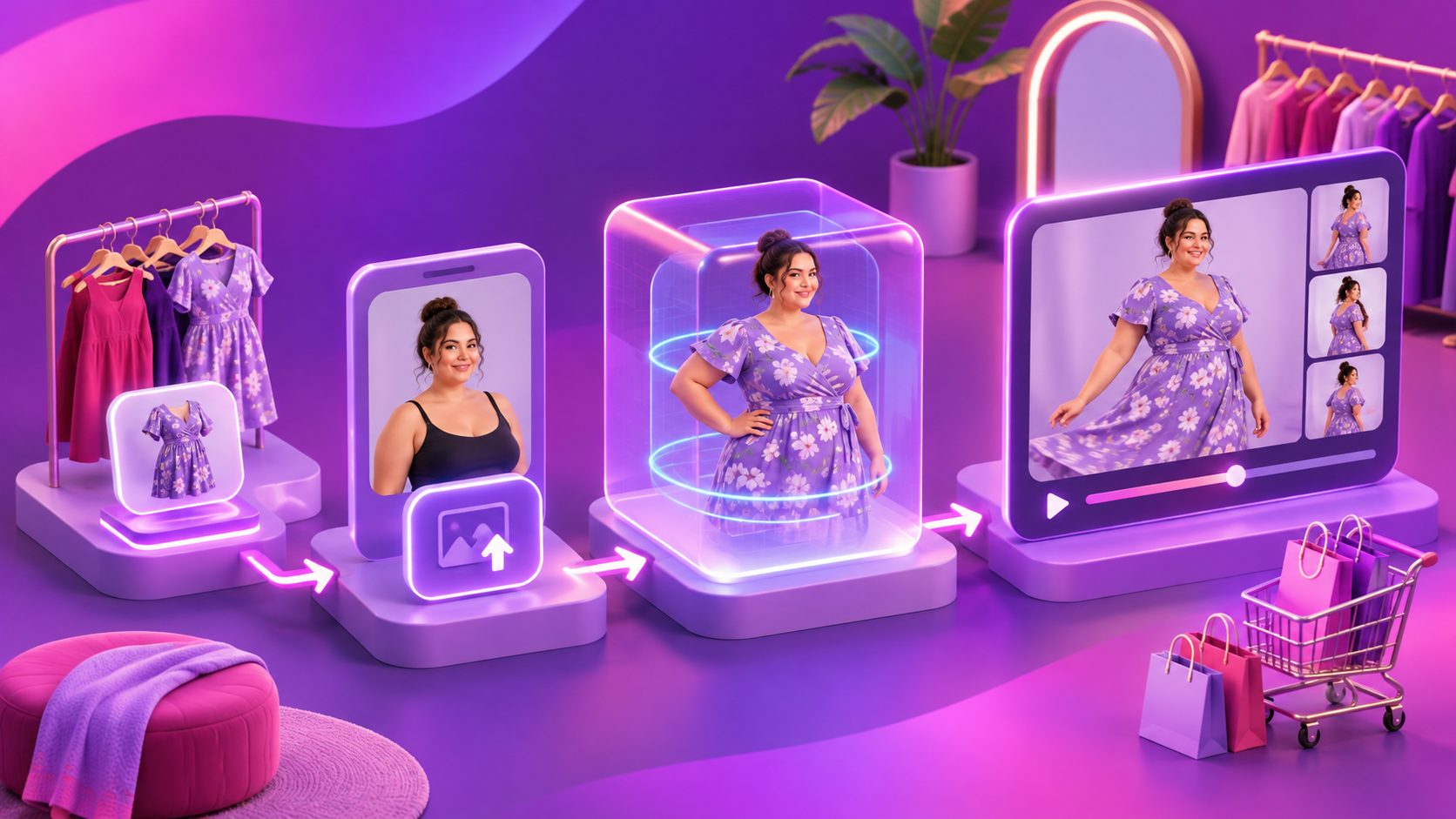
A virtual try on video generator for plus size clothing turns a garment photo into a short fashion video showing how the item may look on a fuller-bodied model. For ecommerce sellers, the strongest workflow is not simply “generate a model.” It combines accurate product images, realistic movement, clear fit communication, subtitles, and several creative variations for testing.
What is a virtual try-on video for plus-size fashion?
A virtual try-on video is an AI-generated or AI-assisted clip that presents clothing on a selected model while preserving important product characteristics such as color, silhouette, print placement, and visible details.
For plus-size apparel, the goal is especially important: shoppers need to see how a garment appears on a body with more volume, not only on a straight-size model or a flat product page image. However, a generated video should be treated as a visual merchandising asset, not a guaranteed prediction of physical fit. Fabric stretch, garment measurements, cut, and size selection still require accurate product information.
Search results commonly emphasize model selection, motion, vertical video formats, and the ability to create ads from one product photo. Other pages focus on still-image lookbooks rather than video, while research on video try-on identifies garment identity, body shape, pose, occlusion, and temporal consistency as core technical challenges. (superreels.io)
Why plus-size clothing needs a different creative workflow
Plus-size apparel advertising has a higher accuracy burden because visual mistakes can change the perceived fit of the garment. A sleeve may appear too short, a waistband may move incorrectly, or a print may stretch in a way that does not match the real product.
A useful way to evaluate a generated clip is the four-part fit signal:
| Fit signal | What to inspect in the video | Why it matters |
|---|---|---|
| Silhouette | Does the garment keep its intended shape? | Prevents an oversized or bodycon item from being misrepresented |
| Coverage | Are hems, sleeves, neckline, and side seams visible? | Helps shoppers understand what the garment actually covers |
| Movement | Does the fabric move naturally during a turn or walk? | Exposes warping, floating fabric, or frozen details |
| Product identity | Are color, print, buttons, zippers, and logos consistent? | Keeps the ad connected to the real SKU |
This framework is an original quality-control layer that many tool comparisons omit. It is more useful than judging a clip only by whether the model looks photorealistic.
What product image should you prepare?
Start with a clean, high-resolution product image. A clear photo on a plain or solid-color background is usually easier to interpret than a cluttered lifestyle image. AdsTurbo’s Product Image workflow accepts JPG and PNG product images and can analyze a product’s shape, color, and category.
For better results, prepare:
- A front-facing garment image with minimal obstruction.
- A consistent product color that matches the actual SKU.
- Visible details, including buttons, seams, patterns, and texture.
- Separate images for complex garments, such as reversible jackets or layered outfits.
- Accurate size and fabric information for the accompanying ad copy.
Do not use AI-generated movement to imply stretch, support, compression, or coverage that the garment does not provide. A polished video cannot correct inaccurate product input.
For a broader apparel production process, see this guide to creating a dynamic clothing ad from a ghost mannequin photo.
How to create a plus-size try-on video ad
1. Define the shopper and the product promise
Choose one audience and one selling point before generating the video. Examples include:
- A relaxed-fit dress for everyday wear
- A structured blazer for work outfits
- High-rise jeans with a flexible waistband
- A lightweight cardigan for layering
- A matching set designed for travel
Avoid combining too many claims in one short clip. “Soft,” “easy to layer,” and “available in extended sizes” may be useful, but each statement should be supported by the product page.
2. Select a model that supports the message
Choose a fuller-bodied model whose proportions and styling are reasonably aligned with the intended customer. Model representation should not be reduced to a label such as “plus size.” Height, posture, age range, styling, and setting can also affect how the garment is perceived.
A practical ad sequence is:
- Opening frame: model enters or turns toward camera.
- Product frame: show the garment from the front.
- Detail frame: highlight fabric, neckline, pocket, print, or closure.
- Movement frame: use a slow turn or natural walk.
- CTA frame: show the product name, size range, or shopping action.
3. Use restrained movement
Fast movement can make a generated garment look impressive while hiding errors. For a first draft, use a slow walk, half-turn, gentle pose change, or close-up transition.
This is particularly important for plus-size clothing because the video should communicate drape and coverage rather than create an exaggerated “transformation” effect. If the source footage is soft or compressed, an AI video enhancer can help improve presentation quality before export, but upscaling cannot restore product details that were never captured clearly.
4. Add subtitles and a direct CTA
Many short-form viewers watch without sound. Use concise captions such as:
- “Designed for comfortable everyday layering”
- “Available in extended sizes”
- “See the full size guide”
- “Shop the new collection”
AdsTurbo’s Video Subtitle workflow can automatically transcribe speech, generate synchronized subtitles, translate them, and export either a captioned video or a separate subtitle file. Subtitle styling can be adapted for TikTok, Instagram Reels, and YouTube Shorts.
5. Generate controlled variations
Do not change every variable at once. Create a testing matrix with three dimensions:
| Variable | Example options |
|---|---|
| Opening hook | Fit question, product benefit, styling idea |
| Model presentation | Studio, bedroom, outdoor walkway |
| Motion | Turn, walk, close-up detail |
This produces structured creative tests instead of a random collection of AI clips. Keep the garment, offer, and CTA consistent while changing only one or two creative variables per batch.
Virtual try-on video versus a plus-size model video generator
The terms overlap, but they describe different creative starting points.
A plus-size model video generator usually begins with a garment image and creates a model-led fashion clip. A virtual try-on video places the garment onto a selected person or source video and focuses more directly on the clothing-change experience.
Use a model-led workflow when you need:
- A new product launch video
- A social-first fashion ad
- Multiple model and styling variations
- A short UGC-style product presentation
Use a try-on workflow when you need:
- A direct before-and-after clothing presentation
- Consistent source footage
- A garment-focused visual demonstration
- A localized version using different voice, captions, or talent
For a complete production system, AdsTurbo also supports product video generation, ad cloning, motion control, video translation, background replacement, and clip-by-clip editing. Its asynchronous tasks can be monitored through status polling or Webhook completion events, which is useful when a seller needs to process multiple creative variations programmatically.
Common mistakes to avoid
Making the body look “perfect”
A generated model should not be used to imply that every body will look identical in the garment. Avoid unnecessary body reshaping, unrealistic smoothing, or exaggerated hourglass proportions.
Showing only one angle
A front-facing pose can conceal the side fit, back length, or sleeve construction. Add at least one turn or side movement when those details matter.
Replacing product facts with visual claims
An AI image cannot verify fabric weight, stretch percentage, opacity, or exact sizing. Keep those details in the product description and size guide.
Using too much text
A crowded frame reduces readability on mobile. Keep the opening message short, use high contrast, and reserve the final frame for one clear action.
Frequently asked questions
Can AI show plus-size clothing on different body types?
Yes. AI fashion workflows can generate or present garments across different model appearances and body shapes. The result should still be reviewed for garment accuracy, proportions, fabric behavior, and misleading fit claims.
Is a virtual try-on video the same as a fit guarantee?
No. It is a visual representation, not a substitute for garment measurements, a size chart, or customer support. The closer the source product image and product information are to reality, the more responsibly the video can be used.
What file format should I use for the product image?
AdsTurbo Product Image supports JPG and PNG files. A clear product photo on a plain background is the preferred starting point for analyzing the garment.
What video format works best for social ads?
Vertical video is generally suitable for mobile-first placements such as TikTok, Instagram Reels, and YouTube Shorts. Create additional square or landscape versions when the same campaign also runs in feeds, marketplaces, or display placements.
How can a clothing seller scale creative production?
Create one accurate product input, then produce controlled variations by changing the hook, model presentation, motion, subtitle language, and CTA. AdsTurbo supports asynchronous generation, API access in higher-level plans, and composable modules for image generation, personas, AI actors, ad cloning, video generation, and task processing.