Claude
 Cursor
How to Make a Dynamic Clothing Ad from a Ghost Mannequin Photo

Summarize with
Summary
Learn how to make a dynamic clothing ad from a ghost mannequin photo using a clean ecommerce workflow, motion prompts, model variations, and conversion-focused editing. Start creating.
By adsturbo.ai | Published 2026-11-25 | Updated 2026-11-25
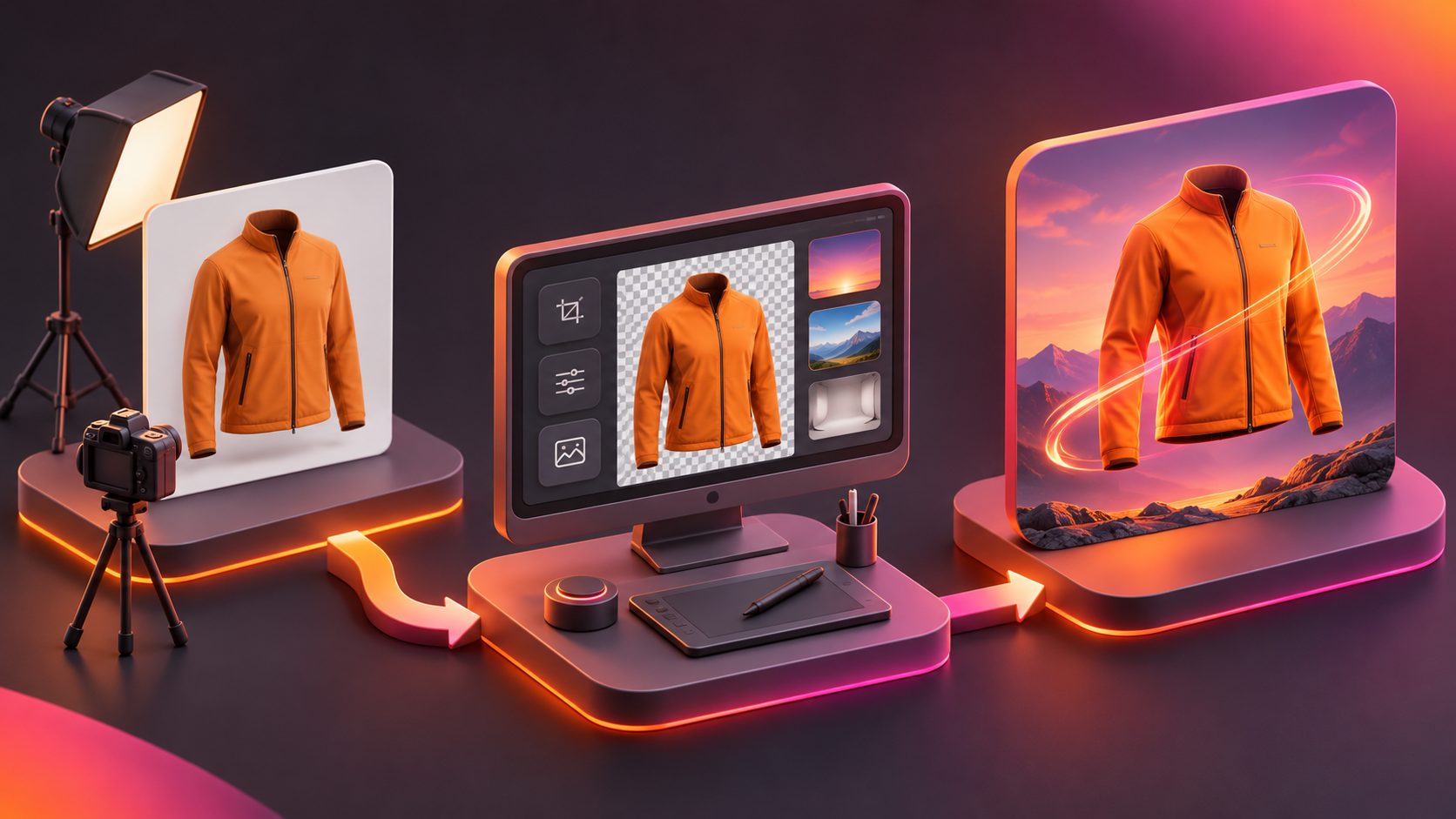
Mastering how to make dynamic clothing ad from ghost mannequin photo assets starts with one fundamental principle: protect the garment's integrity before adding movement. A clean ghost mannequin image already showcases the cut, collar, sleeves, fabric, and silhouette. The goal is to animate those authentic product facts, not replace them with distracting effects.
A practical workflow is:
- Prepare a clear front-facing garment image.
- Create a controlled on-model or editorial frame using a dedicated fashion video generator.
- Add one simple movement at a time.
- Build the first three seconds around a product benefit.
- Export platform-specific versions and review garment accuracy.
This approach is invaluable for ecommerce sellers who need high-converting fashion ads without organizing an expensive studio shoot. Several image-to-video tools now accept flat lays, hanger shots, and ghost mannequin photos as starting points, but the strongest workflows separate product accuracy, human context, and ad editing rather than asking one prompt to do everything. (docs.apparelai.app)
What is a ghost mannequin photo?
A ghost mannequin photo is an apparel product image that preserves the shape and inner 3D structure of a garment while removing the visible mannequin or model. It gives online shoppers an unobstructed view of fit, construction, and silhouette without introducing a person who may distract from the item.
When learning how to make dynamic clothing ad from ghost mannequin photo files, treat this image as your product reference frame. It tells the generative system where the neckline, seams, hem, pockets, buttons, and proportions must remain fixed. A ghost mannequin image is therefore not automatically a finished ad; it is the visual anchor for building one.
The primary limitation is fabric physics: a single still image cannot reliably predict how textiles drape or billow from every angle. Avoid prompts that demand complex spins, dramatic folds, or sprint-speed walking unless you provide multi-angle reference photos. A restrained camera push, subtle body turn, slight fabric ripple, or seamless model transition delivers much cleaner results.
What should you prepare before generating the video?
Start with a high-definition product image that AI models can easily parse. AdsTurbo Product Image supports JPG and PNG uploads, and clear product photos on a solid-color neutral background produce the best analysis and generation quality.
Use this preparation checklist:
- Keep the entire garment inside the frame with ample padding.
- Use even lighting with minimal harsh shadows or hot spots.
- Remove distracting props, clips, hangers, and background clutter.
- Ensure logos, prints, stitching, and textures are razor-sharp.
- Use the exact color variant that you plan to advertise.
- Prepare front, back, or macro detail images when the design has signature accents.
If your source file is soft, compressed, or underexposed, restore it prior to animation with an AI video enhancer. Upscaling cannot invent missing design details, but it clarifies edges and fine textures so your rendering pipeline retains product realism across ad variations.
How do you turn the photo into a dynamic clothing ad?
The most dependable methodology follows a four-stage formula: preserve, contextualize, animate, and sell.
1. Preserve the garment structure
Anchor your workflow to the ghost mannequin photo. Your first prompt instruction must prioritize structural fidelity:
Preserve the exact garment color, material, pattern, neckline, seams, logo placement, sleeve length, and proportions. Do not add pockets, buttons, prints, or accessories.
Establishing strict product constraints before creative styling prevents hallucinations and keeps the garment true to catalog specs.
2. Create a human or editorial context
While product-only animations fit technical product detail pages, showing a person wearing the item yields far stronger engagement in paid social feeds. Generate a photorealistic still frame first, then animate that frame.
Select the setting according to the apparel category:
| Product type | Useful starting frame | Suitable movement |
|---|---|---|
| T-shirt or sweatshirt | Front-facing model | Small turn and sleeve movement |
| Dress | Full-body model | Slow walk or controlled fabric motion |
| Jacket | Three-quarter pose | Shoulder turn and zip or pocket detail |
| Pants or jeans | Mid-body crop | Step forward and subtle side angle |
| Plus-size apparel | Full-body model with realistic fit | Gentle walk, turn, and fit emphasis |
For inclusive campaigns, specify the intended body shape, age demographic, styling, and focal distance directly. A dedicated plus size model video generator AI workflow shows how the cut compliments a fuller figure, avoiding awkward stretching or distorted garment proportions.
3. Add one controllable movement
Movement must highlight the garment's selling points. Apply one distinct action per scene:
- “The model takes one slow step forward toward the camera.”
- “The model turns 30 degrees to reveal the side seam and hemline.”
- “The camera pushes in smoothly from waist level to a macro shot of the fabric texture.”
- “The jacket opens slightly as the model shifts weight.”
- “The skirt moves naturally with a gentle, slow stride.”
Avoid packing runway strides, 360-degree spins, gale-force wind, textile morphing, background swaps, and floating text into a single prompt. Overloading prompts leads to warped hands, fluctuating patterns, and flickering hems.
4. Convert the clip into an ad
A dynamic clothing ad requires strategic marketing structure, not merely visual motion. A high-converting 15-second ecommerce framework looks like this:
- 0–2 seconds: Stop the scroll with the hero garment and an attention-grabbing hook.
- 2–7 seconds: Showcase the drape, movement, stretch, or silhouette in motion.
- 7–11 seconds: Present a macro close-up or alternate styling angle.
- 11–15 seconds: Display the offer, brand logo, and a clear call to action.
Example:
- Hook: “The everyday jacket engineered with room to move”
- Proof: “Ultralight breathability, tailored structure”
- Detail: Close-up of water-resistant weave and reinforced seams
- CTA: “Shop the new-season drop — 20% off today”
For end-to-end creative production, you can leverage an AI clothing ad generator to automate scene assembly, overlay captions, insert background music, and craft platform-ready formats directly from source assets. You can also explore our fashion model video generator workflow to benchmark product-focused vs. lifestyle-driven creative variations before running scaled campaigns.
How can you keep AI clothing videos accurate?
Implement a three-pass quality check before launching spend on your generated video ads.
Pass one: product identity
Pause on the first, middle, and final frames. Check:
- Is the garment's colorway and tint consistent throughout?
- Are logos, brand typography, and graphics crisp and intact?
- Did the collar, cuffs, pockets, and hem preserve their geometry?
- Did the AI invent unintended seams, hardware, or patterns?
Pass two: fit and body context
Examine the realism of the interaction between the garment and model:
- Do sleeves blend or glitch into the model's arms?
- Does the waistline or neckline jitter during movement?
- Are buttons or zippers disappearing and reappearing?
- Is there fabric clipping through the limbs or torso?
- Does the textile stretch unnaturally around the chest or hips?
Pass three: advertising clarity
Review the creative with audio muted. Can a browsing user pinpoint exactly what product is for sale within two seconds? If not, trim the intro, scale up the product framing, or cut out extraneous decorative motion.
This review framework separates frivolous novelty clips from profitable commercial assets. Successful ecommerce advertising always prioritizes recognition, proof, and action.
How many variations should you create from one photo?
Rather than generating dozens of unstructured variations, organize your testing into systematic buckets:
- Three visual hooks: comfort in motion, silhouette fit, and daily styling.
- Two audiences: general shoppers and a dedicated demographic or size segment.
- Two ratios: 9:16 vertical for TikTok/Reels/Shorts and 1:1 or 4:5 for Meta feed placements.
- Two call-to-actions: direct purchase CTA vs. limited-time promotional discount.
This strategy yields 24 targeted creative combinations from a single ghost mannequin capture. By tweaking one core variable at a time, you can clearly isolate whether click-through rates were driven by the hook, the model representation, the pacing, or the closing offer.
To support multichannel rollouts, review our guide on ecommerce product video automation to coordinate video variants with localized banner ads, promotional badges, and retargeting collateral across nine aspect ratios.
Common questions
Can I make a clothing video from one ghost mannequin image?
Yes. A single high-resolution ghost mannequin image is sufficient to generate an animated product showcase or a full on-model lifestyle video. To achieve peak accuracy with complex garments, provide secondary views (back, side profile, or fabric close-ups).
Should I animate the ghost mannequin or add a model?
Animate the ghost mannequin directly when fabric structure, technical seams, or cut are the primary value propositions. Introduce an AI model whenever shoppers need to visualize body proportions, drape, outfit styling, and real-world movement.
How long should the first clothing ad be?
Keep early testing clips between 10 and 15 seconds. This concise duration offers adequate time to introduce the product, demonstrate one core benefit, and present a compelling call to action without incurring creative fatigue.
How do I create videos for different sizes or audiences?
Maintain the source product image and value proposition as your constant, then modify the model prompt, demographic styling, body type, and hook copy. This controlled testing setup produces clean, actionable conversion insights across customer segments.
Can I add subtitles and translated versions?
Yes. Modern video workflows can automatically transcribe speech, generate synced subtitle overlays, and translate voice tracks for cross-border advertising across multiple global territories.
Final takeaway
Understanding how to make dynamic clothing ad from ghost mannequin photo files comes down to treating your product shot as an uncompromised accuracy baseline rather than an open-ended artistic brief. Lock in garment details, place the item on an authentic model, apply subtle motion, and iterate through structured creative hooks.
This framework empowers ecommerce teams to transform standard flat catalog photos into high-performing video campaigns at scale—bypassing the timeline and overhead of traditional production while delivering ads that convert.