Claude
 Cursor
How to Make Video Ads Without Footage


Summarize with
Summary
Learn how to make video ads without footage using product photos, a focused message, motion, captions, and a clear CTA. Build your first ad workflow today.
By adsturbo.ai | Published 2026-11-19 | Updated 2026-11-19
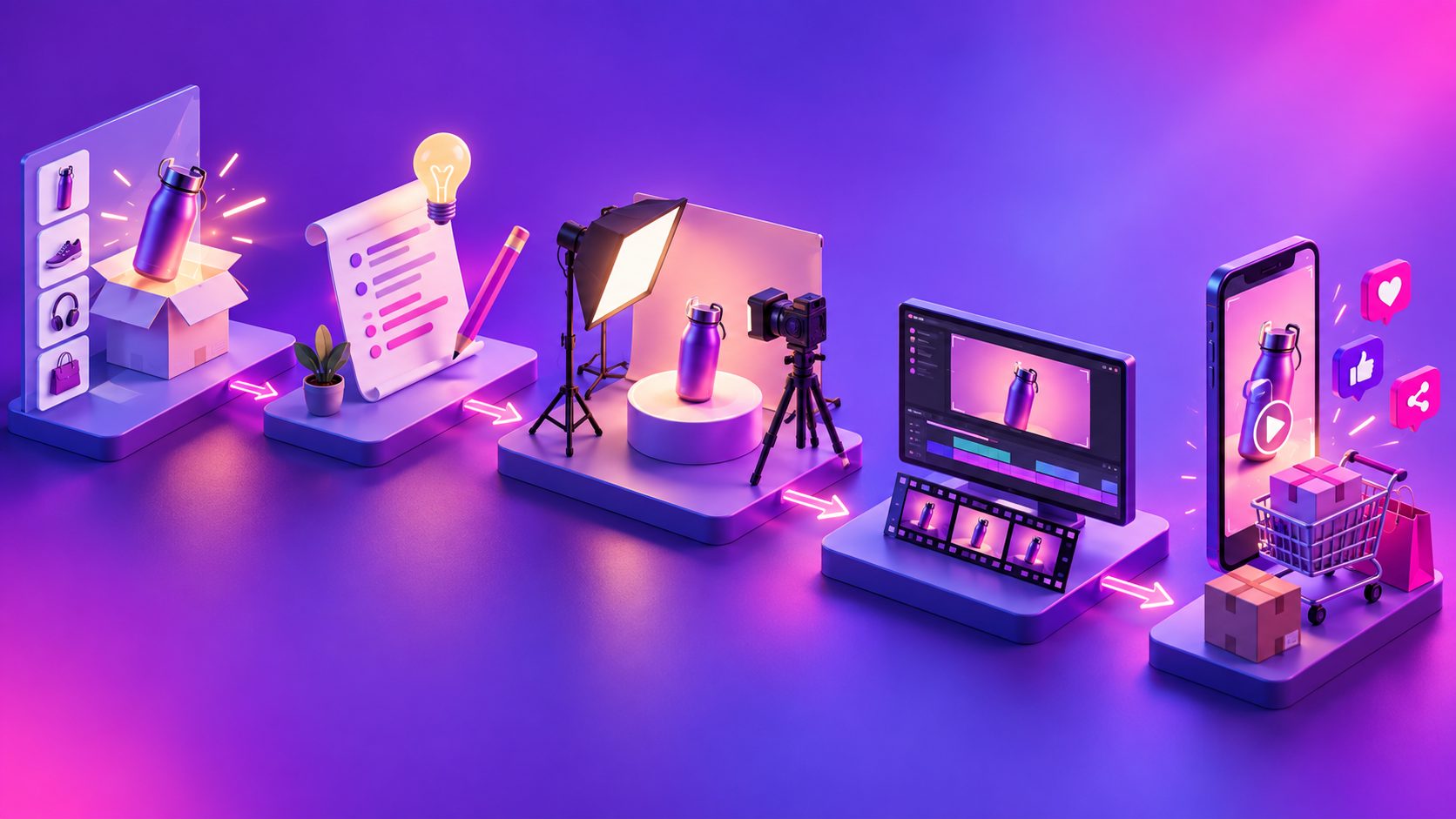
You can learn how to make video ads without footage by starting with a clean product photo, three to five selling points, and one clear call to action. The finished ad can combine animated product images, generated scenes, voiceover, on-screen text, captions, and simple transitions.
For ecommerce sellers, the goal is not to imitate a full commercial. It is to create a clear, testable message that shows the product, explains its value, and gives the viewer a reason to act.
What do you need to make a video ad without filming?
A no-footage ad needs a minimum viable asset pack: one usable product image, one customer problem, one product benefit, and one CTA. More assets can improve variety, but they are not required to produce a first version.
Prepare these four inputs:
- Product image: Use a sharp JPG or PNG. A clear product photo on a plain background is easiest to crop, animate, and place into new scenes.
- Primary selling point: Choose one benefit, not a long list. For example, “keeps drinks cold for longer” is more usable than “premium, durable, stylish, portable, and eco-friendly.”
- Proof or detail: Add a specification, ingredient, use case, material, size, or customer objection that the product can genuinely support.
- Call to action: Use a direct next step such as “Shop now,” “See the collection,” or “Get yours today.”
This approach matches the practical pattern found across current no-filming workflows: product photos or screenshots provide the raw material, while motion, voiceover, text, and captions create the ad experience. (framenotion.com)
How to make video ads without footage in 7 steps
1. Choose one audience and one promise
Start by defining who the ad is for and what the product helps them do. Avoid trying to address every possible buyer in a 15- or 30-second video.
Use this formula:
For [specific buyer], this product helps solve [specific problem] by [clear mechanism or benefit].
Example:
For busy commuters, this insulated bottle keeps drinks cold during long days without taking up extra space.
This statement becomes the foundation for the script, visuals, and CTA.
2. Write a short hook-problem-benefit-CTA script
A simple script structure is more reliable than asking an AI tool to “make an engaging ad.”
For a 15-second ad, try:
- 0–3 seconds: Hook or problem
- 3–7 seconds: Product introduction
- 7–12 seconds: Main benefit or proof
- 12–15 seconds: CTA
Example:
- “Still drinking warm water by lunch?”
- “Meet the bottle designed for long workdays.”
- “Its insulated body helps keep drinks cold while the slim shape fits most bags.”
- “Shop the collection today.”
Keep the spoken script concise. If the viewer must read five lines of text while watching a moving product, the message is probably too dense.
3. Turn one product photo into multiple visual shots
A single product image can support several shots when each shot has a different job:
- Hero shot: Full product on a clean background
- Detail shot: Close-up of texture, label, button, or material
- Feature shot: Product beside a short benefit statement
- Lifestyle composition: Product placed into a relevant environment
- Final frame: Product, offer, and CTA together
The important distinction is between visual variety and invented proof. A generated kitchen, desk, gym bag, or travel scene can establish context, but it should not imply that the product has performed a result you cannot verify.
AdsTurbo Product Image accepts JPG or PNG product images and works best with a clear product photo on a plain background. It can also generate product-image variations for ecommerce placements, giving you more visual material before video assembly.
4. Add movement without pretending the product was filmed
There are three practical ways to create motion from still assets:
- Camera movement: Add slow zooms, pans, or parallax effects.
- Scene movement: Place the product in a generated or designed environment with subtle environmental motion.
- Editorial movement: Use quick cuts, changing text, animated highlights, and timed transitions.
For most ecommerce testing, editorial movement is the safest starting point. It keeps the product recognizable and reduces the risk of distorted logos, handles, labels, or packaging.
If your source image is low-resolution, use an AI video enhancer before exporting the final ad. Upscaling can improve clarity, but it cannot restore product details that were never captured clearly.
5. Add voiceover and captions
Voiceover gives the ad pacing and makes a photo-based sequence feel more like a complete creative. Captions are equally important because many social placements are watched with the sound muted.
Use captions to reinforce, not duplicate, the entire voiceover. A good caption might highlight:
- “Fits in narrow cup holders”
- “Made for long commutes”
- “No bulky outer shell”
- “Shop the new collection”
AdsTurbo Video Subtitle can transcribe speech, create time-synced captions, and export either a video with embedded subtitles or a separate subtitle file. For short-form placements, review every caption manually for spelling, timing, and safe-area placement.
You can also review this guide on adding captions to ecommerce video ads for a more detailed caption workflow.
6. Export versions for different placements
Do not force one composition into every channel. Build the main creative first, then adapt the layout.
| Placement | Useful starting format | Creative priority |
|---|---|---|
| TikTok, Reels, Shorts | 9:16 | Fast hook and readable captions |
| Feed ads | 1:1 or 4:5 | Product visibility and text balance |
| YouTube or website placements | 16:9 | Wider composition and longer explanation |
AdsTurbo tools support multiple aspect ratios for product visuals and ad variations. A practical testing set is one vertical version, one square or feed version, and one wider version when the campaign requires it.
7. Build a small test matrix instead of one “perfect” ad
The biggest advantage of creating ads without filming is not just speed. It is the ability to test different messages from the same product asset.
Create three versions by changing only one variable at a time:
| Version | Hook | Main angle | CTA |
|---|---|---|---|
| A | Problem-focused | Convenience | Shop now |
| B | Feature-focused | Material or design | See how it works |
| C | Offer-focused | Discount or bundle | Get the offer |
This creates a more useful learning loop than changing the product, script, music, and format simultaneously. The result tells you which message deserves more production effort.
Which no-footage method should you choose?
The best method depends on the material you already have:
- Product photos only: Animate stills and build a product-focused explainer.
- Product page or screenshots: Create a screen-led demo showing the buying journey.
- Brand illustrations or posters: Turn them into an offer-led promotional video.
- A reference ad: Use its pacing and structure as inspiration, then create an original version for your product.
- No presenter footage: Use voiceover, captions, product visuals, or an AI actor workflow.
For an ecommerce seller, product-photo-driven ads are usually the most controllable starting point because the product remains visible throughout the creative. Stock footage can add atmosphere, but if the stock footage carries the entire story, the ad may communicate a category rather than your specific product.
What should you avoid when creating ads without footage?
Avoid these common mistakes:
- Starting with a generic “introducing our brand” opening
- Using one static image for the entire video
- Showing benefits that the product image cannot support
- Hiding the product behind oversized text
- Adding captions too quickly to read
- Using a lifestyle scene that changes the product’s shape or packaging
- Cramming multiple selling points into one short ad
- Exporting one aspect ratio for every placement
A useful quality check is to watch the ad with the sound off and ask three questions: What is being sold? Who is it for? What should I do next? If the answer is unclear, simplify the creative before adding more effects.
Frequently asked questions
Can I make a video ad from one product photo?
Yes. One clear product photo can become a short ad with zooms, crops, text animation, voiceover, captions, and a CTA. Multiple angles improve visual variety, but one strong image is enough to test the core message.
Can I make a video ad without showing a person?
Yes. Product demonstrations, animated product photos, screen recordings, comparison layouts, and text-led explainers can all work without a presenter. Use a person only when the concept genuinely depends on human expression, usage, or demonstration.
How long should a no-footage video ad be?
Start with 15 seconds for a simple product message. Use a longer version only when the product needs explanation, comparison, or a multi-step demonstration. Shorter videos are easier to test because the hook, benefit, and CTA must remain focused.
Should I use AI-generated scenes?
Use them to add context or visual variety, not to manufacture unsupported evidence. Keep the product’s shape, branding, color, and key features accurate, and review every generated scene before publishing.
Final takeaway
Learning how to make video ads without footage starts with reducing the production problem to its essentials: one product image, one buyer problem, one credible benefit, and one CTA. Build a short script, create several purposeful visual shots, add captions, export for the intended placement, and test message variations systematically.
That workflow turns a lack of footage from a production blocker into a creative testing opportunity.